
Vanwege de manier waarop WooCommerce metagegevens verwerkt en toont, vindt u onze Wholesale Suite-gegevens op de WooCommerce > Bestellingen-pagina.
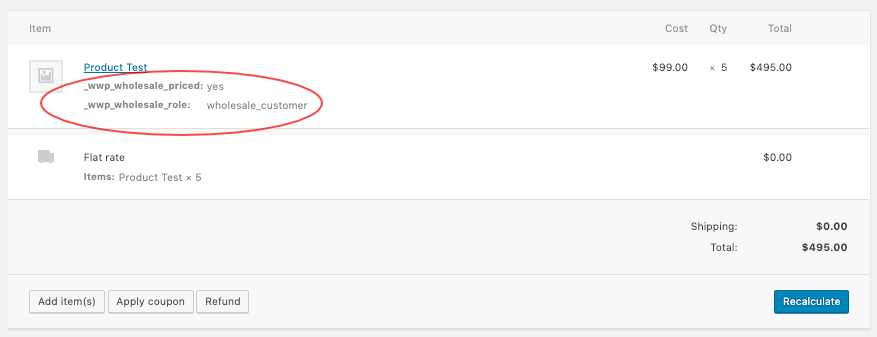
Deze gegevens zijn onschadelijk en u kunt ze gewoon negeren. Maar als u ze wilt verbergen, kunt u ze verbergen door dit aangepaste codefragment toe te voegen aan uw functions.php.
add_action('admin_head', 'wws_hide_ws_meta');

function wws_hide_ws_meta() {
echo '<style type="text/css">
#order_line_items tbody th{
display:none;
}

#order_line_items tbody p{
display:none;
}
</style>';
}
Als u een ontwikkelaar bent en geïnteresseerd bent in het verder inspecteren van hoe WooCommerce metagegevens verwerkt, kunt u dit bestand bekijken: woocommerce/includes/class-wc-order-item-product.php.

