
U kunt uw klanten eenvoudig doorsturen naar een bepaalde pagina na het inloggen of uitloggen.
Ga naar WooCommerce > Instellingen > Wholesale Lead > Algemeen en stel de Inlog Omleidingspagina en Uitlog Omleidingspagina in.
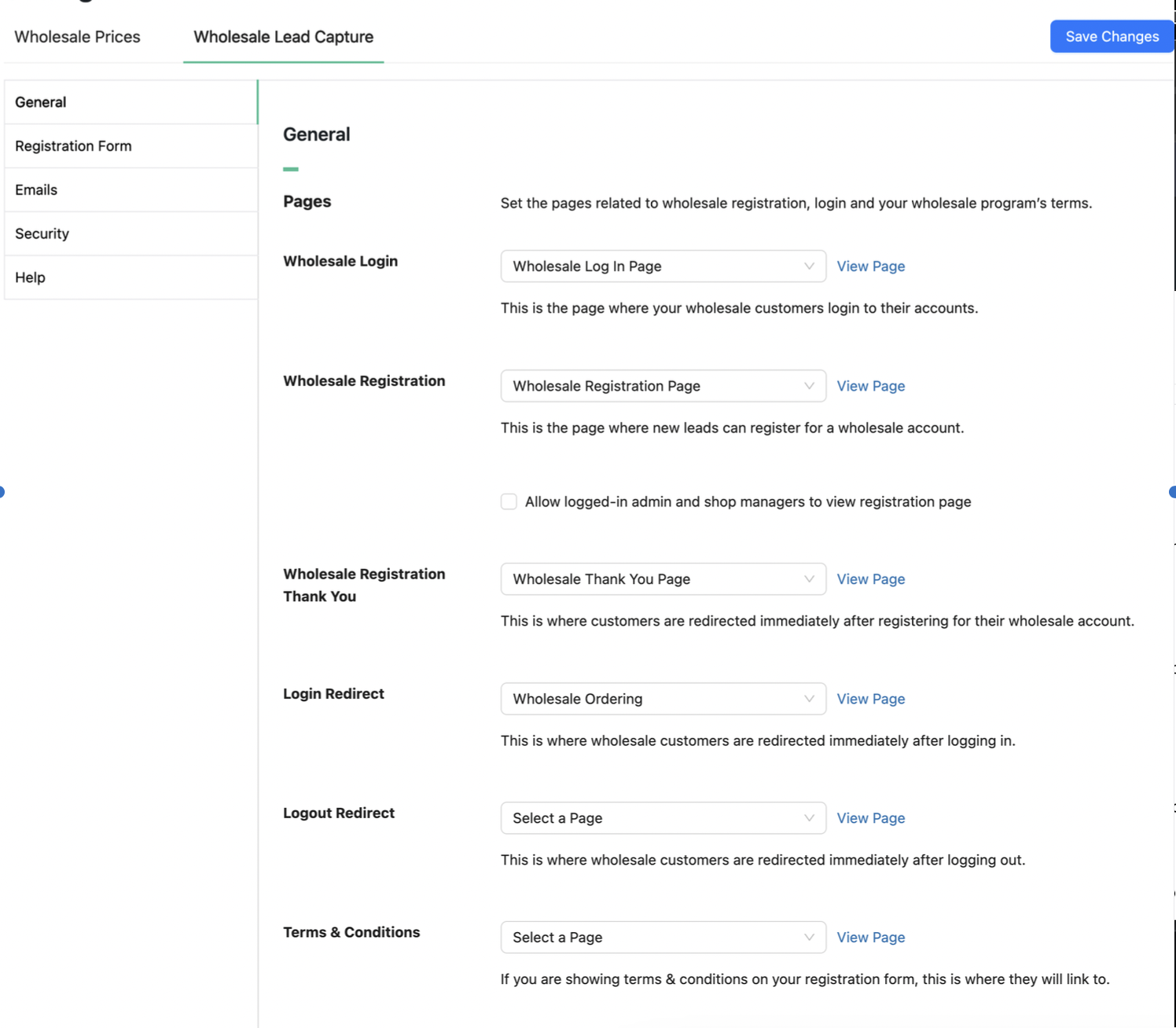
Houd er rekening mee dat de inlogomleiding alleen van toepassing is wanneer u de Wholesale Login Page van WooCommerce Wholesale Lead Capture gebruikt. Gebruikers worden niet omgeleid als ze inloggen via uw Mijn Account-pagina of op andere manieren.

