
Het toestaan dat een bestaande reguliere klant hun account upgradet naar een groothandelsklant was een van de meest gevraagde functies die we ontvingen. In WooCommerce Wholesale Lead Capture 1.15 hebben we eindelijk een nieuwe functie geïntroduceerd om deze accountupgrade-aanvraag van een reguliere klant naar een groothandelsklant mogelijk te maken.
Ga naar Groothandel > Instellingen > Groothandelsleads > Algemeen > en schakel vervolgens de optie Accountupgrade in.
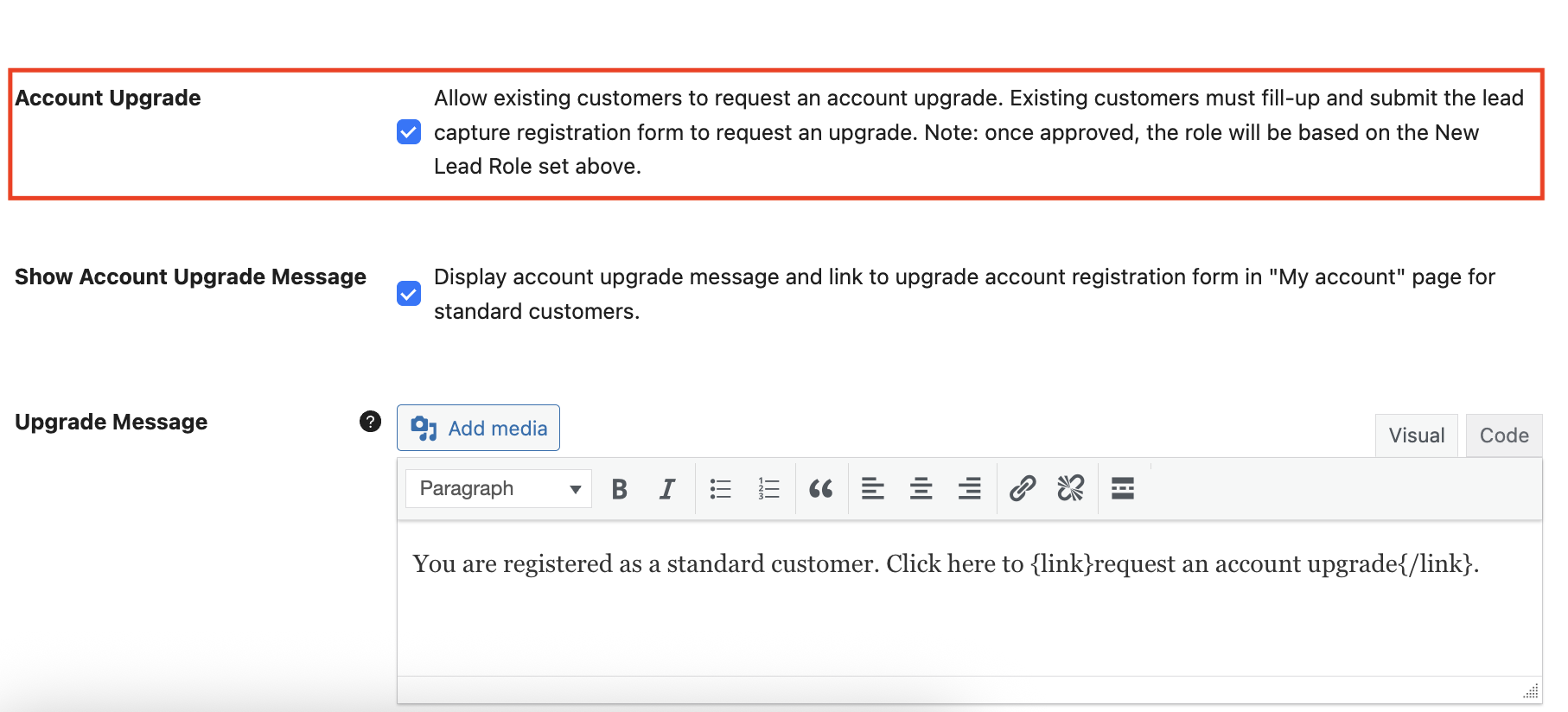
Wanneer u deze optie hebt ingeschakeld, verschijnt er een melding in het Dashboardgedeelte van de accountpagina van een detailhandelsklant. Deze melding is aanpasbaar in de Groothandelsleadinstelling onder de optie Upgradebericht.
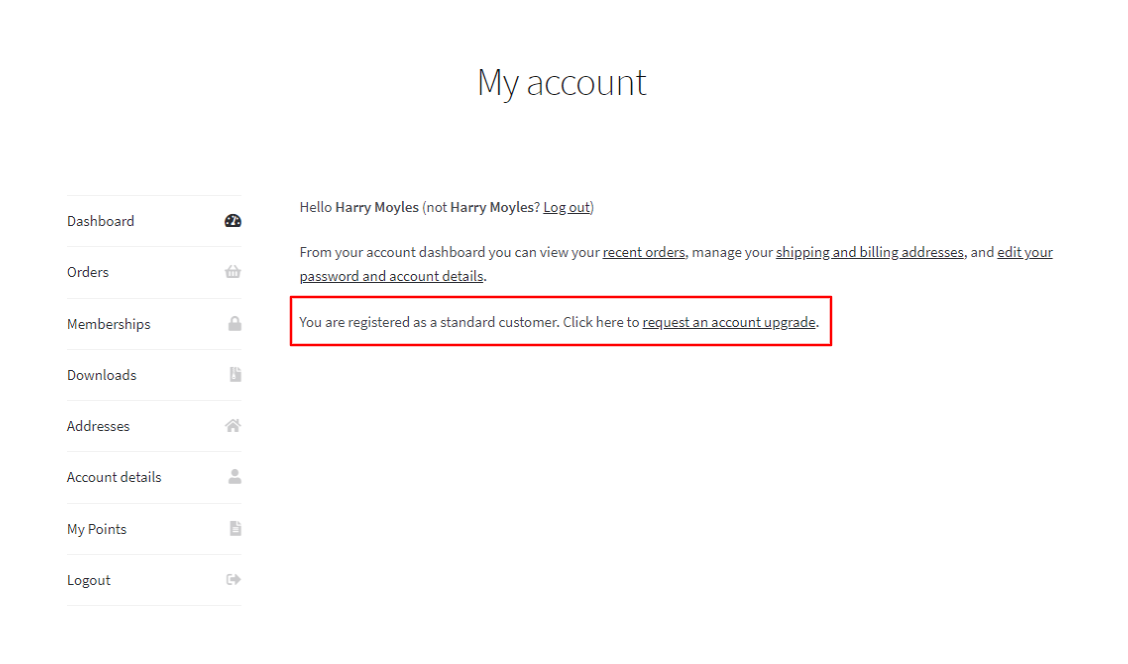
Als de reguliere klant op de link een accountupgrade aanvragen klikt, worden ze doorgestuurd naar de registratiepagina voor groothandelsklanten met een detail van de aanvraag voor accountupgrade.
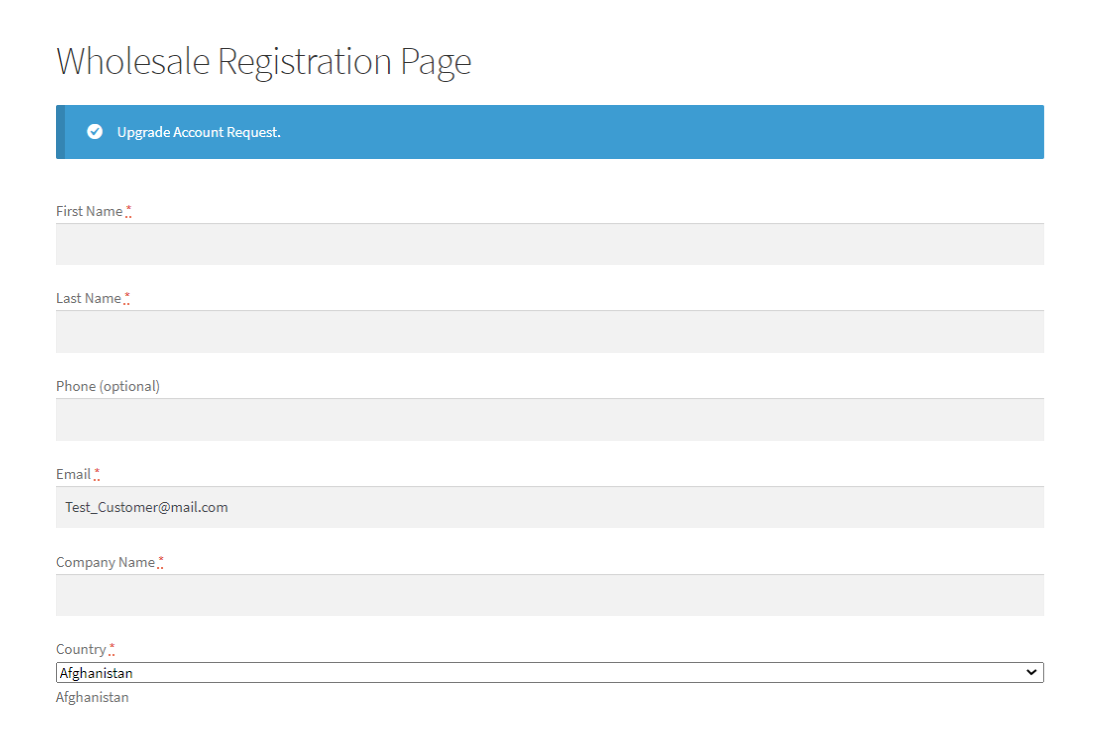
Als u de optie Automatische goedkeuring hebt ingeschakeld, wordt hun aanvraag automatisch goedgekeurd en krijgen ze de rol van groothandelsklant. Als u Handmatige goedkeuring vereist hebt ingeschakeld, kunt u hun aanvraag eerst beoordelen voordat u hun aanvraag goedkeurt of afwijst.
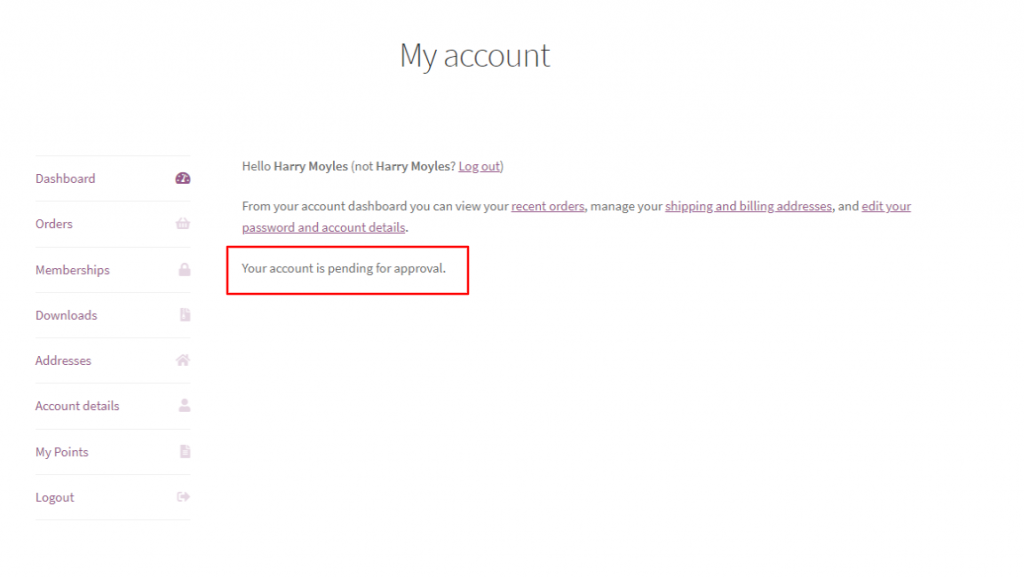
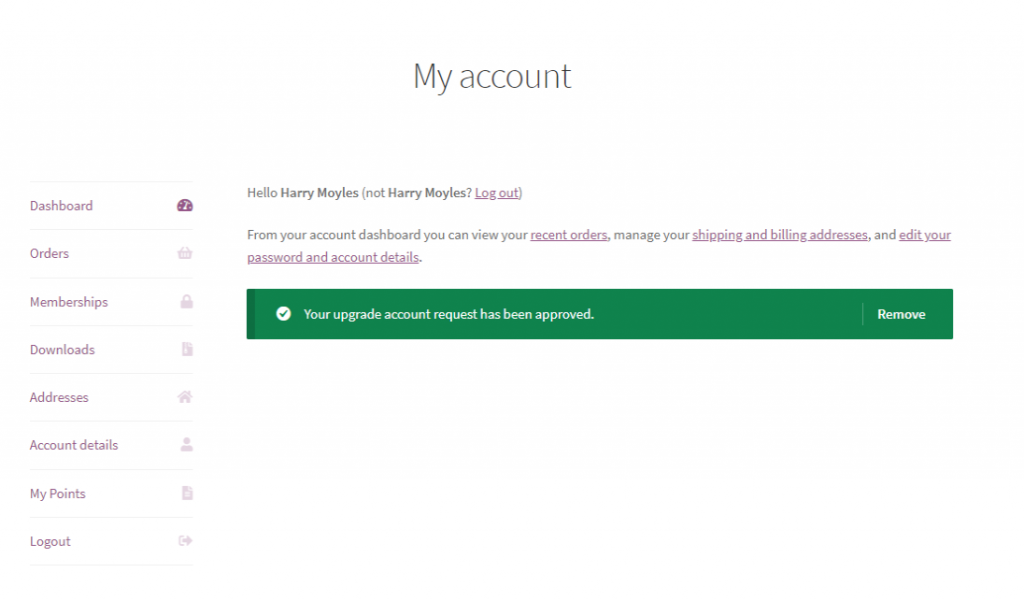
In afwachting van uw goedkeuring verschijnt er een melding in het Dashboardgedeelte van hun accountpagina. Als u ze vervolgens hebt goedgekeurd, zien ze ook een melding dat hun accountaanvraag is goedgekeurd. Ze kunnen de groothandelsprijs krijgen bij het browsen in uw winkel.
Veelgestelde vragen
Hoe schakel ik accountupgrade-aanvragen in voor detailhandelklanten?
Navigeer hiervoor naar Groothandel > Instellingen > Groothandelslead > Algemeen en activeer de optie Accountupgrade. Hiervoor is WooCommerce Wholesale Lead Capture versie 1.15 of hoger vereist, geïnstalleerd en actief op uw winkel.
Vereist deze functie WooCommerce Wholesale Lead Capture?
Ja, de mogelijkheid voor upgrade-aanvragen werd geïntroduceerd in WooCommerce Wholesale Lead Capture versie 1.15. Zonder deze plugin actief op uw site, verschijnt de instelling Accountupgrade niet in uw dashboard.
Kunnen klanten meerdere upgrade-aanvragen indienen of slechts één?
Momenteel, zodra een shopper een aanvraag indient, zien ze een melding “in afwachting van goedkeuring” op hun profielpagina. Er is geen ingebouwde manier om meerdere aanvragen in te dienen terwijl er nog een in behandeling is.
Kan ik de upgrade-melding die aan detailhandelklanten wordt getoond aanpassen?
Ja. De instelling Upgradebericht stelt u in staat de tekst van de melding die op het dashboard van de klant wordt weergegeven te bewerken. U kunt de bewoording aanpassen aan de toon van uw merk voordat u deze live zet.
Waarom wordt de link voor de upgrade-aanvraag niet weergegeven op mijn accountpagina?
Als de link ontbreekt, zorg er dan voor dat de schakelaar Accountupgrade is ingeschakeld onder Groothandel > Instellingen > Groothandellead > Algemeen. Bevestig ook dat de ingelogde gebruiker een reguliere klantrol heeft - groothandelsgebruikers zien deze optie niet.
Hulp Nodig?
Als je een vraag hebt of tegen problemen aanloopt, staan we klaar om te helpen.
- Premium gebruikers: Open een ondersteuningsticket
- Gratis gebruikers: Bezoek ons communityforum

