
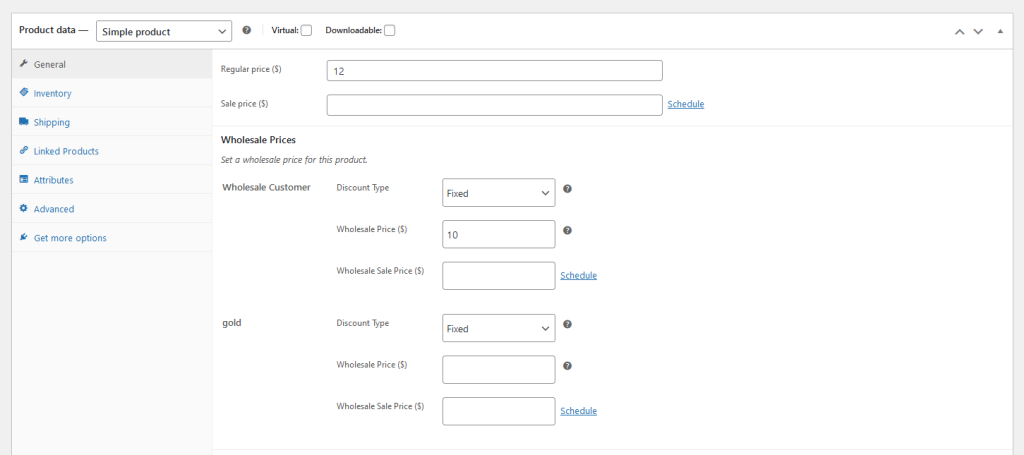
WooCommerce Wholesale Prices Premium fügt mehrere Felder zu Ihren Produktbearbeitungsbildschirmen hinzu, darunter Mindestbestellmenge für Großhandel, Schrittweite der Bestellmenge für Großhandel und Mengenbasierte Großhandelspreise für Produkte. Wenn Ihr Shop eine oder mehrere dieser Funktionen nicht verwendet, können Sie mit dem folgenden Snippet die entsprechenden Abschnitte aus dem Produkt-Backend ausblenden.
Voraussetzungen
- WooCommerce Wholesale Prices Premium installiert und aktiv
- Zugriff auf die functions.php-Datei Ihres Child-Themes oder ein Code-Snippet-Plugin (wie z. B. Code Snippets)
So blenden Sie die Einstellungen aus
Kopieren Sie das folgende Snippet und fügen Sie es in die functions.php-Datei Ihres Child-Themes ein oder fügen Sie es in ein Code-Snippet-Plugin ein. Kommentieren Sie den Block für jede Einstellung aus, die Sie sichtbar lassen möchten, oder löschen Sie ihn.
add_action('admin_head', 'hide_wws_product_settings');

function hide_wws_product_settings() {
echo '
/*Wholesale Minimum Order Quantity*/
.wholesale-minium-order-quantity-options-group{
display:none!important;
}
/*Wholesale Order Quantity Step*/
.wholesale-order-quantity-step-options-group{
display:none!important;
}
/*Product Quantity Based Wholesale Pricing*/
.product-quantity-based-wholesale-pricing{
display:none!important;
}
';
}
Dies blendet die ausgewählten Abschnitte auf dem Produktbearbeitungsbildschirm für alle Admin-Benutzer aus. Speichern Sie die Datei (oder aktivieren Sie das Snippet) und laden Sie eine Produktbearbeitungsseite neu, um die Änderung zu bestätigen.
Fehlerbehebung
Der Abschnitt ist nach dem Speichern des Snippets immer noch sichtbar. Löschen Sie alle serverseitigen oder Seiten-Caches und laden Sie dann den Produktbearbeitungsbildschirm neu. Wenn der Abschnitt immer noch vorhanden ist, stellen Sie sicher, dass das Snippet aktiv ist und keine PHP-Fehler im Fehlerprotokoll Ihrer Website vorhanden sind.
Die CSS blendet den Abschnitt für einfache Produkte, aber nicht für variable Produkte aus. Das Snippet zielt auf Vorlagen für einfache und variable Produkte mit denselben Klassennamen ab, sodass beide betroffen sein sollten. Wenn eine Zeile für variable Produkte noch sichtbar ist, überprüfen Sie, ob das Snippet korrekt gespeichert wurde und kein anderes Plugin einen widersprüchlichen Stil hinzufügt.
Benötigen Sie Hilfe?
Wenn Sie eine Frage haben oder auf Probleme stoßen, sind wir für Sie da.
- Premium-Benutzer: Support-Ticket eröffnen
- Kostenlose Benutzer: Besuchen Sie unser Community-Forum

