
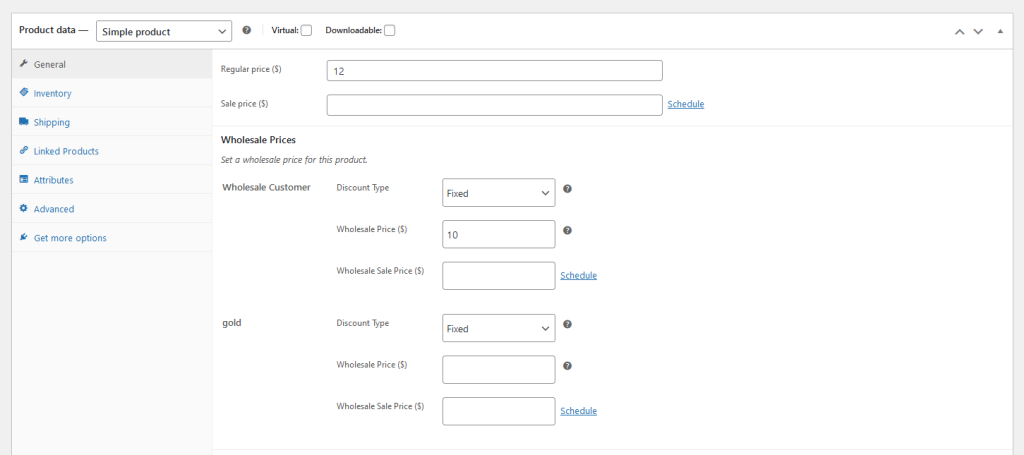
WooCommerce Wholesale Prices Premium aggiunge diversi campi alle tue schermate di modifica del prodotto, tra cui Quantità minima ordine all'ingrosso, Incremento quantità ordine all'ingrosso e Prezzi all'ingrosso basati sulla quantità del prodotto. Se il tuo negozio non utilizza una o più di queste funzionalità, lo snippet seguente ti consente di nascondere le sezioni pertinenti dal backend del prodotto.
Prerequisiti
- WooCommerce Wholesale Prices Premium installato e attivo
- Accesso al file functions.php del tuo tema figlio o a un plugin per snippet di codice (come Code Snippets)
Come nascondere le impostazioni
Copia lo snippet qui sotto, quindi aggiungilo al file functions.php del tuo tema figlio o incollalo in un plugin per snippet di codice. Commenta o elimina il blocco per qualsiasi impostazione che desideri mantenere visibile.
add_action('admin_head', 'hide_wws_product_settings');

function hide_wws_product_settings() {
echo '
/*Wholesale Minimum Order Quantity*/
.wholesale-minium-order-quantity-options-group{
display:none!important;
}
/*Wholesale Order Quantity Step*/
.wholesale-order-quantity-step-options-group{
display:none!important;
}
/*Product Quantity Based Wholesale Pricing*/
.product-quantity-based-wholesale-pricing{
display:none!important;
}
';
}
Questo nasconde le sezioni selezionate nella schermata di modifica del prodotto per tutti gli utenti amministratori. Salva il file (o attiva lo snippet) e ricarica una pagina di modifica del prodotto per confermare la modifica.
Risoluzione dei problemi
La sezione è ancora visibile dopo aver salvato lo snippet. Svuota eventuali cache lato server o della pagina, quindi ricarica la schermata di modifica del prodotto. Se la sezione è ancora presente, conferma che lo snippet sia attivo e che non ci siano errori PHP nel registro degli errori del tuo sito.
Il CSS nasconde la sezione per i prodotti semplici ma non per i prodotti variabili. Lo snippet si rivolge a entrambi i template di prodotti semplici e variabili utilizzando gli stessi nomi di classe, quindi entrambi dovrebbero essere interessati. Se una riga di prodotto variabile è ancora visibile, verifica che lo snippet sia stato salvato correttamente e che nessun altro plugin stia aggiungendo uno stile in conflitto.
Serve Aiuto?
Se hai una domanda o riscontri problemi, siamo qui per aiutarti.
- Utenti Premium: Apri un ticket di supporto
- Utenti Gratuiti: Visita il nostro forum della community

