
A causa del modo in cui WooCommerce gestisce e visualizza i metadati, troverai i dati della nostra Wholesale Suite presenti nella pagina WooCommerce > Ordini.
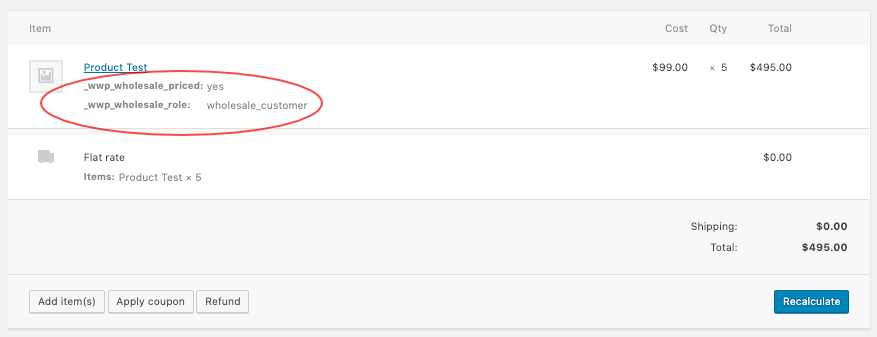
Questi dati sono innocui e puoi semplicemente ignorarli. Ma se vuoi nasconderli alla tua vista, puoi farlo inserendo questo snippet personalizzato nel tuo functions.php.
add_action('admin_head', 'wws_hide_ws_meta');

function wws_hide_ws_meta() {
echo '<style type="text/css">
#order_line_items tbody th{
display:none;
}

#order_line_items tbody p{
display:none;
}
</style>';
}
Se sei uno sviluppatore e sei interessato a ispezionare ulteriormente come WooCommerce gestisce i metadati, puoi controllare questo file: woocommerce/includes/class-wc-order-item-product.php.

