
Om uw licentie van Single-site naar Unlimited te upgraden, volgt u deze eenvoudige stappen:
- Log in op uw account op onze website.
- Ga naar het tabblad Abonnement.
- Klik op Bekijken naast het abonnement dat u wilt upgraden.
- Selecteer de knop Upgraden.
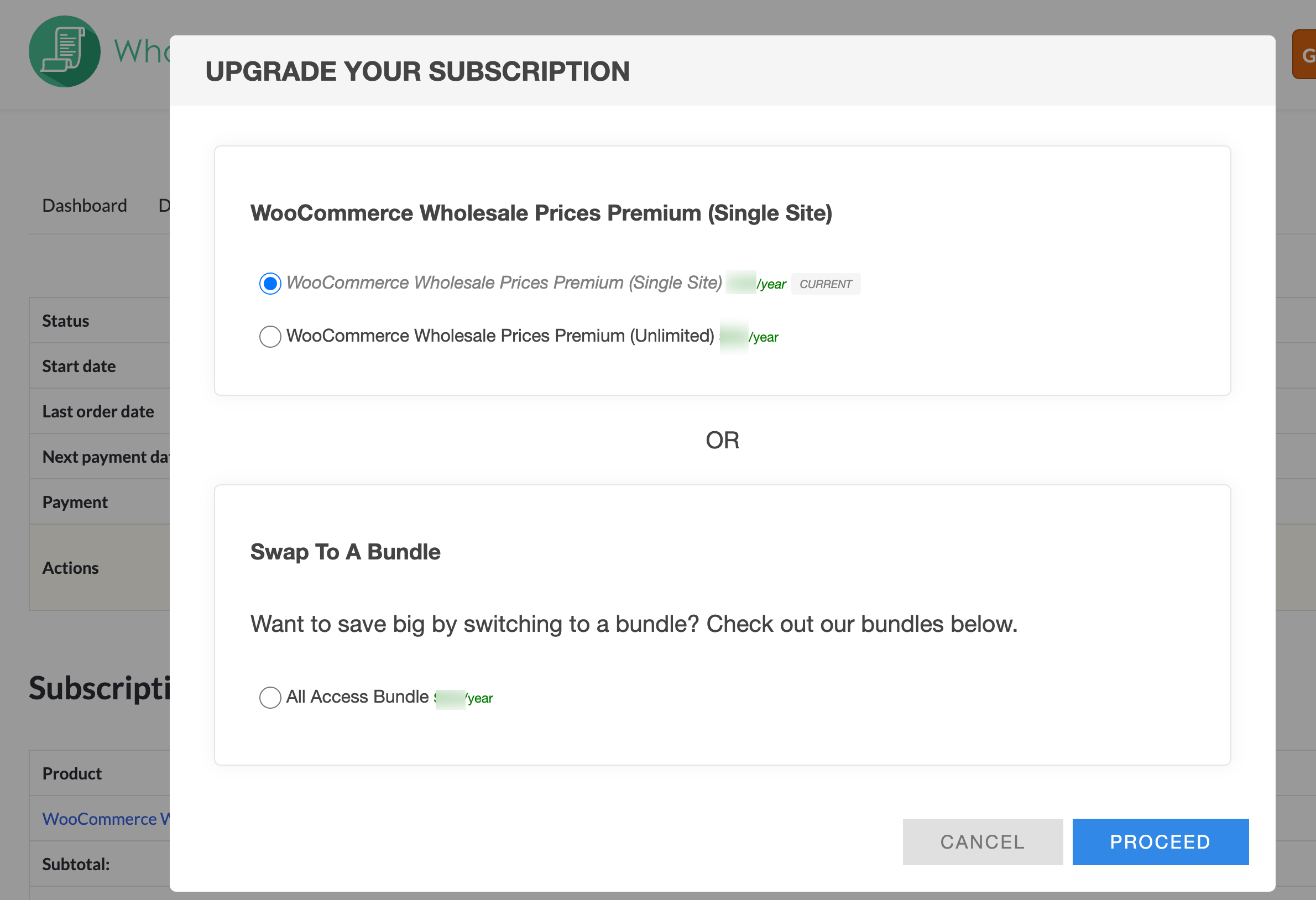
Vanaf daar kunt u het plan kiezen dat het beste bij uw behoeften past - of het nu de Unlimited-licentie is of een van onze bundelplannen.

Nadat u op de knop Upgraden hebt geklikt, kunt u het plan kiezen dat het beste bij uw behoeften past. Als u nog resterende tijd op uw huidige licentie heeft, wordt het upgradebedrag pro rata berekend, zodat u alleen het verschil betaalt en u volledige waarde uit uw bestaande abonnement haalt.
Als u van een Unlimited-licentie naar een Single-site-licentie wilt overstappen, raden we u aan rechtstreeks contact met ons op te nemen. We helpen u graag verder en verwerken uw aanvraag snel!

