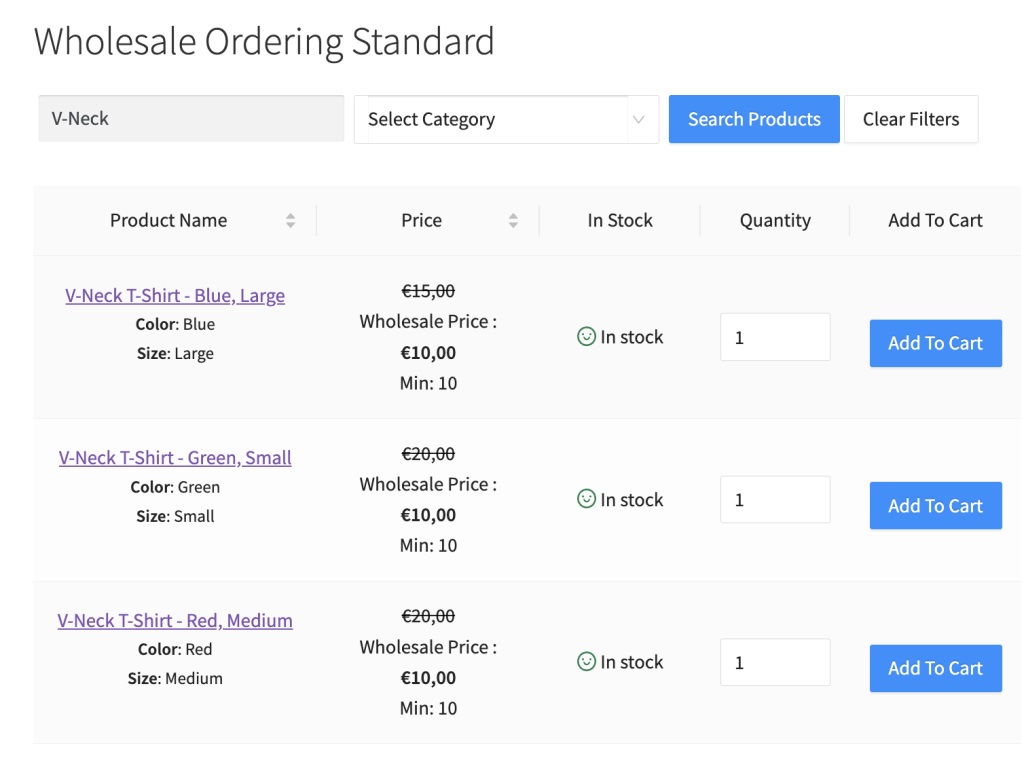
Standaard tonen we de productvariaties voor variabele producten in een dropdown-stijl. We geloven dat dit het aantal klikken dat uw klant nodig heeft om producten aan het winkelwagentje toe te voegen, vermindert. Sommige winkel eigenaren willen deze stap echter nog sneller maken door hun productvariaties individueel weer te geven.
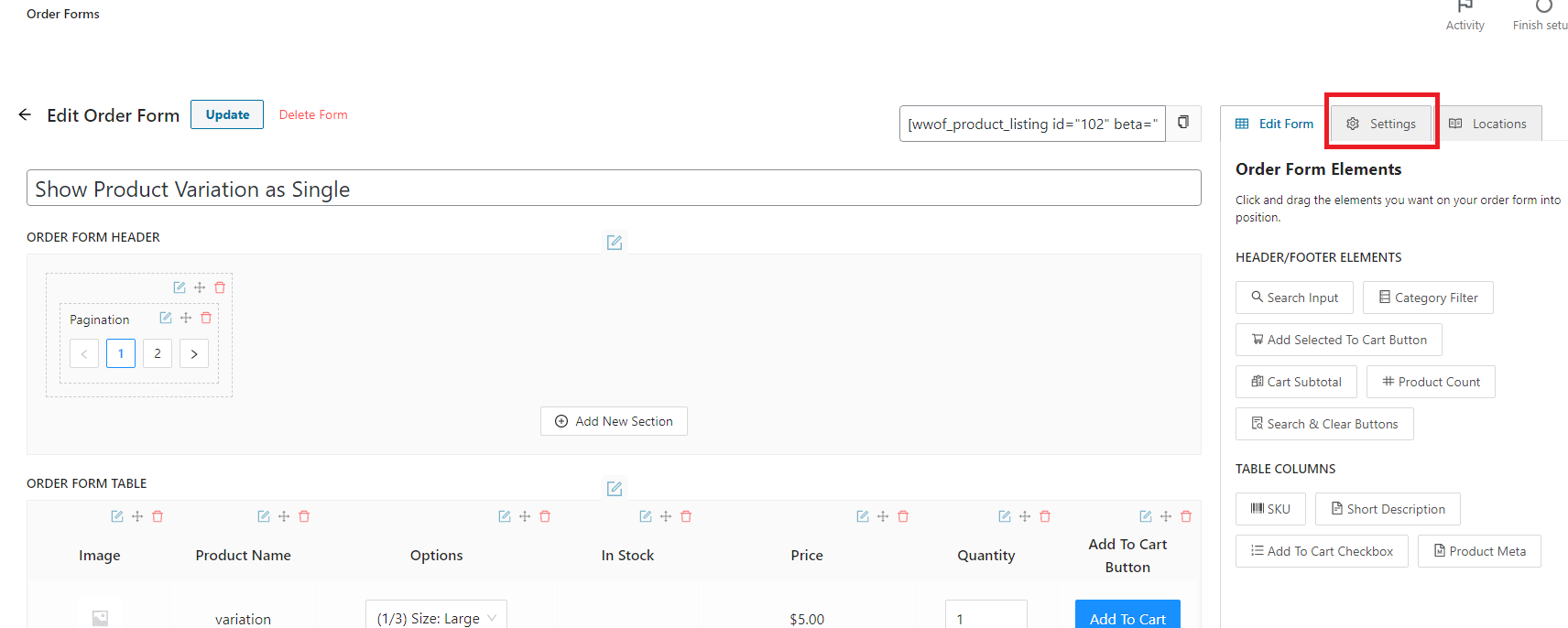
Klik op de Order Formulier, bewerkingspagina op het tabblad Instellingen dat zich rechtsboven op de pagina bevindt.
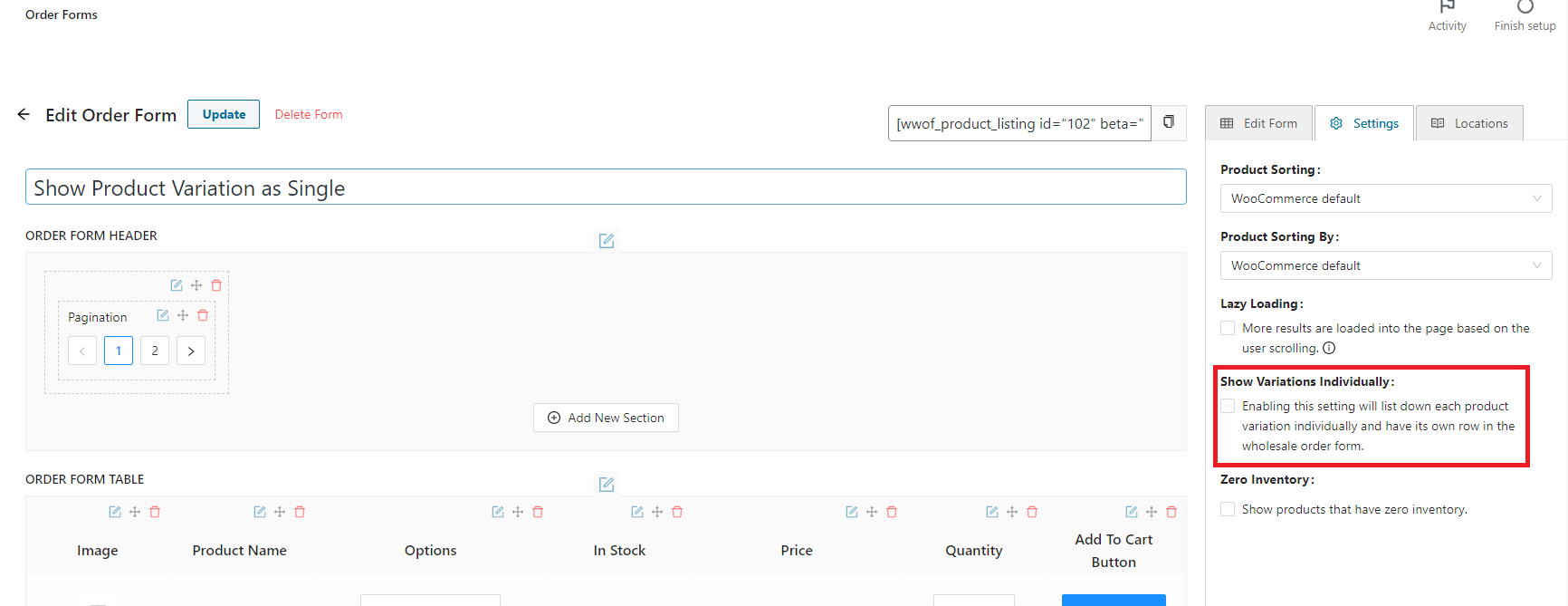
Eenmaal op het instellingentabblad vindt u het selectievakje "Variaties individueel weergeven". Klik en schakel de functie in.
Resultaat: