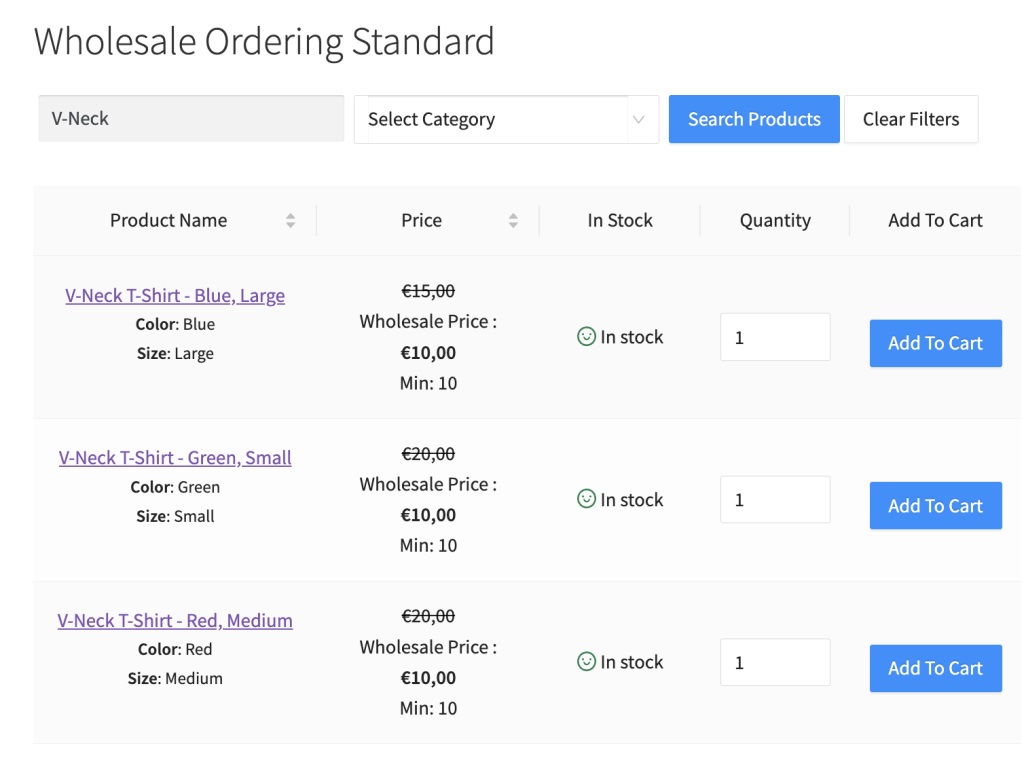
Standardmäßig zeigen wir die Produktvarianten für variable Produkte im Dropdown-Stil an. Wir glauben, dass dies die Anzahl der Klicks reduziert, die Ihr Kunde benötigt, um Produkte in den Warenkorb zu legen. Einige Shopbesitzer möchten diesen Schritt jedoch noch schneller gestalten, indem sie ihre Produktvarianten einzeln auflisten.
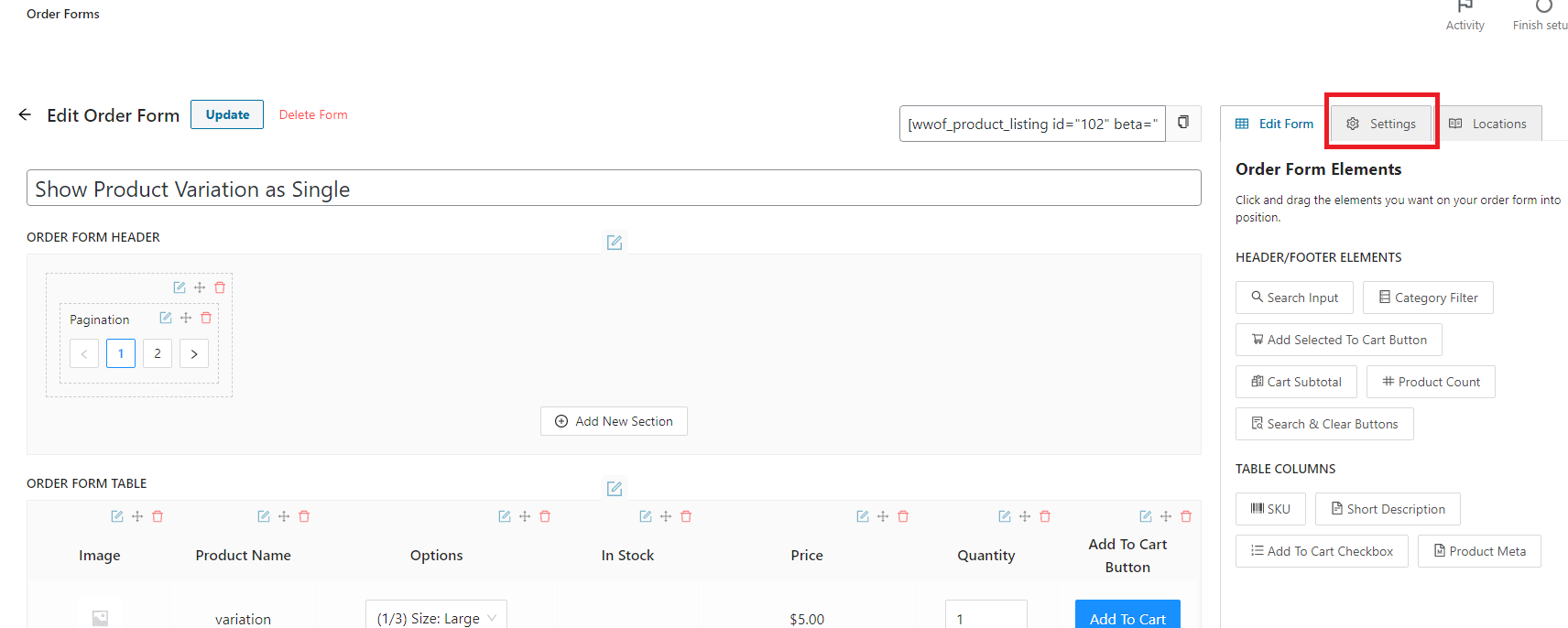
Klicken Sie auf dem Bestellformular auf der Editor-Seite auf die Registerkarte Einstellungen, die sich oben rechts auf der Seite befindet.
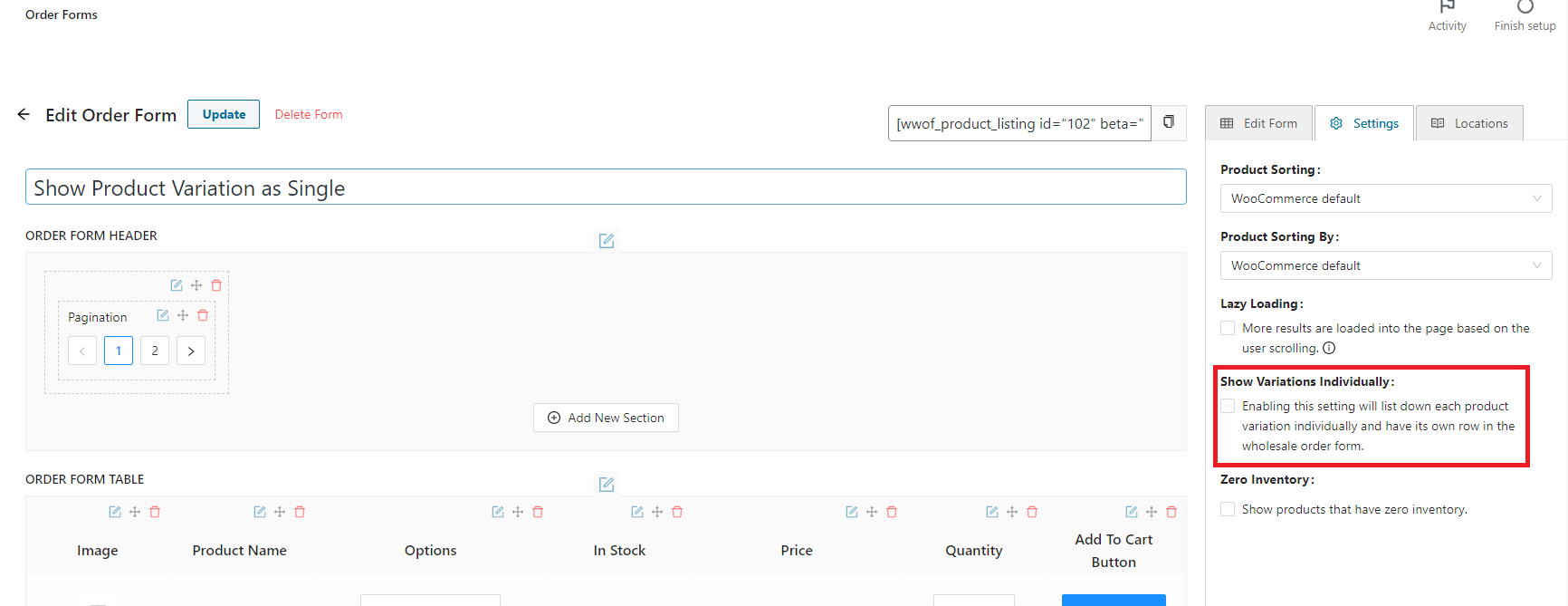
Sobald Sie sich auf der Einstellungsregisterkarte befinden, finden Sie das Kontrollkästchen „Varianten einzeln anzeigen“. Klicken Sie darauf und aktivieren Sie die Funktion.
Ergebnis: