
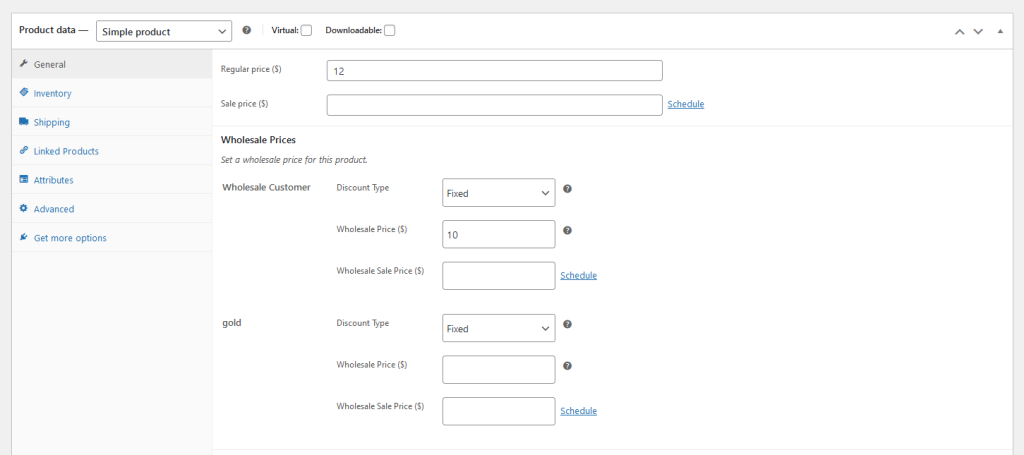
WooCommerce Wholesale Prices Premium ajoute plusieurs champs à vos écrans de modification de produit, notamment la quantité minimale de commande en gros, le pas de quantité de commande en gros et la tarification en gros basée sur la quantité de produit. Si votre boutique n'utilise pas une ou plusieurs de ces fonctionnalités, l'extrait ci-dessous vous permet de masquer les sections pertinentes du backend du produit.
Prérequis
- WooCommerce Wholesale Prices Premium installé et actif
- Accès au fichier functions.php de votre thème enfant ou à un plugin d'extraits de code (tel que Code Snippets)
Comment masquer les paramètres
Copiez l'extrait ci-dessous, puis ajoutez-le au fichier functions.php de votre thème enfant ou collez-le dans un plugin d'extraits de code. Commentez ou supprimez le bloc pour tout paramètre que vous souhaitez conserver visible.
add_action('admin_head', 'hide_wws_product_settings');

function hide_wws_product_settings() {
echo '
/*Wholesale Minimum Order Quantity*/
.wholesale-minium-order-quantity-options-group{
display:none!important;
}
/*Wholesale Order Quantity Step*/
.wholesale-order-quantity-step-options-group{
display:none!important;
}
/*Product Quantity Based Wholesale Pricing*/
.product-quantity-based-wholesale-pricing{
display:none!important;
}
';
}
Cela masque les sections sélectionnées sur l'écran de modification du produit pour tous les utilisateurs administrateurs. Enregistrez le fichier (ou activez l'extrait) et rechargez une page de modification de produit pour confirmer la modification.
Dépannage
La section est toujours visible après l'enregistrement de l'extrait. Videz les caches côté serveur ou côté page, puis rechargez l'écran de modification du produit. Si la section est toujours présente, confirmez que l'extrait est actif et qu'il n'y a pas d'erreurs PHP dans le journal d'erreurs de votre site.
Le CSS masque la section pour les produits simples mais pas pour les produits variables. L'extrait cible les modèles de produits simples et variables en utilisant les mêmes noms de classe, donc les deux devraient être affectés. Si une ligne de produit variable est toujours visible, vérifiez que l'extrait a été correctement enregistré et qu'aucun autre plugin n'ajoute de style conflictuel.
Besoin d'aide ?
Si vous avez une question ou rencontrez des problèmes, nous sommes là pour vous aider.
- Utilisateurs premium : Ouvrir un ticket de support
- Utilisateurs gratuits : Visitez notre forum communautaire

