
If some wholesale buyers keep ordering on terms while older invoices go unpaid, you can hold or block new payment-plan orders until they settle up. This guide shows you how to turn on overdue restrictions in Wholesale Payments and choose what happens at checkout.
Before you start
- Wholesale Payments active and connected to Stripe. How to set up Stripe for wholesale payments
- At least one payment plan in use, so customers can check out on terms. How to create payment plans for wholesale customers
Turn on overdue restrictions
- Go to Wholesale → Settings → Wholesale Payments.
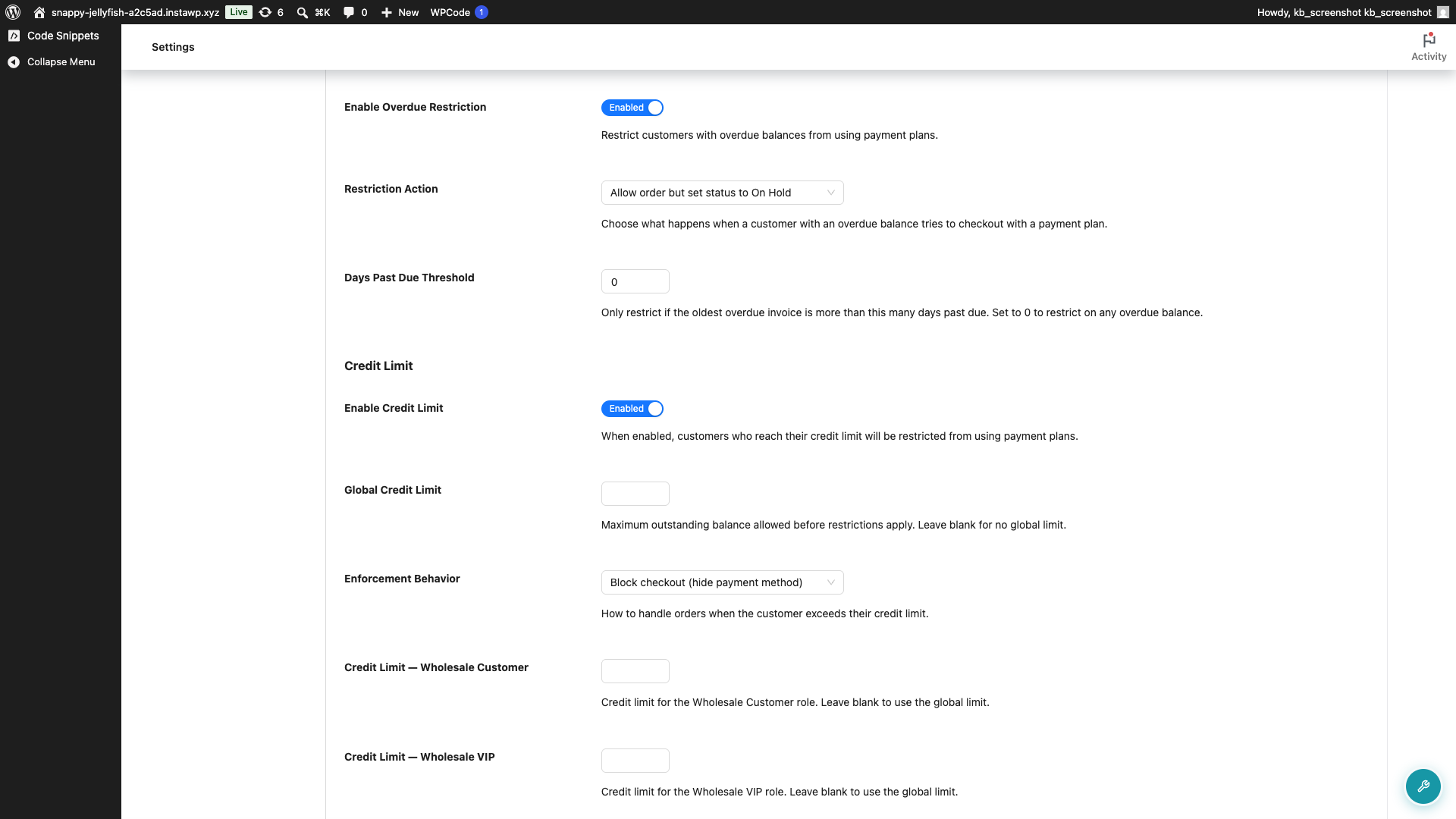
- Open the Checkout tab and find the Overdue Restrictions section.
- Turn on Enable Overdue Restriction.
- Choose a Restriction Action: Allow order but set status to On Hold, or Block payment plan checkout.
- Set Days Past Due Threshold to how many days an invoice can be overdue before the restriction kicks in. Leave it at 0 to apply the restriction with no extra grace days.
- Click Save Changes.
What the two actions do
Allow order but set status to On Hold lets the customer complete checkout, but the new order is held for your review instead of processing. Use this when you want a soft check that doesn’t turn buyers away.
Block payment plan checkout stops the customer from placing a new payment-plan order until their overdue invoices are paid. Use this when overdue balances need to be cleared first.
What the customer sees
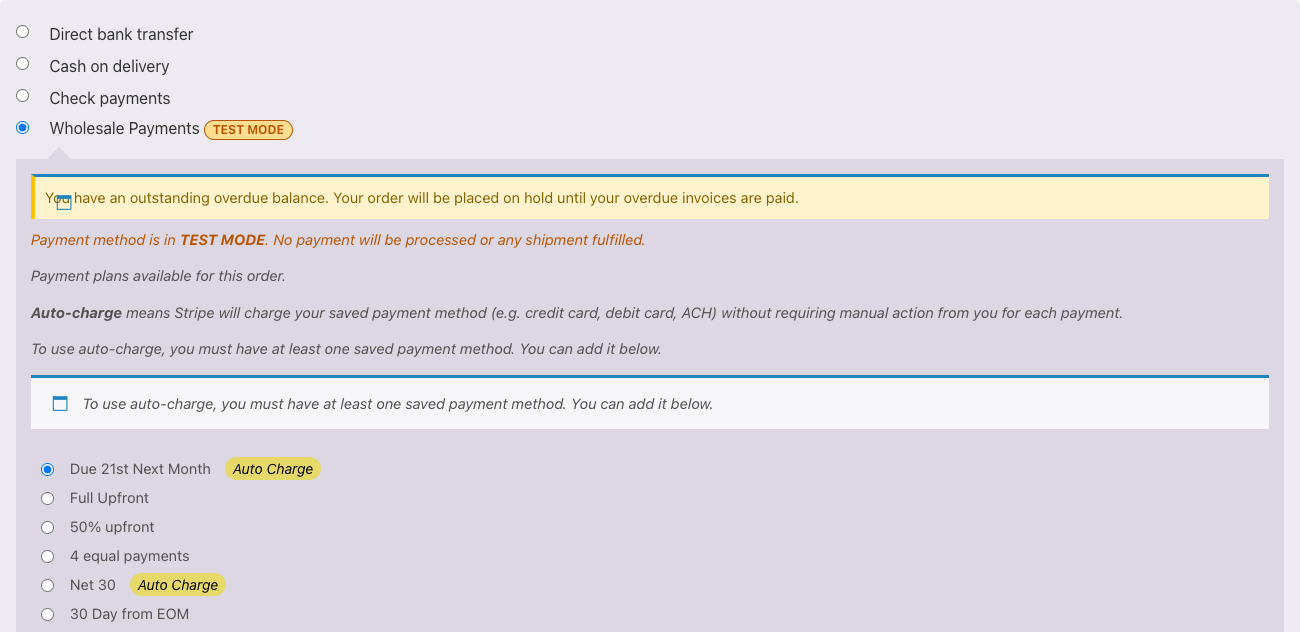
With Allow order but set status to On Hold selected, the customer can still place the order, but they see a notice on the Wholesale Payments option at checkout: “You have an outstanding overdue balance. Your order will be placed on hold until your overdue invoices are paid.” The order goes through and is held for your review.
With Block payment plan checkout selected, the Wholesale Payments option is hidden at checkout, so the customer cannot choose a payment plan while they have an overdue balance. They can still pay in full with another payment method. If an order is placed on their behalf, such as an admin-created order, the block is enforced with this message: “You have an outstanding overdue balance. Please pay your overdue invoices before placing a new order with a payment plan.”
Troubleshooting
A restricted customer still placed a payment-plan order.
Check that the overdue invoice is on an order linked to that customer’s account, and that the invoice is past due by more than your Days Past Due Threshold. The restriction only looks at the customer’s own orders, so an invoice on a guest or unlinked order won’t trigger it.
Frequently asked questions
Does this block all payment, or just payment plans?
Only payment plans. The restriction applies to the Wholesale Payments option, so the customer can still pay in full with another gateway.
What counts as overdue?
An invoice past its due date. With Days Past Due Threshold above 0, only invoices more than that many days past due trigger the restriction. At 0, automatically charged invoices count as soon as they pass the due date, while manually sent invoices count once they are at least a full day past due.
What happens to an On Hold order?
It waits for your review in WooCommerce instead of processing automatically, so you can decide whether to accept it.
Need Help?
If you have a question or run into any issues, we’re here to help.
- Premium users: Open a support ticket
- Free users: Visit our community forum

