
Maintenant que vous avez configuré le plugin WooCommerce Wholesale Lead Capture, il est temps de configurer votre système d’e-mails. Ce guide vous aidera à comprendre comment les e-mails circulent pendant le processus d’inscription en gros.
Scénarios d’approbation :
Vous pouvez choisir entre deux options d’approbation :
- Approbation manuelle requise
- Approbation automatique
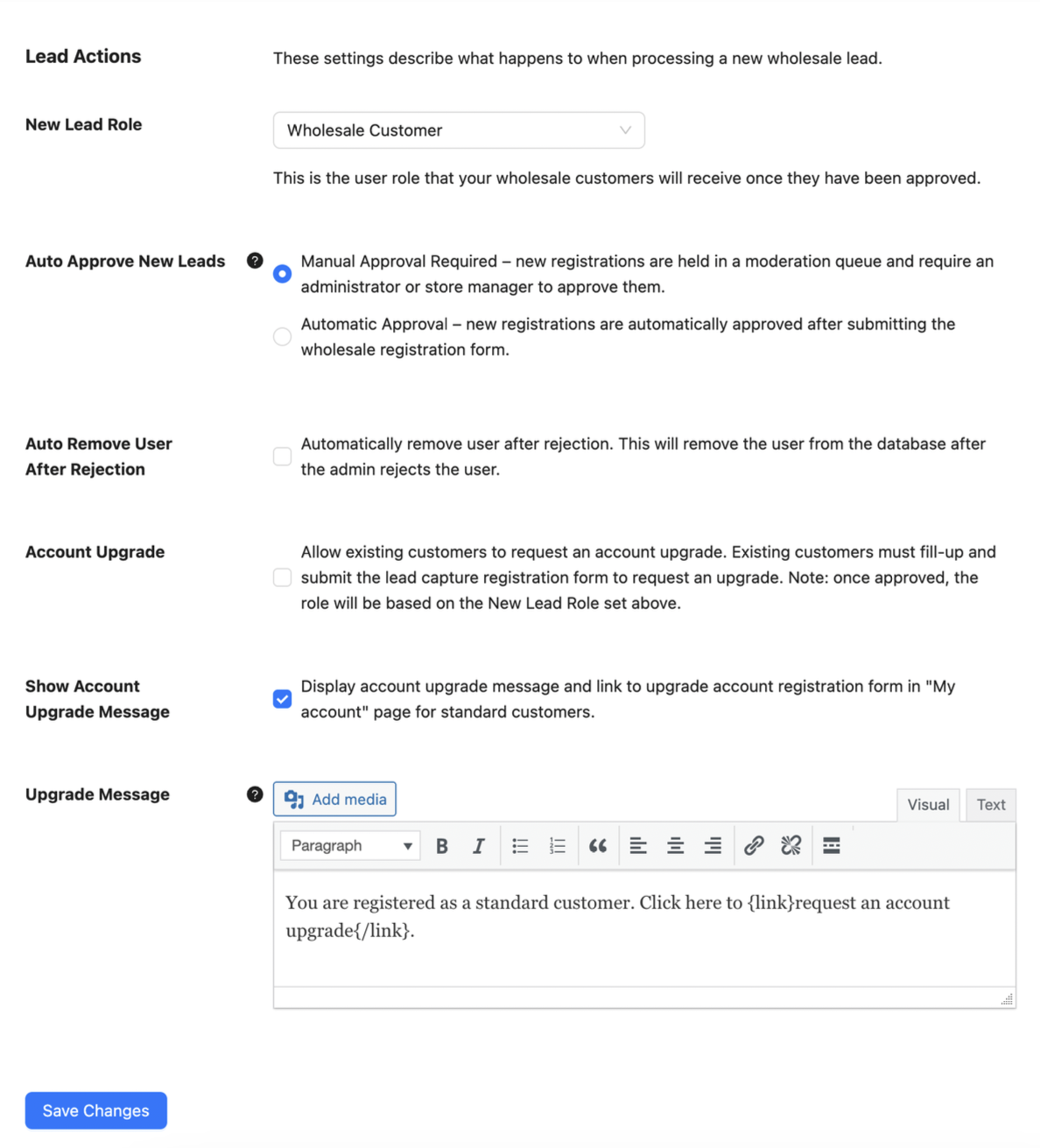
Ceux-ci se trouvent sous Vente en gros > Paramètres > Prospect en gros > Général > Actions de prospect.
Scénario n°1 : Approbation manuelle requise
- L’utilisateur s’inscrit (compte défini sur inactif)
- E-mail : L’administrateur est informé de la nouvelle inscription
- E-mail : L’utilisateur reçoit un e-mail de confirmation avec ses identifiants
- L’administrateur approuve l’utilisateur
- E-mail : L’utilisateur reçoit un e-mail indiquant que son compte est maintenant actif
Scénario n°2 : Approbation automatique
- L’utilisateur s’inscrit (compte défini sur actif)
- E-mail : L’administrateur est informé de la nouvelle inscription et de l’approbation automatique
- E-mail : L’utilisateur reçoit un e-mail de confirmation avec ses identifiants
- E-mail : L’utilisateur reçoit un e-mail d’activation de compte
Vous avez des problèmes pour recevoir ou envoyer des e-mails ?
Si vous avez des problèmes pour recevoir ou envoyer les e-mails, veuillez consulter nos étapes de dépannage ici.

