
Ahora que ha configurado el plugin WooCommerce Wholesale Lead Capture, es hora de configurar su sistema de correo electrónico. Esta guía le ayudará a comprender cómo fluyen los correos electrónicos durante el proceso de registro mayorista.
Escenarios de aprobación:
Puede elegir entre dos opciones de aprobación:
- Se requiere aprobación manual
- Aprobación automática
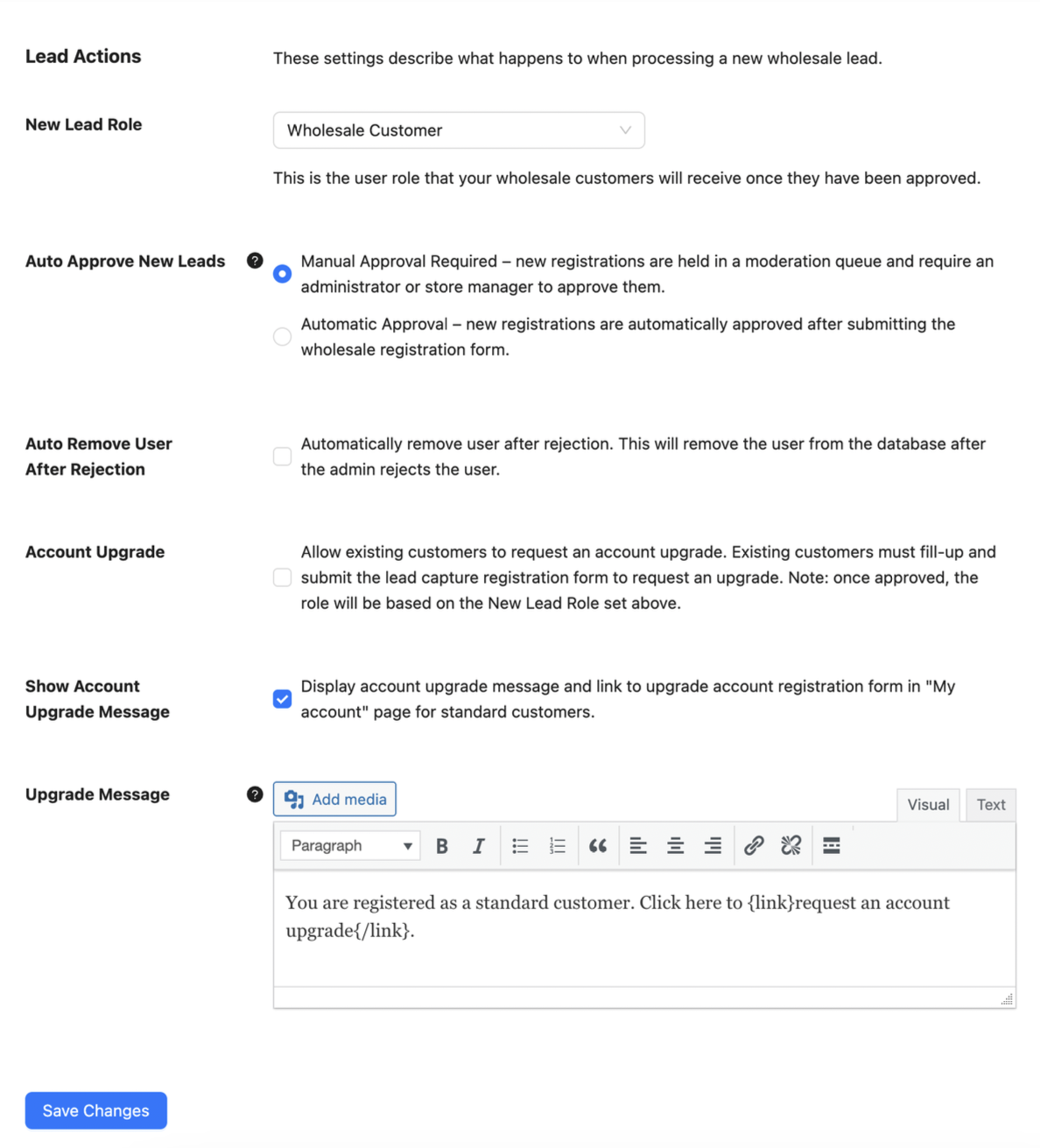
Estos se encuentran en Mayorista > Ajustes > Cliente Mayorista > General > Acciones de cliente.
Escenario n.º 1: Se requiere aprobación manual
- El usuario se registra (la cuenta se establece como inactiva)
- Correo electrónico: Se notifica al administrador del nuevo registro
- Correo electrónico: El usuario recibe un correo electrónico de confirmación con las credenciales
- El administrador aprueba al usuario
- Correo electrónico: El usuario recibe un correo electrónico de que su cuenta ahora está activa
Escenario n.º 2: Aprobación automática
- El usuario se registra (la cuenta se establece como activa)
- Correo electrónico: Se notifica al administrador del nuevo registro y la aprobación automática
- Correo electrónico: El usuario recibe un correo electrónico de confirmación con las credenciales
- Correo electrónico: El usuario recibe un correo electrónico de activación de cuenta
¿Tiene problemas para recibir o enviar correos electrónicos?
Si tiene problemas para recibir o enviar los correos electrónicos, consulte nuestros pasos de solución de problemas aquí.

