











CART-LIKE QUOTE EXPERIENCE
Customers add products to a quote with one click and manage items in one place. It keeps the flow familiar for B2B buyers who request quotes for multiple items.

ADD TO QUOTE ON SHOP AND PRODUCT PAGES
Let customers add items to a quote straight from WooCommerce shop pages, product pages, and archives. This makes quoting feel natural while customers browse your catalog.

WORKS WITH WOOCOMMERCE BLOCKS
Show the Add to Quote button even on WooCommerce blocks like Collections. Customers can request quotes from modern block-based layouts without missing actions.

DRAFT QUOTES SAVED AUTOMATICALLY
Quotes stay saved in the database as drafts until the customer submits. This helps customers build quotes over time without losing progress.

MY ACCOUNT QUOTES PAGE FOR CUSTOMERS
Customers get a dedicated My Account > Quotes page to view and manage their requests. It keeps everything self-serve and easy to find without contacting support.

CUSTOMER SELF-SERVICE SEARCH
Customers can quickly find their quotes in My Account without scrolling. They can search using quote number, ID, or email details to locate the right request.

CUSTOMER ADD PRODUCTS TO PENDING QUOTES
Allow customers to add more products to a pending quote when they forgot something. This reduces back-and-forth because they can update the request before you finalize it.

CUSTOMER ADD/REMOVE PRODUCTS
Let customers update items on eligible quotes like Pending or Expired. It helps them refine quantities and product selection before approval.

AUTO-SAVE QUANTITY CHANGES
Quantity updates save automatically so customers do not lose changes. This keeps totals accurate as they adjust multiple items.

SHOW RETAIL PRICES IN QUOTES
Display retail prices alongside wholesale prices for quick comparison. This helps buyers understand the price difference without asking you to explain it.

STOCK-AWARE PRODUCT PICKER
Show stock badges and prevent adding out-of-stock products to quotes. Customers can still request in-stock or backorder items without confusion.

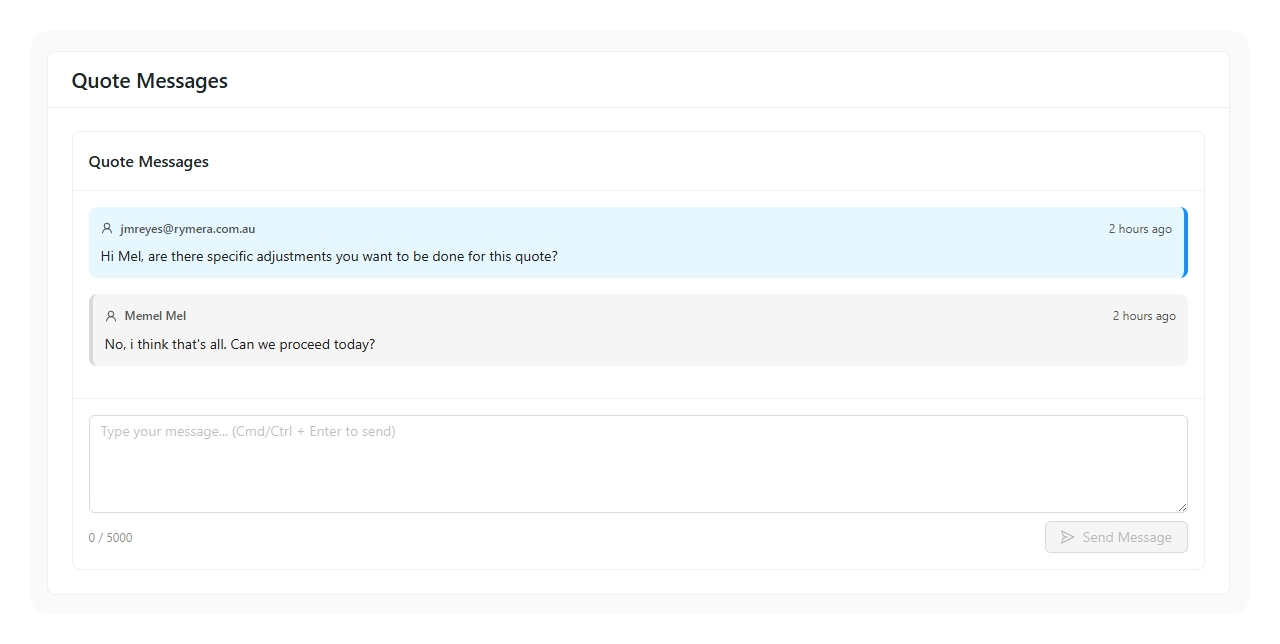
QUOTE MESSAGES BUILT-IN CHAT
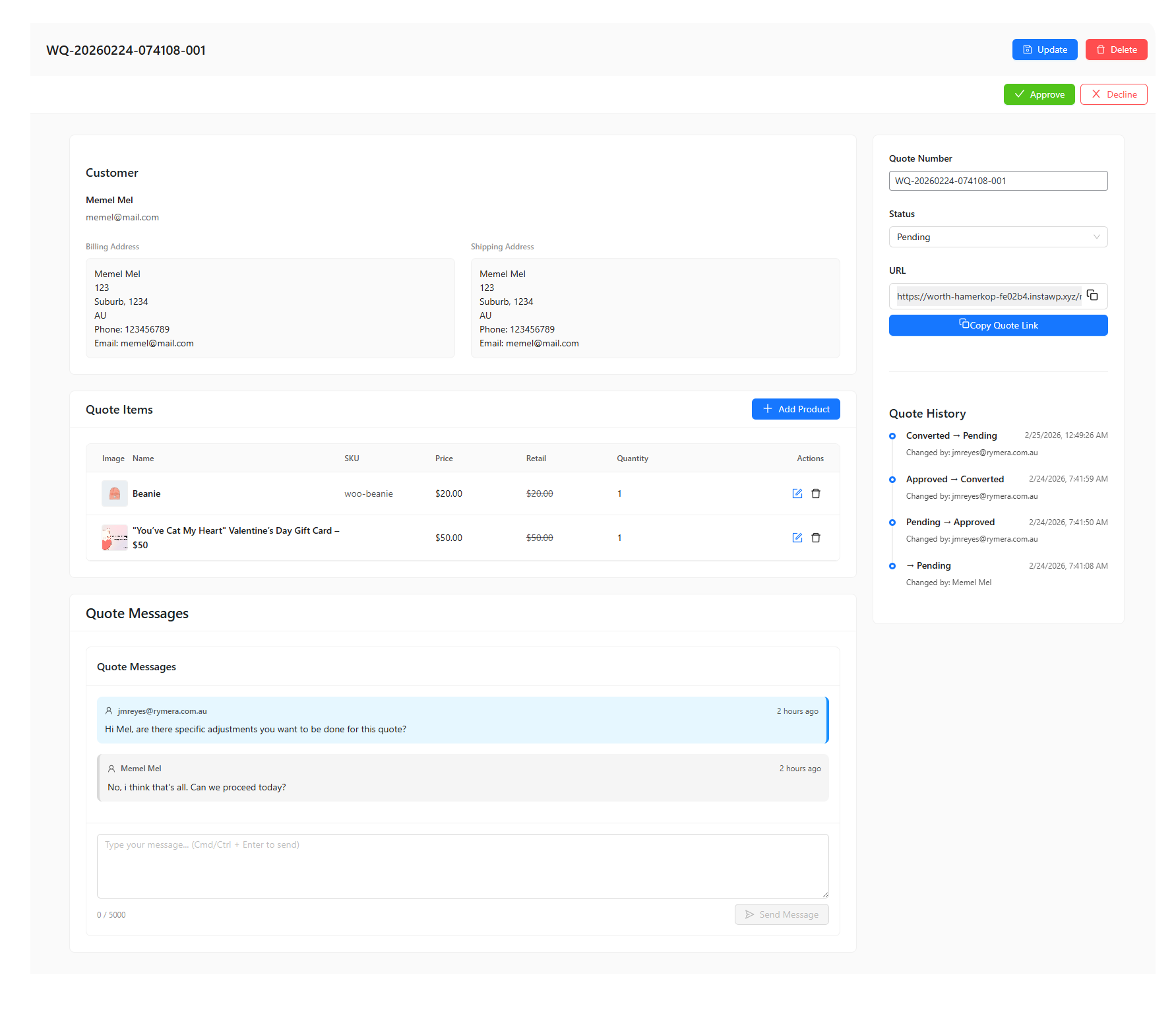
Keep negotiation and requirements inside the quote, not scattered in emails. Both admins and customers can reply in one thread so details stay tied to the correct request.

EMAIL NOTIFICATIONS AND QUOTE LINKS
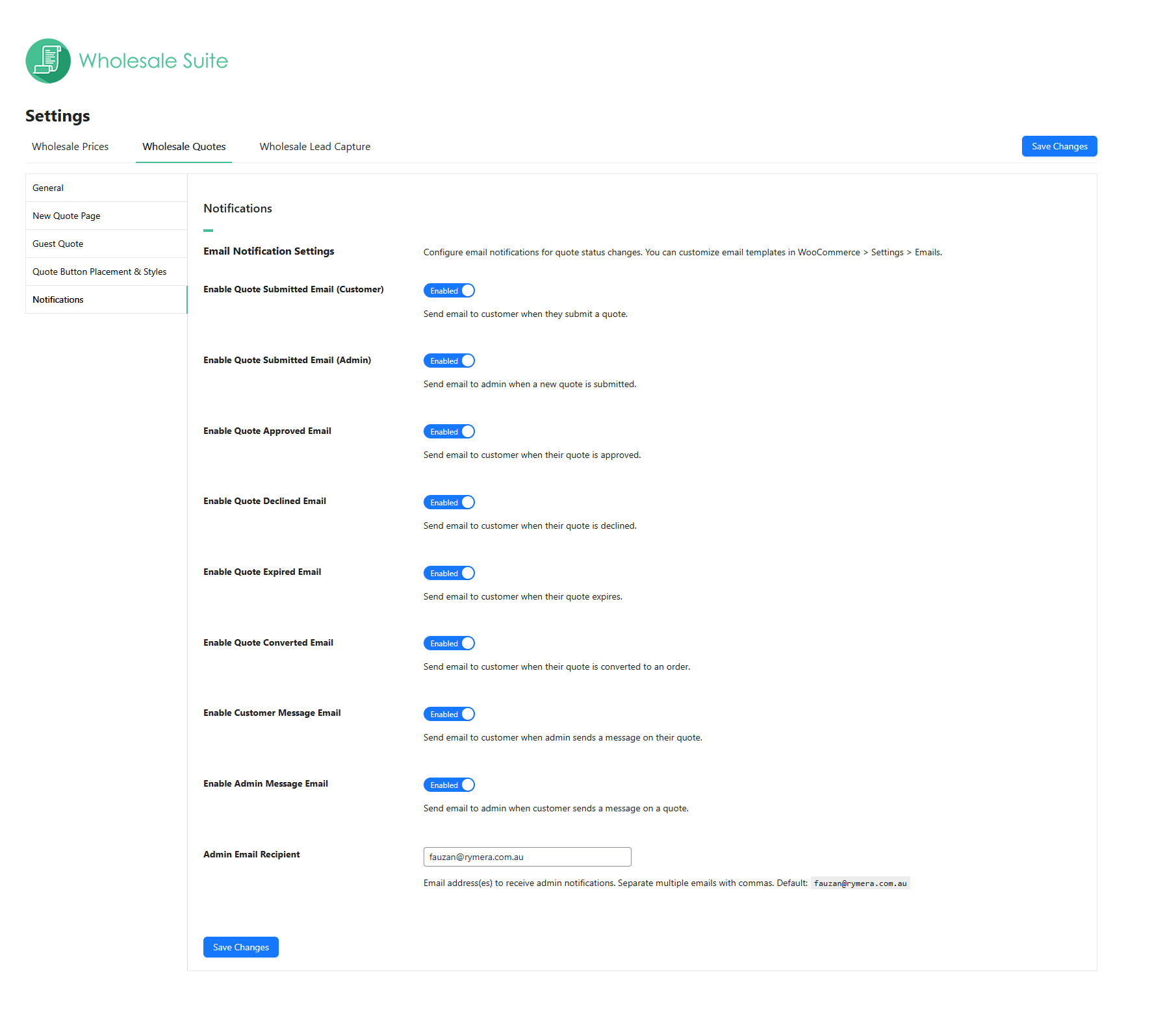
Customers and admins get notified when there’s new activity on a quote. Emails include direct links so recipients can jump straight into the right quote fast.

CUSTOM QUOTE NUMBERS
Use business-friendly quote IDs that match your internal format. This makes it easier to reference quotes in support tickets or external systems.

QUOTE NUMBER VALIDATION
Prevent duplicates and messy formats with built-in validation rules. Quote numbers stay unique and consistent across your store.

SMART MULTI-FIELD SEARCH
Search by quote number, customer name, email, or products for faster support. It helps you pull up the right quote even when you only have partial details.

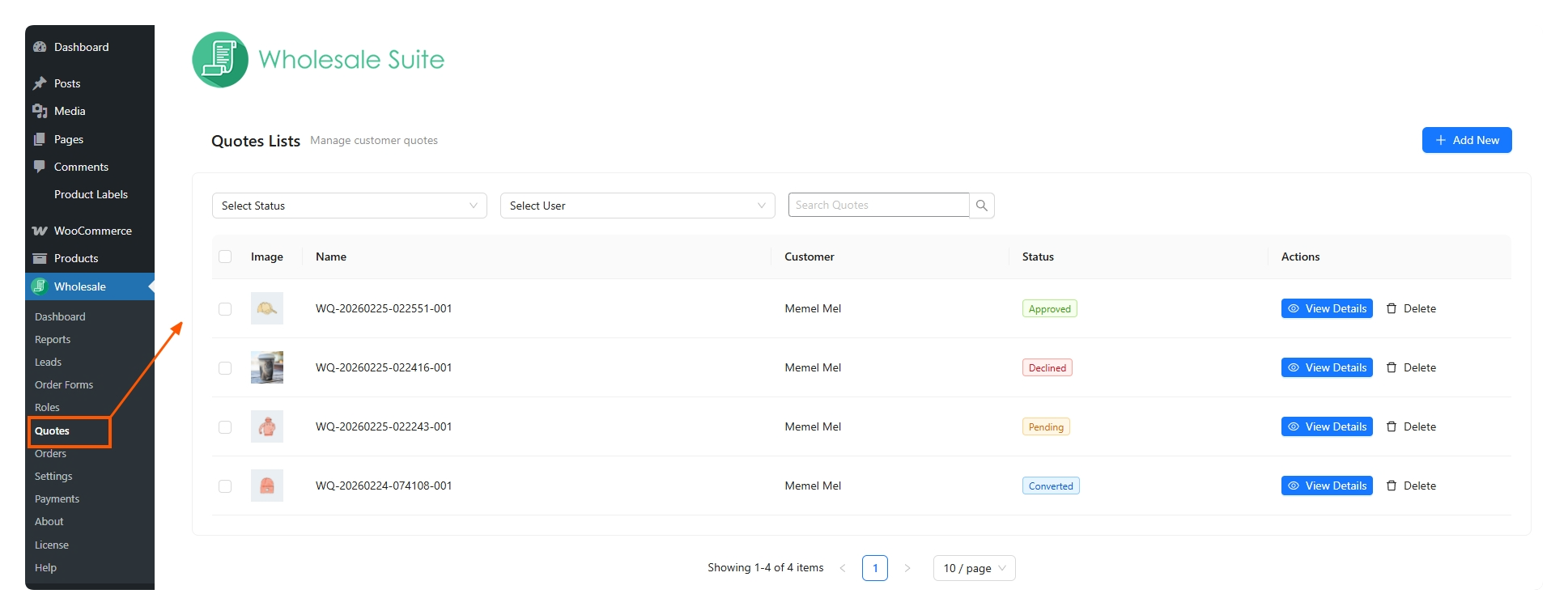
QUOTE MANAGEMENT UI FOR ADMINS
Manage quotes with a clean, modern admin interface for viewing details, updating items, and changing statuses. It is designed to keep quoting tasks fast and organized.

QUOTE TO ORDER CONVERSION
Convert an approved wholesale quote into a WooCommerce order when it is ready. This helps you move from negotiation to checkout without rebuilding the order manually.

COLLECT BILLING AND SHIPPING ADDRESSES
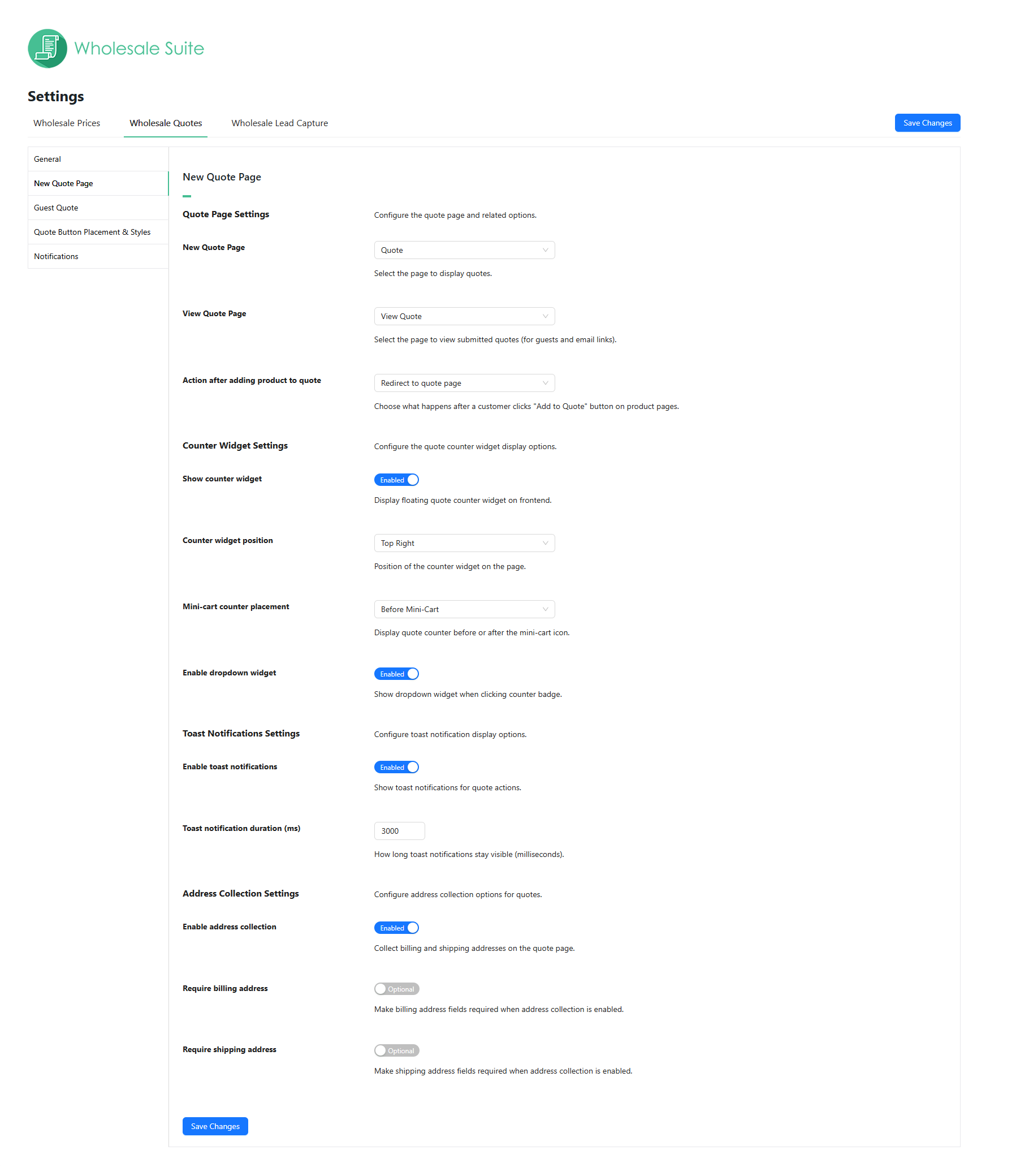
Capture customer billing and shipping details during the quote process. It helps you price shipping accurately and prepare the order sooner.

DEDICATED VIEW QUOTE PAGE FOR GUESTS
Guests can view their submitted quote on a dedicated View Quote page. This keeps the experience consistent even without a customer account.

PUBLIC QUOTE SHARING LINKS
Share quotes via secure token-based links so recipients can view without logging in. This is helpful when a buyer needs internal approvals from a manager or purchasing team.

OWNER-ONLY CONTROLS ON PUBLIC LINKS
Owners can manage the quote while everyone else sees a read-only view. It lets buyers share quotes safely without giving edit access to everyone.

GUEST QUOTES SUPPORT
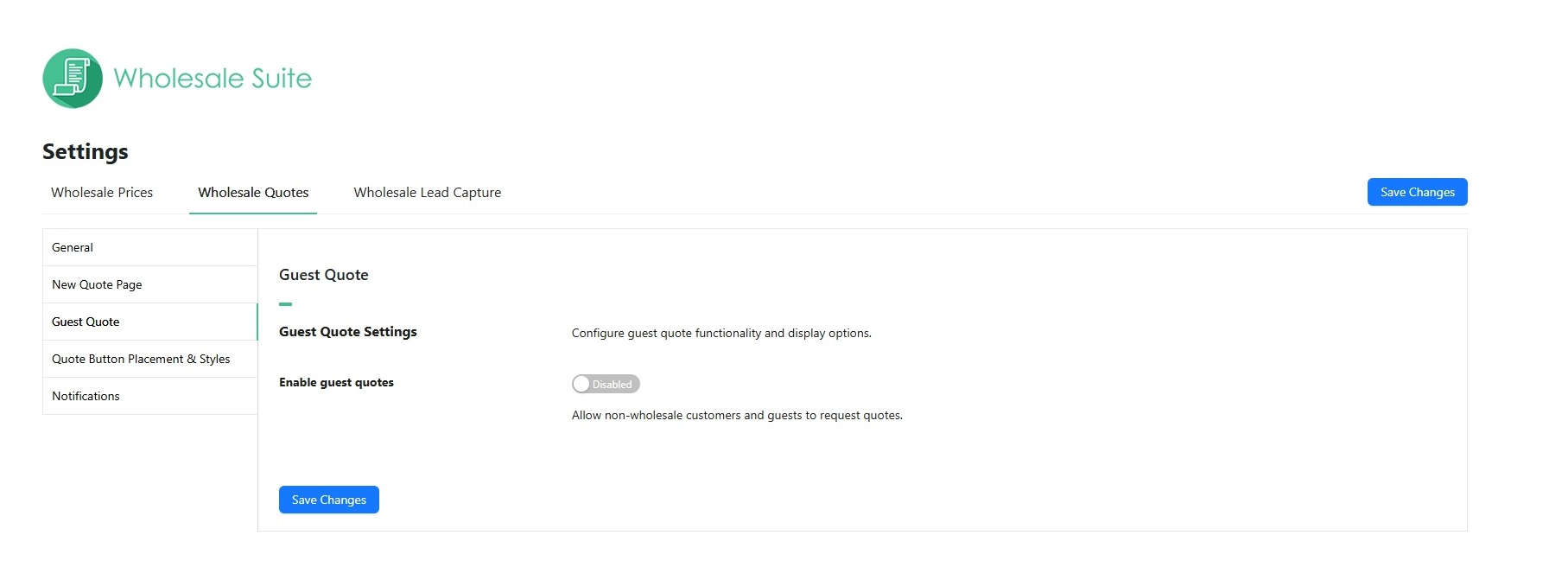
Allow guests to request a quote even without an account. This helps you capture early-stage wholesale inquiries with less friction.

GUEST QUOTE RATE LIMITING
Reduce spam with configurable limits based on IP address and email. You can protect your store while still supporting legitimate quote requests.

QUOTE SETTINGS AND CONTROLS
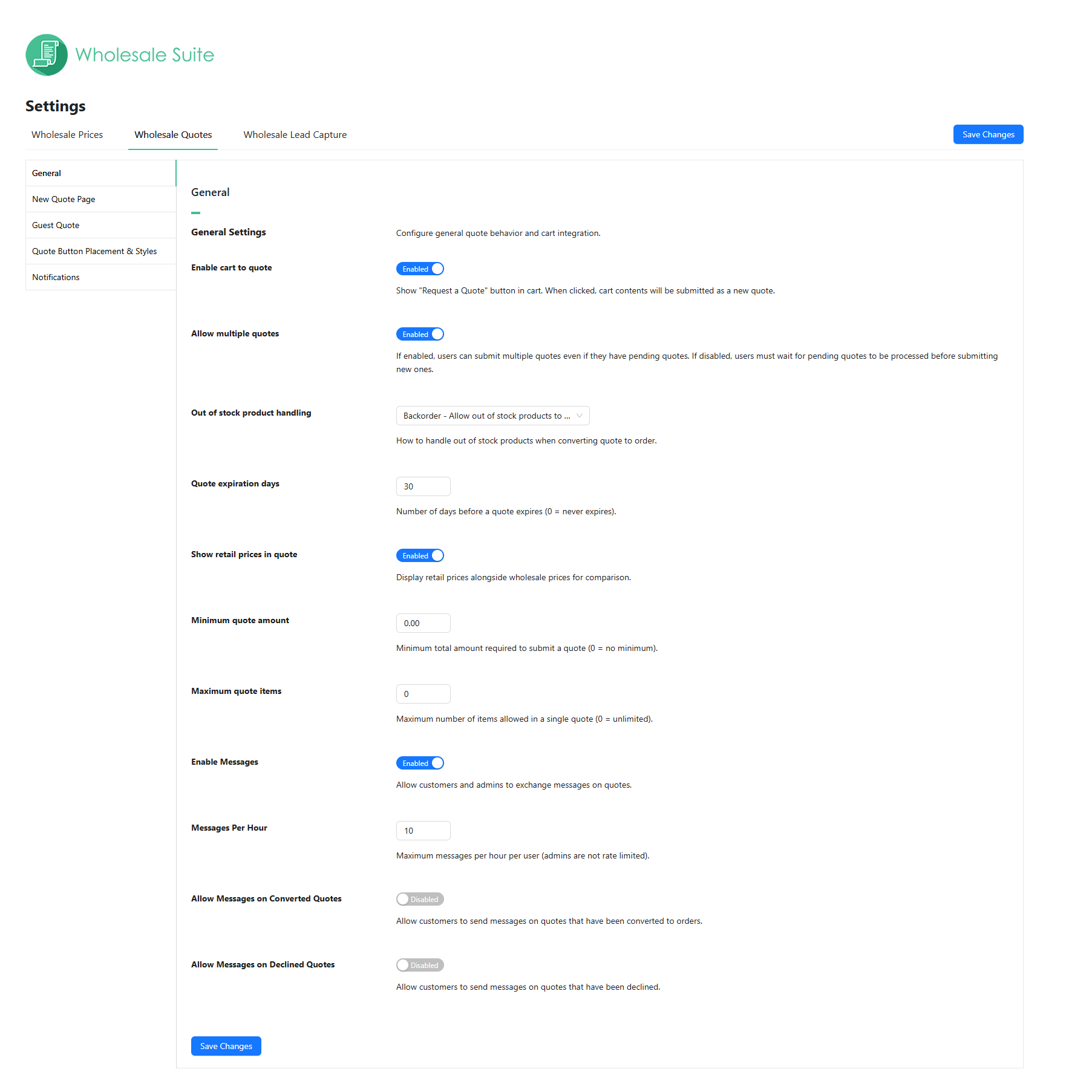
Configure quote pages, expiration rules, messaging, and notifications from a dedicated settings area. This gives you control over how quoting works across your store.

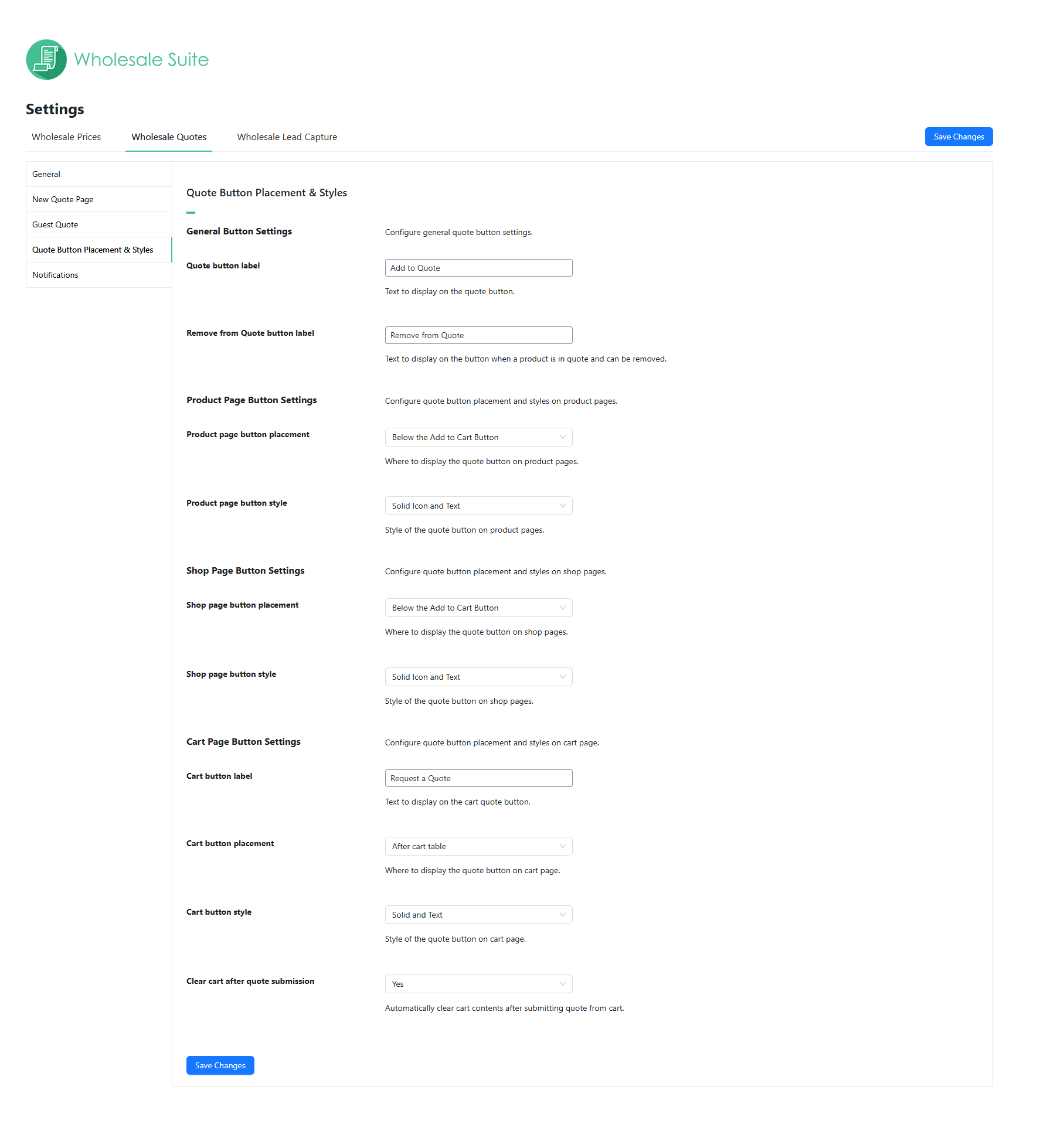
QUOTE BUTTON LABELS AND PLACEMENT STYLES
Customize button labels like “Add to Quote” and “Request a Quote” to match your store language. You can also control placement and styling across product, shop, and cart pages.

REST API READY
In-built honeypot anti-spam protection provides automatic user spam protection for your registration form.

WHOLESALE ORDER FORM INTEGRATION
Add “Add to Quote” buttons inside Wholesale Order Form for faster quoting. Customers can build quote requests while browsing your catalog in a single page layout.

CSV ORDER UPLOADING
Skip product-by-product entry by importing a CSV to add dozens of items to a quote at once. Customers upload a CSV of SKUs and quantities to build a quote in seconds with no manual searching.

CART TO QUOTE
Add a 'Request a Quote' button to the cart so customers turn their whole cart into a quote in one click.

FULLY SUPPORTED
We have a team of dedicated support engineers who know our plugins inside and out. They work hard to bring excellent support to all our customers.

DEVELOPER FRIENDLY
Packed full of code comments and developer friendly hooks and filters, and build to strict WordPress standards your development team will know exactly how to work with our plugins.

CUSTOMER FRIENDLY
All of our Wholesale Suite plugins have been built to be customer friendly. We work hard to ensure everything works great out of the box with most themes and setups.

PLAYS NICELY WITH PLUGINS & THEMES
While it’s hard to guarantee compatibility with every plugin out there, we’ve thoroughly tested our Wholesale Suite plugins with many common themes and plugins to ensure a high level of compatibility.

FLEXIBLE LICENSE
All Wholesale Suite plugins provide 1 year of automatic updates via the WordPress dashboard and 1 year of premium email support. Our team is friendly and ready to assist you in your implementation.

REFUND POLICY GUARANTEE
We have a 14-day, no questions asked, refund policy. Simply email our friendly support crew and if they can’t get you up and running we’re happy to refund your purchase.