

- Kurzer Überblick: Was jedes Plugin tut
- Funktionsvergleich
- Benutzerfreundlichkeit und Einrichtung
- Preisvergleich
- Support und Dokumentation
- Erfolgsbilanz und Zuverlässigkeit
- Wer sollte was wählen?
- FAQ
- Endgültiges Urteil
Wenn Sie sich zwischen Wholesale Suite und WholesaleX für Ihren WooCommerce-Großhandels-Shop entscheiden müssen, kann es anhand der Funktionslisten schwierig sein, sie auseinanderzuhalten. Beide Plugins versprechen Großhandelspreise, Registrierungsformulare und Bestellverwaltung. Aber Funktionslisten erzählen nicht die ganze Geschichte.
Ich habe beide Plugins in einem frischen WooCommerce-Testshop installiert und eine Woche lang reale Großhandels-Szenarien durchgespielt: gestaffelte Preise, Registrierungs-Workflows, Bulk-Bestellungen, Checkout und Rechnungsstellung. Die Unterschiede wurden schnell deutlich.
Da WooCommerce zwischen 4 bis 6 Millionen E-Commerce-Shops weltweit betreibt, wirkt sich Ihre Wahl des WooCommerce-Plugins direkt darauf aus, wie viel Umsatz Ihr Shop bewältigen kann. Die gleiche Logik gilt für Multi-Vendor-Marktplatz-Plugins. Wenn Sie bereits einen Marktplatz betreiben oder einen einrichten möchten, behandelt unser Team die wirklichen Gründe für den Wechsel von einem Marktplatz-Plugin zu einem anderen.
Hier ist, was ich nach dem nebeneinander testen beider gefunden habe.
Kurzer Überblick: Was jedes Plugin tut
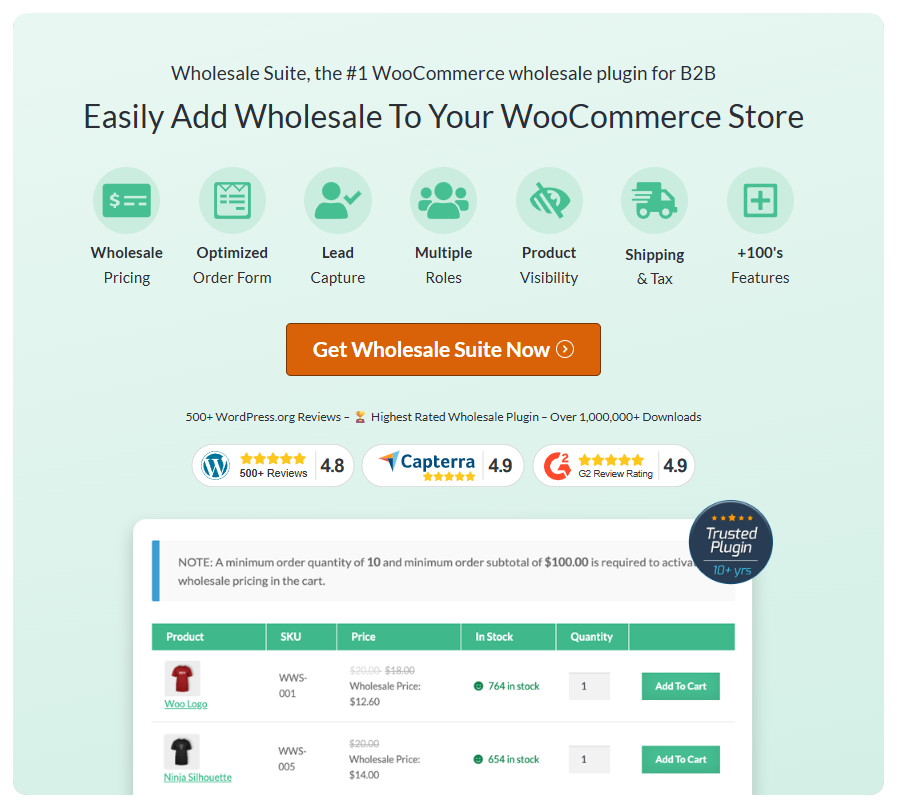
Wholesale Suite ist ein modulares System aus fünf dedizierten Plugins: Wholesale Prices Premium (Preis-Engine), Wholesale Order Form (Bulk-Bestellungen), Wholesale Lead Capture (Registrierung und Genehmigung), Wholesale Payments (NET 30/60/90 Rechnungsstellung) und Wholesale Quotes (Angebot-anfordern-System). Es ist seit über 10 Jahren auf dem Markt, betreibt über 25.000 aktive Shops und hat eine Bewertung von 4,8/5 Sternen von über 530 Bewertungen auf WordPress.org.
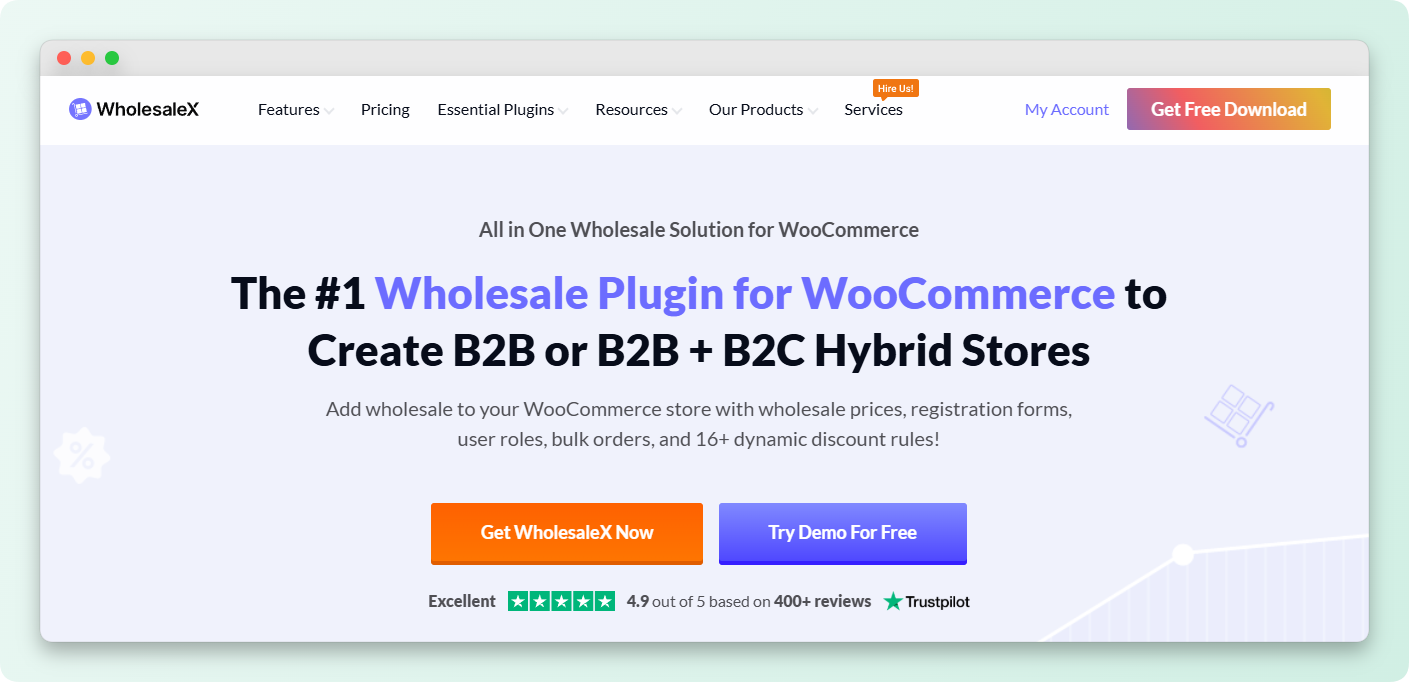
WholesaleX ist ein einzelnes All-in-One-Plugin, das Großhandelspreise, Registrierung, Bestellformulare, eine Wallet und Messaging in einem einzigen Paket bündelt. Es ist neuer auf dem Markt und verfolgt einen "Menge über Tiefe"-Ansatz bei den Funktionen.
Der philosophische Unterschied ist wichtiger, als die meisten Shop-Betreiber realisieren. In diesem Vergleich von Wholesale Suite vs. WholesaleX bedeutet das modulare Design von Wholesale Suite, dass Sie nur installieren und bezahlen, was Ihr Shop tatsächlich benötigt. WholesaleX lädt alles, ob Sie es nutzen oder nicht, was unnötige Last auf Ihre Website bringt.
💡Eine Sache, die wir häufig sehen: Shop-Betreiber gehen davon aus, dass "All-in-One" "besser" bedeutet. In der Praxis reduzieren modulare Plugins Website-Bloat, vermeiden Plugin-Konflikte und lassen Sie nur für das bezahlen, was Sie verwenden. Wir haben gesehen, wie Shops ihre gesamte Großhandelsabwicklung nur mit Wholesale Prices Premium betrieben haben, ohne ein einziges zusätzliches Plugin zu benötigen.
Funktionsvergleich
Großhandelspreise und Rabatte
Beide Plugins verwalten die Kernfunktionen für Großhandelspreise: rollenbasierte Preise, gestaffelte Mengenrabatte und globale Preise auf Ebene von Kategorien und Produkten. Als ich gestaffelte Preise in Wholesale Suite einrichtete, war die Benutzeroberfläche unkompliziert und gut organisiert. Wählen Sie ein Produkt, weisen Sie einen Großhandelspreis pro Rolle zu und fügen Sie optional mengenbasierte Stufen hinzu. Die Einstellungen sind logisch gruppiert und klar beschriftet.
WholesaleX verwendet eine dynamische Regelerstellungs-Engine für die Preisgestaltung, aber Wholesale Suite bietet ebenfalls dynamische Preise, einschließlich globaler prozentualer Rabatte, kategorisbasierter prozentualer Rabatte, gestaffelter Mengenpreise und rabatte basierend auf dem Warenkorb-Zwischensumme. Der Unterschied liegt in der Art und Weise, wie Sie diese einrichten. Der Ansatz von Wholesale Suite ist intuitiver, während der Regelerstellungs-Builder von WholesaleX spürbar länger dauerte, um ihn zu verstehen. Für Shop-Besitzer, die einfach ihre Großhandelspreise konfigurieren und weitermachen möchten, bringt Sie Wholesale Suite schneller und mit weniger Fehlermöglichkeiten ans Ziel.
Sie können auch über Gewinn maximieren: So verwenden Sie rollenbasierte Preise für WooCommerce lesen.
Bestellformulare und Großbestellungen
Hier wird der Tiefenunterschied im Vergleich von Wholesale Suite vs WholesaleX deutlich. Das dedizierte Bestellformular-Plugin von Wholesale Suite wurde speziell für die Großbestellung großer Mengen entwickelt. Als wir es testeten, lud die AJAX-gestützte Oberfläche Produkte auch bei großen Katalogen schnell. SKU-Suche, Kategoriefilterung und die Möglichkeit, mehrere Produkte zum Warenkorb hinzuzufügen, ohne dass die Seite neu geladen werden muss, machten die Erfahrung schnell und effizient. Das ist es, was erfahrene Großhandelskunden erwarten.
Das integrierte Bestellformular von WholesaleX deckt die Grundlagen ab, ist aber kein dediziertes Werkzeug. Die Suche war bei größeren Produktkatalogen langsamer und die Filteroptionen waren nicht so granular. Für einen Shop mit 50 Produkten werden Sie den Unterschied nicht bemerken. Aber Großhandelsgeschäfte mit über 500 SKUs werden die Lücke sofort spüren.
Wenn Sie sehen, dass Ihr Geschäft wächst, lohnt es sich, jetzt die richtige Großhandelslösung zu wählen. Die Migration zu einem anderen Plugin später ist mühsam und auf lange Sicht teurer, als mit dem richtigen Werkzeug von Anfang an zu beginnen.
Sie können auch lesen: So wählen Sie zwischen prozentualen und festen Mengenrabatten.
Kundenregistrierung und -genehmigung
Wholesale Lead Capture bietet Ihnen einen Drag-and-Drop-Formular-Builder mit benutzerdefinierten Feldern, Datei-Uploads für Geschäftslizenzen und Steuer-IDs sowie konfigurierbare Genehmigungsworkflows. Die E-Mail-Vorlagen für Genehmigung und Ablehnung sind vollständig anpassbar, und der Spam-Schutz durch Honeypot plus reCAPTCHA hält gefälschte Registrierungen fern.
WholesaleX verfügt ebenfalls über einen Formular-Builder mit benutzerdefinierten Feldern und Genehmigungsworkflows. WholesaleX deckt die Grundlagen ab, aber die tieferen Anpassungsoptionen von Wholesale Lead Capture für E-Mail-Vorlagen und mehrstufige Genehmigungsprozesse geben ihm den Vorteil für Geschäfte, die eine professionelle Onboarding-Erfahrung für Großhandelsbewerber benötigen.
Zahlungsbedingungen und Rechnungsstellung
Hier zieht Wholesale Suite im Vergleich von Wholesale Suite vs WholesaleX deutlich davon und es ist die Funktion, die für echte B2B-Operationen am wichtigsten ist. Wholesale Payments bietet Zahlungsbedingungen NET 30/60/90, angetrieben von Stripe, mit einem richtigen Rechnungsverwaltungs-Dashboard. Als wir es testeten, war das Checkout-Erlebnis genau das, was Großhandelskunden erwarten: Wählen Sie, ob Sie jetzt bezahlen oder NET-Bedingungen auswählen möchten, wobei Rechnungen automatisch generiert werden.
WholesaleX bietet einfach keine NET-Zahlungsbedingungen. Stattdessen verfügt es über ein Teilzahlungssystem und ein Wallet-System, die einen völlig anderen Anwendungsfall erfüllen. Wenn Sie jemals im B2B-Bereich tätig waren, wissen Sie, dass Handelszahlungsbedingungen kein Nice-to-have sind. Sie sind eine grundlegende Erwartung. Die Unternehmen, die Großhandelsartikel in Ihrem Geschäft kaufen, erwarten professionelle Rechnungsstellung und NET-Zahlungsbedingungen als Standard.
Dies ist nur eine von mehreren Lücken in der Funktionsweise von WholesaleX und ein Dealbreaker für jedes Geschäft, das an etablierte Großhandelskunden verkauft.
Angebotsanfragen
WholesaleX verfügt über ein integriertes System zur Angebotsanforderung, das oft als Hauptvorteil genannt wird. Aber Wholesale Suite enthält jetzt Wholesale Quotes als Teil der Suite. Das bedeutet, dass Wholesale Suite die Angebotsfunktion von WholesaleX übertrifft und gleichzeitig NET 30/60/90-Rechnungsstellung anbietet, die WholesaleX immer noch fehlt.
Der Unterschied ist, dass Wholesale Suite Ihnen sowohl Angebote als auch professionelle Rechnungsstellung bietet. WholesaleX bietet Ihnen Angebote, aber keine Möglichkeit, Handelszahlungsbedingungen anzubieten. Für B2B-Shops sind Angebote ohne ordnungsgemäße Rechnungsstellung wie ein Vertriebsteam ohne eine Buchhaltungsabteilung.
Produktsichtbarkeit und privates Geschäft
Beide Plugins handhaben die Produktsichtbarkeit nach Großhandelsrolle. Sie können bestimmte Produkte oder ganze Kategorien für Einzelhandelskunden ausblenden. Die Sichtbarkeitssteuerungen von Wholesale Suite sind granularer und ermöglichen es Ihnen, die Sichtbarkeit auf Produkt-, Kategorie- und globaler Ebene mit mehr Präzision zu verwalten. WholesaleX deckt die Grundlagen ab, bietet aber weniger Optionen für eine Feinabstimmung.
Wo WholesaleX Extras hinzufügt
WholesaleX enthält ein Wallet-System, integrierte Nachrichtenfunktionen und eine Verwaltung von Unterkonten. Dies sind echte Funktionen, und sie sind für bestimmte Geschäfte wichtig. Aber hier ist die Frage, die sich jeder Ladenbesitzer stellen sollte: Sind dies die Funktionen, die tatsächlich den Großhandelsumsatz steigern?
Ein Wallet-System ist eine Komfortfunktion. Integrierte Nachrichten sind nett, aber die meiste B2B-Kommunikation findet bereits per E-Mail statt. Unterkonten haben einen Nischenwert für Großkunden, aber die meisten Großhandelsgeschäfte bedienen Käufer, die ihre Bestellungen selbst aufgeben. Diese Funktionen füllen eine Vergleichscheckliste, aber sie gehen nicht auf die Kernoperationen ein, die ein Großhandelsgeschäft am Laufen halten: Preisgestaltung, Bestellung, Registrierung, Rechnungsstellung und Zahlungseingang.
📝 Ein Fehler, den wir immer wieder sehen, ist, dass Ladenbesitzer ein Plugin nur nach der Anzahl der Funktionen auswählen. Was die Anzahl nicht zeigt, ist die Tiefe der Funktionen. 30 oberflächliche Funktionen klingen beeindruckend, bis Sie feststellen, dass Ihnen die NET 30/60/90-Rechnungsstellung fehlt, die eine Funktion, nach der Ihre Großhandelskunden tatsächlich fragen. Wholesale Suite verfügt über mehr als 10 Jahre Erfahrung in der Entwicklung von Funktionen, auf die B2B-Shops tatsächlich angewiesen sind.
Benutzerfreundlichkeit und Einrichtung
Eine Sorge, die einige Ladenbesitzer beim Vergleich von Wholesale Suite vs. WholesaleX haben, ist, ob der Multi-Plugin-Ansatz von Wholesale Suite „verstreute“ Einstellungen bedeutet. Wir wollten dies direkt testen.
Als ich Wholesale Suite installierte, hatte jedes Plugin sein eigenes Einstellungsmenü, und sie waren logisch organisiert. Wholesale Prices Premium kümmert sich um die Preisgestaltung. Lead Capture kümmert sich um die Registrierung. Order Form kümmert sich um die Bestelloberfläche. Ich fand, dass diese Trennung die Einstellungen tatsächlich leichter auffindbar machte, nicht schwieriger. Man scrollt nie durch eine endlose Einstellungsseite, um eine Option zu finden, die zwischen Dutzenden von nicht verwandten Funktionen vergraben ist.
WholesaleX bündelt alles in einem Admin-Menü. Das klingt zunächst praktisch. Aber als ich mehr Funktionen konfigurierte, begann sich der einzelne Einstellungsbereich überladen anzufühlen. Eine bestimmte Einstellung zwischen Dutzenden von Tabs zu finden, erforderte mehr Suche, als direkt zum richtigen Wholesale Suite-Plugin zu navigieren.
Der anfängliche Einrichtungsaufwand war bei beiden Plugins vergleichbar. Die Sorge wegen „mehrerer Plugins“ klingt auf dem Papier wie ein Problem, ist aber in der Praxis kein Problem.
Preisvergleich
Die Preisgestaltung ist einer der am meisten missverstandenen Teile dieses Vergleichs. Hier ist die tatsächliche Aufschlüsselung.
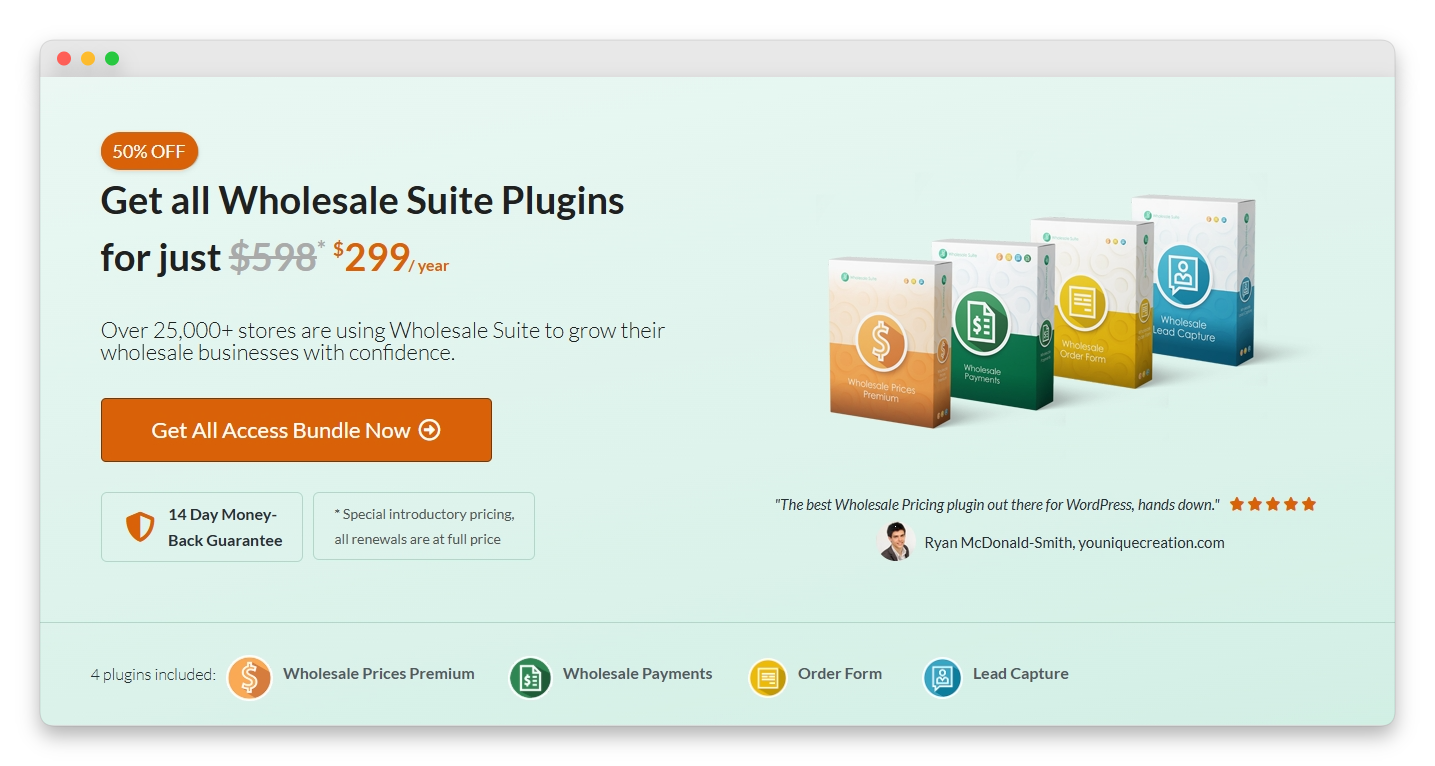
Das All Access Bundle von Wholesale Suite kostet 299 $/Jahr und beinhaltet alle fünf Plugins mit unbegrenzten Website-Lizenzen. Das sind Wholesale Prices Premium, Wholesale Payments, Wholesale Order Form, Wholesale Lead Capture und Wholesale Quotes für jede Website, die Sie besitzen.
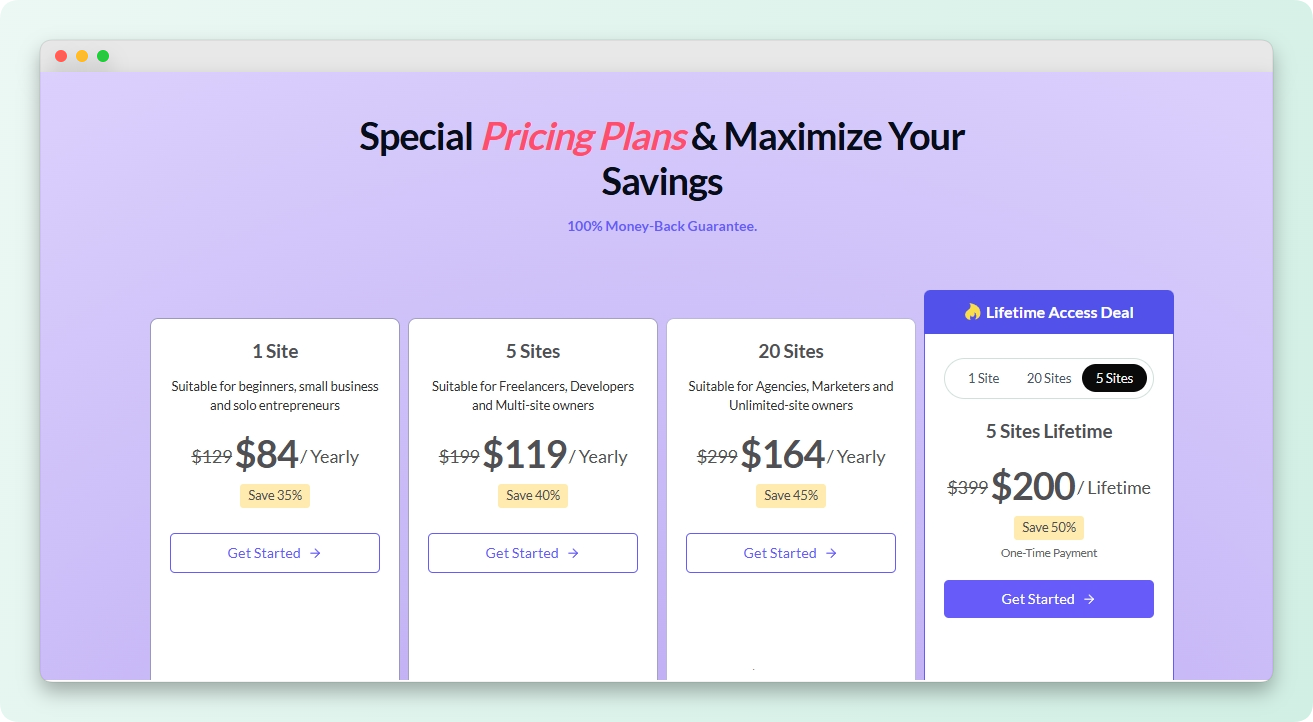
WholesaleX beginnt bei 129 $/Jahr für eine einzelne Website-Lizenz mit seinem All-in-One-Plugin.
Auf den ersten Blick sieht WholesaleX billiger aus. Aber überlegen Sie, was Sie tatsächlich bekommen:
- Wholesale Suite für 299 $/Jahr: 5 dedizierte Plugins, unbegrenzte Websites, NET 30/60/90 Rechnungsstellung, dediziertes Bestellformular, professionelle Lead-Erfassung, Angebotssystem und Zuordnung von Zahlungsgateways
- WholesaleX für 129 $/Jahr: 1 Plugin, 1 Website, keine NET-Zahlungsbedingungen, kein dediziertes Bestellformular, keine Zuordnung von Zahlungsgateways, keine Großhandelsumsatzberichte
Wenn Sie mehr als einen WooCommerce-Shop betreiben, ist die unbegrenzte Website-Lizenz von Wholesale Suite pro Website deutlich günstiger. Und wenn Sie nur Großhandelspreise ohne die gesamte Suite benötigen, hat das kostenlose WooCommerce-Großhandel-Plugin von Wholesale Suite über 500 Bewertungen und eine 4,8-Sterne-Bewertung. Viele Shops betreiben ihren gesamten Großhandel über nur das kostenlose Plugin.
Die wirkliche Wertberechnung lautet nicht „welches Plugin kostet weniger“. Sondern „welches Plugin kann NET 30/60/90 Rechnungen verarbeiten, damit Sie keine Großhandelskunden verlieren, die Zahlungsziele erwarten?“ WholesaleX kann das zu keinem Preis.
Support und Dokumentation
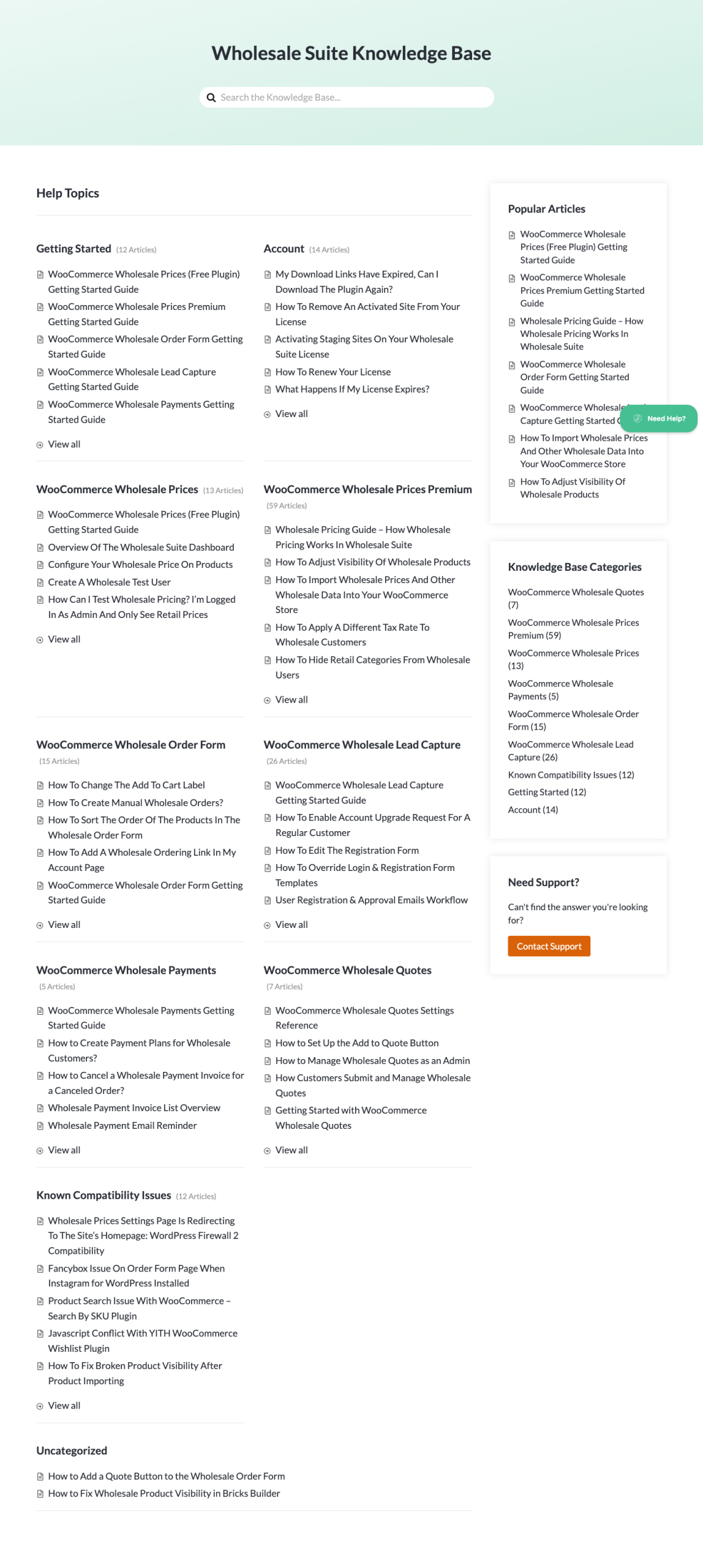
Wholesale Suite bietet E-Mail-basierten Premium-Support, unterstützt durch eine umfangreiche Wissensdatenbank mit über 160 dokumentierten Artikeln, die jede Funktion im Detail abdecken. Als ich die Dokumentation testete, fand ich klare Schritt-für-Schritt-Anleitungen mit Screenshots für jede Hauptfunktion. Die Dokumentation ist nach Plugins organisiert, sodass Sie leicht finden, was Sie brauchen.
Die Bewertung von 4,8/5 von Wholesale Suite aus über 530 Bewertungen auf WordPress.org spricht für sich. Benutzer loben durchweg sowohl das Produkt als auch die Qualität des Supports.
WholesaleX wirbt mit Live-Chat-Support. Die Verfügbarkeit von Live-Chat klingt verlockend, aber die Qualität der Antwort ist wichtiger als der Kommunikationskanal. Eine gründliche, fachkundige Antwort per E-Mail übertrifft einen schnellen, aber oberflächlichen Live-Chat-Austausch jedes Mal.
Erfolgsbilanz und Zuverlässigkeit
Das Plugin, das Ihren Großhandels-Shop antreibt, bietet das Self-Service-Erlebnis, auf das Ihre Käufer angewiesen sind. Die Frage in der Debatte Wholesale Suite vs. WholesaleX lautet also nicht nur „Welches Plugin hat mehr Funktionen?“. Sie lautet: „Welches Plugin wird in 3 Jahren noch zuverlässig sein, wenn Ihr Großhandelsgeschäft davon abhängt?“
Wholesale Suite ist seit über 8 Jahren auf dem Markt. Über 20.000 aktive Shops vertrauen darauf. 1.000.000+ Downloads. Vorgestellt in Forbes und Entrepreneur. Es hat einen konsistenten Update-Zeitplan und eine nachgewiesene Erfolgsbilanz bei der WooCommerce-Kompatibilität über mehrere große Versionsupdates hinweg.
WholesaleX ist neu auf dem Markt mit einer wachsenden Nutzerbasis. Neue Funktionen werden häufig veröffentlicht, obwohl schnelle Entwicklung nicht immer Stabilität bedeutet. Aber eine kürzere Erfolgsbilanz bedeutet weniger Beweis für langfristige Stabilität, weniger Shops zur Validierung von Edge Cases und weniger Gewissheit über die laufende Kompatibilität, während sich WooCommerce weiterentwickelt.
Wenn Ihr Großhandels-Shop täglich Bestellungen im Wert von Tausenden von Dollar abwickelt, benötigen Sie ein Plugin, das von Tausenden anderer Shops in großem Maßstab getestet wurde. Diese Erfolgsbilanz lässt sich nicht mit einer längeren Checkliste von Funktionen umgehen.
Wer sollte was wählen?
Wählen Sie Wholesale Suite, wenn Sie:
- Zahlungsziele von 30/60/90 Tagen für Großhandelskunden benötigen (WholesaleX kann dies nicht)
- Bewährte Zuverlässigkeit benötigen, die durch 8+ Jahre und 20.000+ Shops gestützt wird
- Einen modularen Ansatz bevorzugen, bei dem Sie nur installieren und bezahlen, was Sie brauchen
- Mehrere WooCommerce-Shops betreiben (unbegrenzte Site-Lizenz)
- Dedizierte Großhandels-Verkaufsberichte und Zuordnung von Zahlungsgateways benötigen
- Ein Plugin mit einer Bewertung von 4,8/5 aus über 530 verifizierten Bewertungen wünschen
Wählen Sie WholesaleX, wenn Sie:
- Ein integriertes Wallet-System für Kundenkredite benötigen
- Unterkontenverwaltung für Unternehmenskäufer benötigen
- Eine Installation mit einem einzigen Plugin bevorzugen
- Keine NET-Zahlungsziele oder professionelle Rechnungsstellung benötigen
Wholesale Suite vs WholesaleX (Schnellvergleichstabelle)
| Funktion | Wholesale Suite | WholesaleX |
| Architektur | Modular – nur installieren, was Sie brauchen (5 Plugins) | All-in-One-Einzelplugin |
| Rollenspezifische Großhandelspreise | Ja (kostenlos + Premium) | Ja |
| Gestaffelte / Mengenpreise | Ja | Ja |
| Massenbestellformular | Ja – Wholesale Order Form (AJAX, SKU-Suche) | Ja |
| Lead-Erfassung / Genehmigungsworkflow | Ja – Wholesale Lead Capture | Ja |
| NETTO-Zahlungsbedingungen (Rechnung bis Tracking) | Ja – Wholesale Payments (nativ, über Stripe) | Wallet-basiert |
| Angebotsanfragen / Verhandlung | Ja – Wholesale Quotes | Ja |
| Kostenlose Version auf WordPress.org | Ja – Wholesale Prices | Ja |
| Erfolgsbilanz | Über 10 Jahre, über 25.000 Shops, 4,8★ (über 473 Bewertungen) | Veröffentlicht Nov. 2022 |
| Bezahlen Sie nur für die Funktionen, die Sie nutzen | Ja | Nein (alle Funktionen enthalten) |
Häufig gestellte Fragen
Kann ich von WholesaleX zu Wholesale Suite migrieren?
Ja. Wenn Sie wechseln, nachdem Sie die Optionen von Wholesale Suite vs. WholesaleX bewertet haben, verwenden beide Plugins die vorhandenen Produkt- und Benutzersysteme von WooCommerce. Sie müssten Großhandelspreise, Registrierungsformulare und andere pluginspezifische Einstellungen neu konfigurieren. Für einen Vergleich mit einem anderen Wettbewerber sehen Sie unseren Vergleich von Wholesale Suite mit B2BKing.
Funktioniert Wholesale Suite mit beliebten Plugins?
Ja, und dies ist ein weiterer Bereich, in dem sich Wholesale Suite und WholesaleX unterscheiden. Wholesale Suite ist mit vielen beliebten WooCommerce-Erweiterungen kompatibel, darunter WooCommerce Product Bundles, Composite Products, Product Add-ons, Subscriptions, mehrere Währungsumrechner (Aelia, Fox) und WPML. Die vollständige Liste der geprüften Integrationen finden Sie auf der Integrationsseite von Wholesale Suite.
Reicht das kostenlose Wholesale Suite Plugin aus?
Für viele Shops ja. Im Vergleich von Wholesale Suite vs. WholesaleX ist anzumerken, dass Wholesale Suite eine kostenlose Stufe anbietet, WholesaleX jedoch nicht. Das kostenlose WooCommerce Wholesale Prices Plugin kümmert sich um grundlegende Großhandelspreise, einschließlich einer Großhandelsrolle und einfacher prozentualer oder fester Rabatte. Es hat über 500 Bewertungen und eine Bewertung von 4,8/5. Viele Shops betreiben ihren gesamten Großhandel nur mit dem kostenlosen Plugin, bevor sie auf Premium für erweiterte Funktionen upgraden.
Welches ist besser für große Produktkataloge?
Im Vergleich von Wholesale Suite vs. WholesaleX für große Kataloge gewinnt Wholesale Suite eindeutig. Das Bestellformular von Wholesale Suite wurde speziell für große Kataloge entwickelt. Es ist AJAX-gestützt mit Suche nach SKU und Filterung nach Kategorie. In meinen Tests hat es über 500 Produkte reibungslos verarbeitet. Das integrierte Formular von WholesaleX ist für kleinere Kataloge funktionsfähig, zeigt jedoch Leistungslücken bei größeren Produktmengen. Für Shops mit Hunderten von Großhandels-SKUs macht das dedizierte Bestellformular einen bedeutenden Unterschied.
Ist Wholesale Suite oder WholesaleX besser für WooCommerce B2B?
Für die meisten etablierten WooCommerce-Shops ist Wholesale Suite die bessere Wahl, da sein modulares Design es Ihnen ermöglicht, nur die Plugins zu installieren, die Ihr Workflow benötigt – Preise, Bestellformular, Lead-Erfassung, Zahlungen und Angebote –, anstatt alle Funktionen in einem Plugin zu bündeln. Wholesale Suite hat eine über 10-jährige Erfolgsbilanz mit über 25.000 aktiven Shops und über 473 Fünf-Sterne-Bewertungen auf WordPress.org. WholesaleX, veröffentlicht im November 2022, eignet sich für Shops, die von Grund auf neu beginnen, ein All-in-One-Plugin bevorzugen und eine lebenslange Lizenzoption wünschen.
Handhabt Wholesale Suite B2B-Zahlungsbedingungen wie WholesaleX?
Ja, und zwar vollständiger. Wholesale Payments fügt WooCommerce native NET-Zahlungsbedingungen hinzu – von der Rechnungserstellung bis zur Zahlungsverfolgung über Stripe –, ohne dass ein Plugin eines Drittanbieters erforderlich ist. WholesaleX verwaltet B2B-Kredite hauptsächlich über ein Wallet-System. Wenn Ihre Käufer traditionelle, rechnungsbasierte NET 30/60-Bedingungen erwarten, ist Wholesale Payments die passendere Lösung.
Endgültiges Urteil
Wholesale Suite vs. WholesaleX Urteil: Wholesale Suite ist der klare Gewinner für WooCommerce-Großhandelsgeschäfte.
Wenn man Wholesale Suite vs. WholesaleX nach dem bewertet, was für ein Großhandelsgeschäft wirklich wichtig ist, wird die Wahl klar. Die Anzahl der Funktionen ist bedeutungslos, wenn die Funktionen fehlen, die den B2B-Umsatz steigern.
Wholesale Suite bietet die Funktionen, auf die Großhandelsunternehmen tatsächlich angewiesen sind: NET 30/60/90 Rechnungsstellung, die WholesaleX zu keinem Preis anbietet; ein dediziertes Bestellformular für Kataloge mit hohem Volumen; professionelle Lead-Erfassung und Genehmigungsworkflows; ein Angebotssystem; und Zuordnung von Zahlungsgateways. All dies wird unterstützt durch über 10 Jahre bewährte Stabilität, über 20.000 aktive Shops und eine Bewertung von 4,8/5 von über 530 geprüften Bewertungen.
WholesaleX bündelt mehr Funktionen in einem einzigen Plugin, darunter eine Wallet, Messaging und Unterkonten. Aber zusätzliche Funktionen können das Fehlen des einen, was Großhandelskunden vor allem erwarten, nicht ausgleichen: ordnungsgemäße Handelszahlungsbedingungen.
Bereit, den Unterschied selbst zu sehen? Beginnen Sie mit dem kostenlosen Großhandels-Plugin oder erkunden Sie das vollständige Wholesale Suite Bundle, um alles zu erhalten, was Ihr Großhandelsgeschäft benötigt.



