
If you run more than one wholesale order form, a visitor who lacks access to a form sees your Access Denied text with a login link. That link always points at the same page, the one set in Wholesale Lead Capture, no matter which form they were on. This article shows you how to send visitors to a different login page per form.
Requirements
- WooCommerce Wholesale Order Form, with at least two order form pages and permissions set on them.
- Wholesale Lead Capture, which provides the login redirect setting this snippet overrides.
- Somewhere safe to add PHP: a child theme, a site-specific plugin, or a code snippets plugin such as WPCode.
Why the login link always goes to the same page
Each order form has its own permissions and its own Access Denied text. The login URL behind that text is a single global setting, so every form sends visitors to the same place.
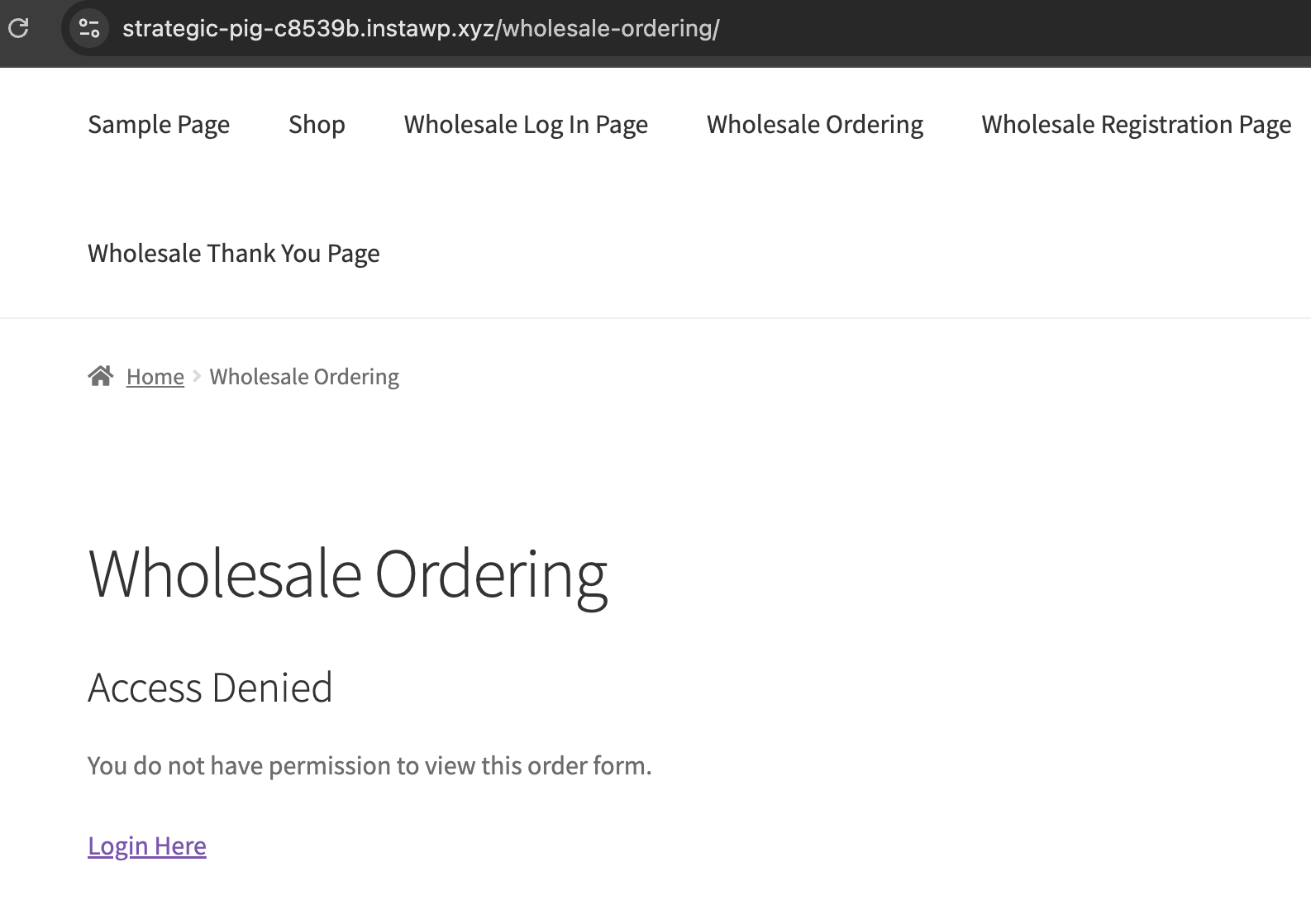
Send each form to its own login page
Filter the login URL and return a different one depending on the page being viewed. Add this to your child theme’s functions.php, a site-specific plugin, or a code snippets plugin.
add_filter(
    'option_wwof_permissions_noaccess_login_url',
    function ( $url ) {

        $page_id = get_queried_object_id();

        if ( ! $page_id ) {
            return $url;
        }

        // Replace 123 and 124 with your order form page IDs,
        // and the URLs with the login page each one should use.
        if ( 123 === $page_id ) {
            return 'https://example.com/retailer-login/';
        }

        if ( 124 === $page_id ) {
            return 'https://example.com/distributor-login/';
        }

        return $url;
    }
);
Two details matter. Use get_queried_object_id() rather than reading the global query directly, because on a request with no page behind it, such as a 404 or a feed, the older $wp_query->post->ID form throws a fatal error. And always return $url at the end, so any page you have not listed keeps the default login page.
Find your order form page IDs
- Go to Pages in your WordPress admin.
- Open the page that holds the order form.
- Read the
postvalue in the browser address bar. Inpost.php?post=123&action=edit, the page ID is 123.
Frequently asked questions
Can I do this without code?
No. The login URL is one global setting in Wholesale Lead Capture, so sending different forms to different pages needs the filter above.
What happens on a page I do not list?
It uses the login page set in Wholesale Lead Capture, because the snippet returns the original value for anything it does not match.
The redirect is not changing. What should I check?
Check the page ID first, since it is the page holding the order form, not the form ID. Then confirm the snippet is actually loading, by adding it through a code snippets plugin rather than a theme that may be inactive.
Does this change where customers go after they log in?
No. It only changes the login page the Access Denied text points to. Where a customer lands after logging in is still the Wholesale Lead Capture setting.
Need help?
If you have a question or run into any issues, we’re here to help.
- Premium users: Open a support ticket
- Free users: Visit our community forum

