If you want your store’s wholesale screens in your own language, install a language pack. This guide shows you how to download a pack from your account, upload it to your site, and switch WordPress to that language.
Language packs are available for five plugins: WooCommerce Wholesale Prices (the free plugin), WooCommerce Wholesale Prices Premium, WooCommerce Wholesale Lead Capture, WooCommerce Wholesale Order Form, and WooCommerce Wholesale Payments.
Prerequisites
- A Wholesale Suite account.
- The plugin you want to translate, installed and active on your site.
- Access to your site’s files through FTP or your hosting file manager.
Step 1: Download the language pack
- Log in and go to My Account > Downloads.
- In the Language Packs section, find the plugin you want to translate.
- Click the language you need. A .zip file with the translation files downloads to your computer.
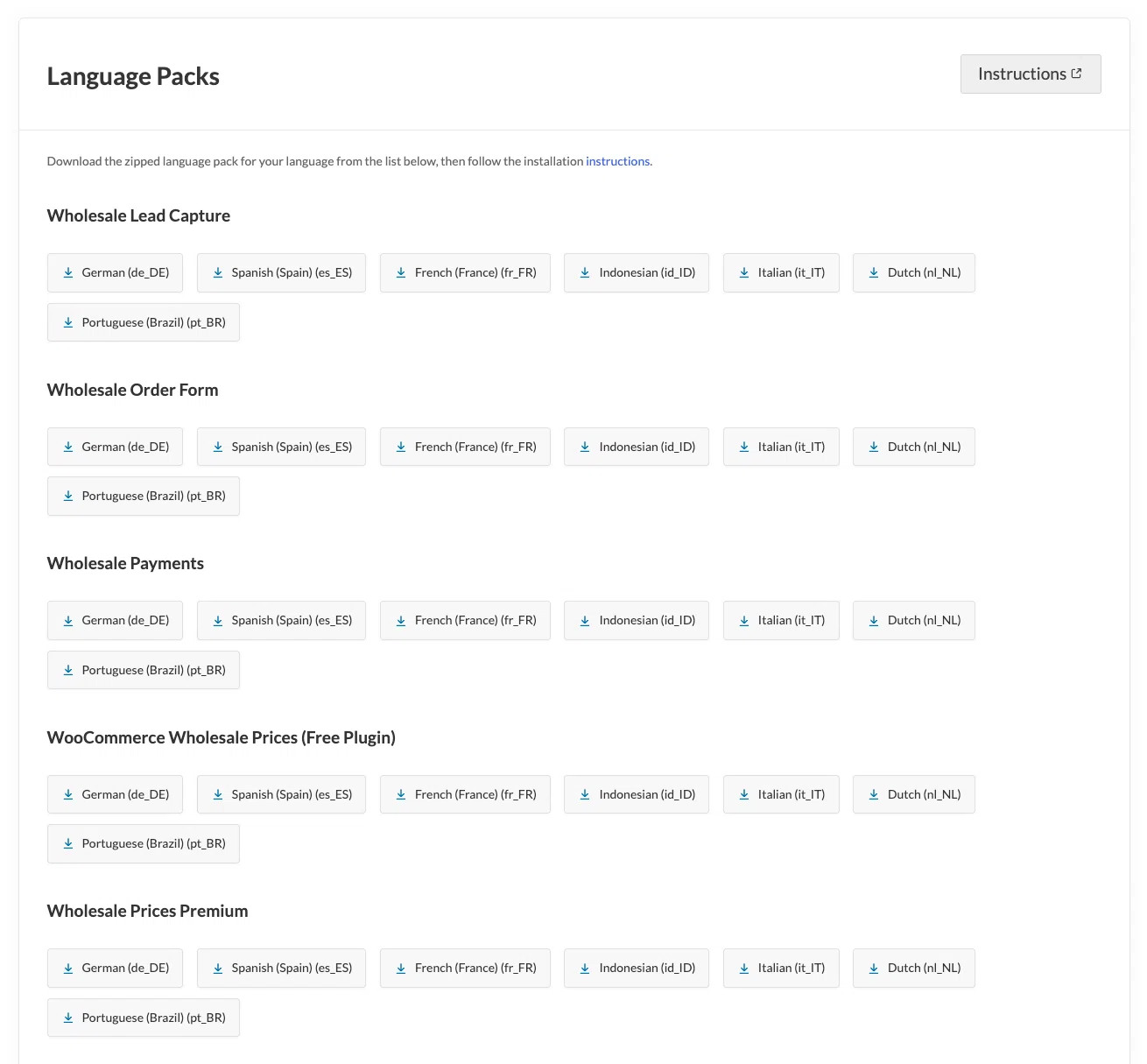
If your language isn’t in the list, scroll down for what to do instead.
Step 2: Upload the language files
Once you’ve downloaded the language pack, upload it to your site:
- Unzip the downloaded file.
- Look for the .mo and .po files inside.
- Open your WordPress installation folder through FTP or your hosting file manager.
- Navigate to this location: wp-content/languages/plugins/
- If you don’t see a plugins folder inside wp-content/languages/, create it manually.
- Upload both files to this folder.
Step 3: Activate the language pack in WordPress
Tell WordPress which language to use:
- Go to WordPress Admin > Settings > General.
- Scroll to the Site Language option.
- Choose the language that matches the downloaded language pack.
- Click Save Changes.
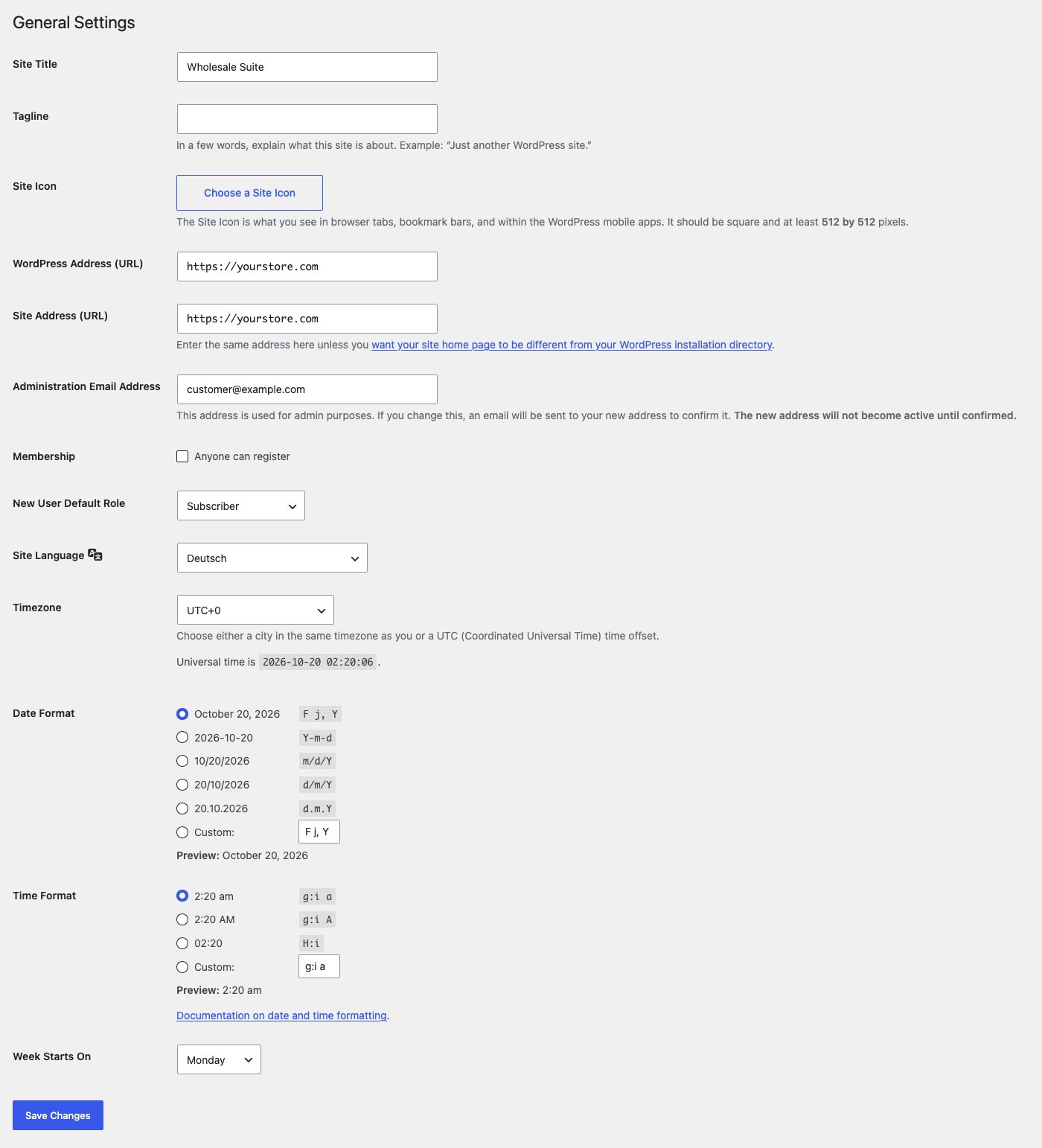
Most of the plugin text now shows in the language you picked, including the pages your customers see. A few settings screens are built as JavaScript apps and can stay in English until a .json translation file exists for that language.
If your language is not listed
The Wholesale Suite plugins are written in English, so there is no English language pack. If your store runs in English (UK) or English (US), you don’t need a pack. Set Site Language to your English variant and the plugin text stays in English.
For any other language without a pack, you can translate the plugin text yourself with a tool like WPML, Loco Translate, or Poedit. Follow the steps in How To Translate Wholesale Suite Plugins.
Troubleshooting
The translation does not show on my site
Clear your site cache, then go to Settings > General and click Save Changes again. If the plugin is still in English, check that the files are in wp-content/languages/plugins/ and that the language you picked in Site Language matches the pack you downloaded.
Looking for your license keys? See How to retrieve and activate your Wholesale Suite license keys.
Need Help?
If you have a question or run into any issues, we’re here to help.
- Premium users: Open a support ticket
- Free users: Visit our community forum