
Thank you for purchasing WooCommerce Wholesale Payments!
This document is a getting-started guide for the WooCommerce Wholesale Payments for WooCommerce.
Terms payment is one of the most frequently asked features that we received. Wholesale Payments is our solution for you to deliver convenience and flexible payment options for your wholesale customers. With Wholesale Payments, you can effortlessly offer payment installments, create payment plans for B2B buyers, and manage invoices seamlessly.
Here’s what this guide will cover:
- Overview – we describe at a high level what the plugin does exactly
- Setup – learn how to connect Wholesale Payments to your Stripe account
- Payment Installment Plan – create a payment plan (NET30, initial 50%, or other customized plan) for your wholesale customers.
- Role-Based Payment Plans – restrict certain payment plans based on the Wholesale Roles
- Invoice Management – learn how to view and manage Stripe invoices
Overview
Our Wholesale Payments plugin is integrated with Stripe, a secure and trusted payment gateway. Your transactions and customer data are handled with the utmost care and in compliance with industry standards.
With Wholesale Payments, you can seamlessly bring your offline payment processes online, allowing for small deposits and deferred payments from your B2B buyers. Our plugin can save you valuable time by reducing manual invoicing efforts and eliminating delays in order processing.
What you can do with Wholesale Payments
Beyond the basics, Wholesale Payments gives you a full toolkit for offering and collecting B2B payments on terms:
- Payment plans and NET terms: offer NET 30, 60, or 90, or a custom plan such as 50% upfront. Create payment plans.
- Automatic payment collection: auto-charge a saved card when each instalment is due. Set up auto-charge.
- Overdue restrictions: hold or block new orders when a customer has unpaid invoices. Restrict overdue customers.
- Credit limits: cap how much a customer can owe at once, globally or per role. Set credit limits.
- Email reminders: remind customers before and after a payment is due. Set up email reminders.
- ACH bank payments: accept US bank transfers alongside cards (US Stripe accounts). Accept ACH payments.
Setup
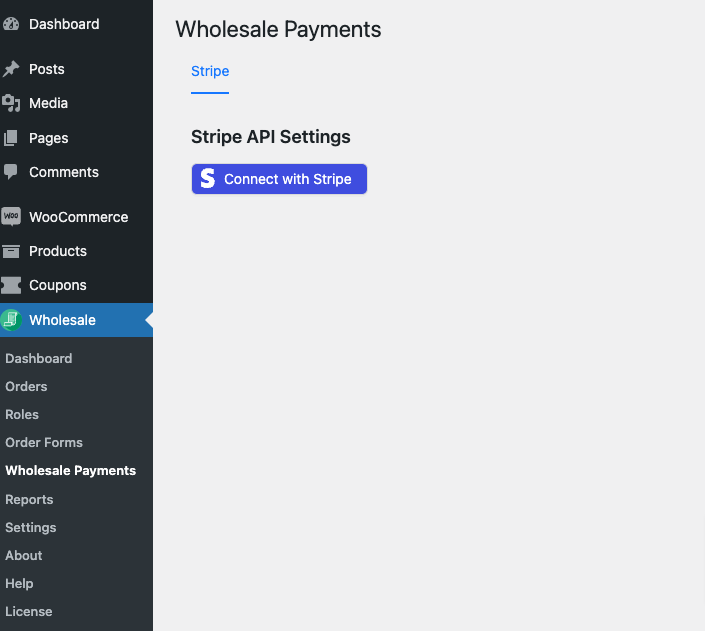
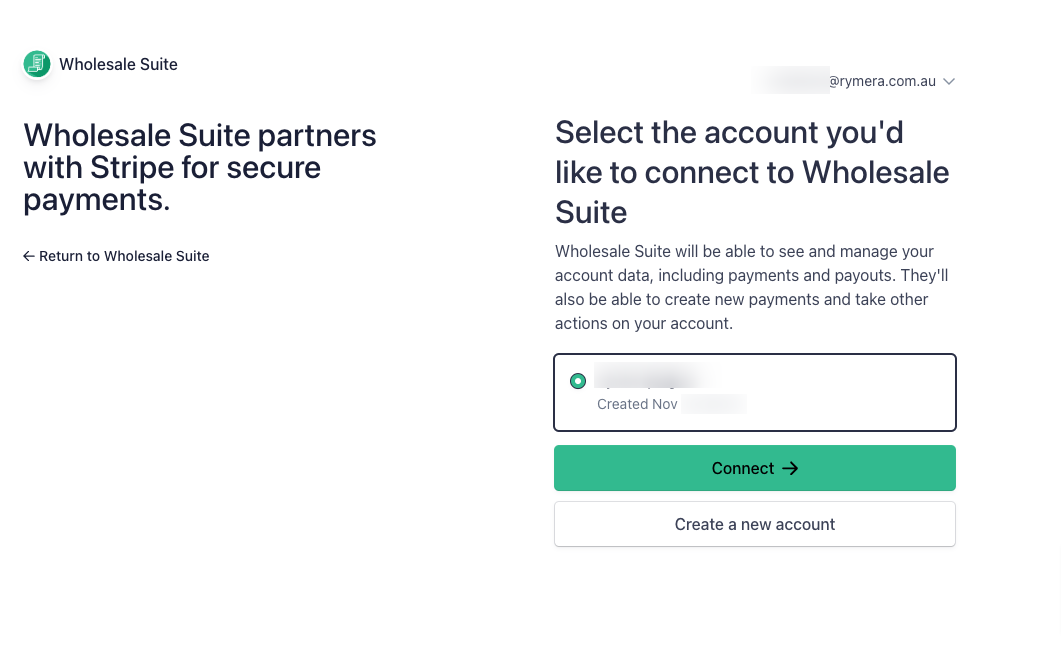
Upon installing and activating your WooCommerce Wholesale Payments, please navigate to Wholesale > Payments. You’ll see the “Connect with Stripe” button to connect your Stripe account to Wholesale Payments. After you successfully connect your Stripe account, you’ll be redirected back to the your WordPress Dashboard.
Finishing setup and fixing common stalls
Connecting Stripe is the first step, not the last. A few things commonly stall setup before your first real payment: a Stripe connection that didn’t finish, your account still in test mode, or your license not yet activated.
If your store isn’t taking real payments yet, work through Troubleshooting Wholesale Payments setup and Stripe connection. For the full connection walkthrough from scratch, see How to set up Stripe for wholesale payments.
Payment installment plan
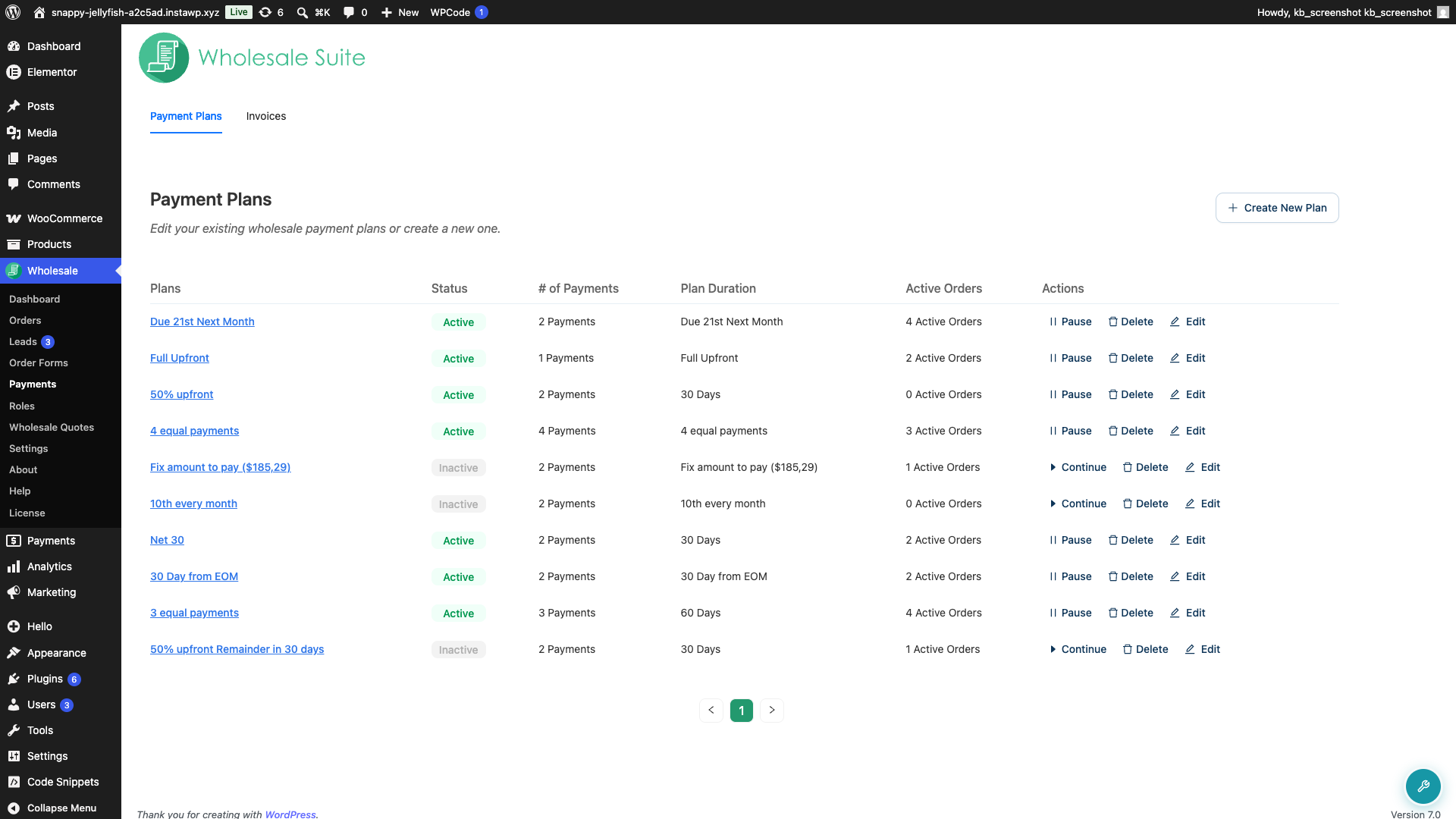
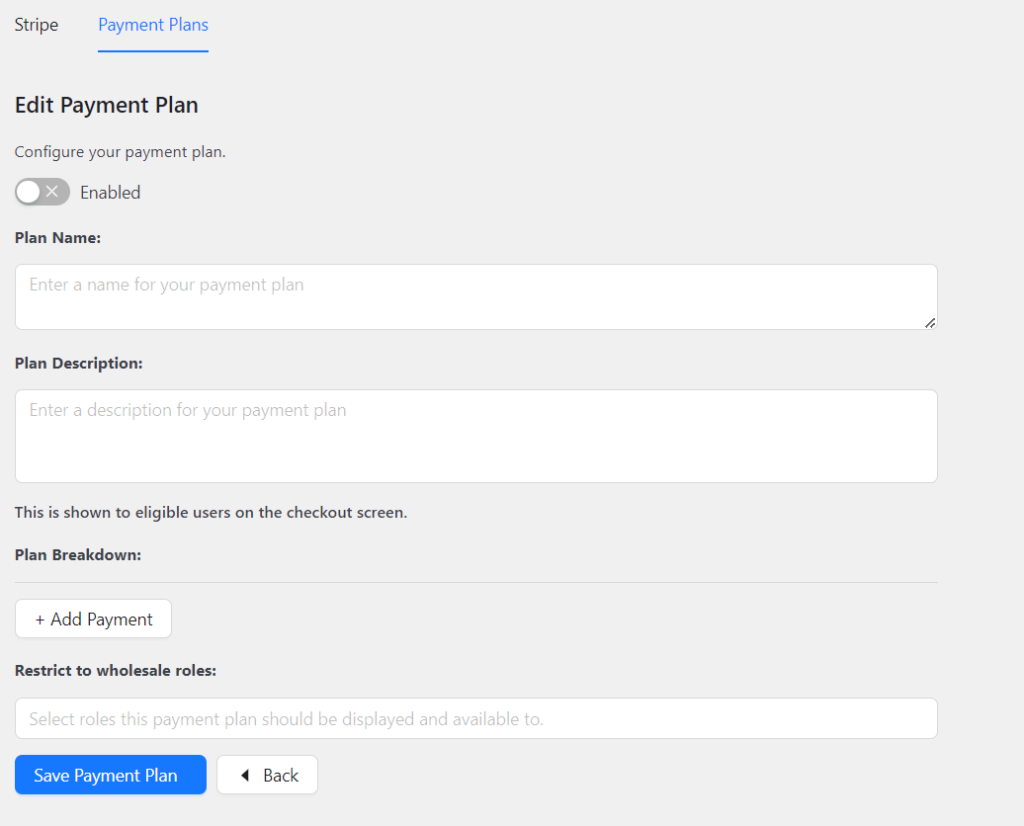
Wholesale Payments offers flexibility to provide payment options that align with your business needs, whether fixed amounts or percentages. The plugin comes with default payment plans, such as NET30, initial 50%, and 3 equal payments, to simplify your setup process.
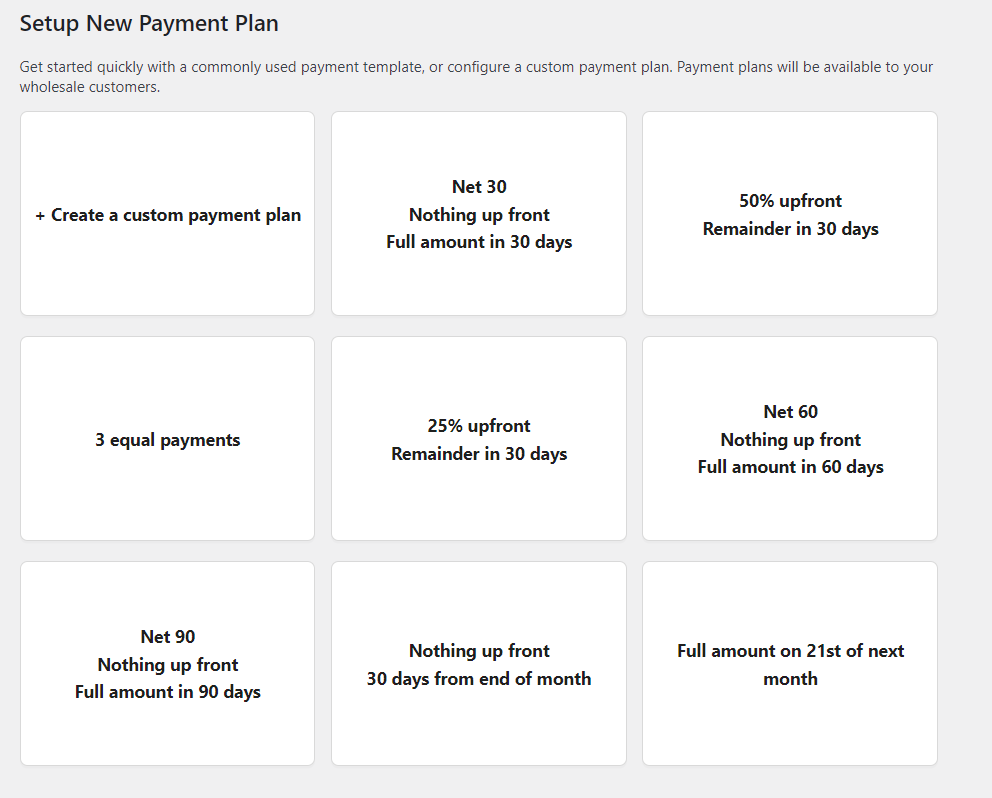
You can also create custom payment plans suitable for your business requirements. You can define the plan details, payment requirements, and schedules effortlessly.
Role-based payment plans
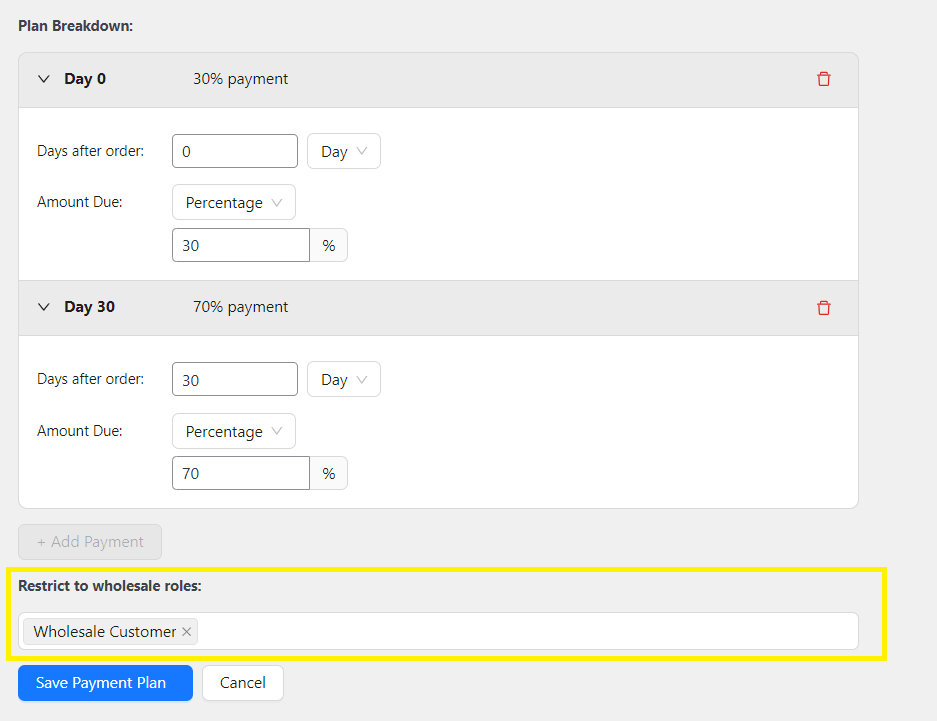
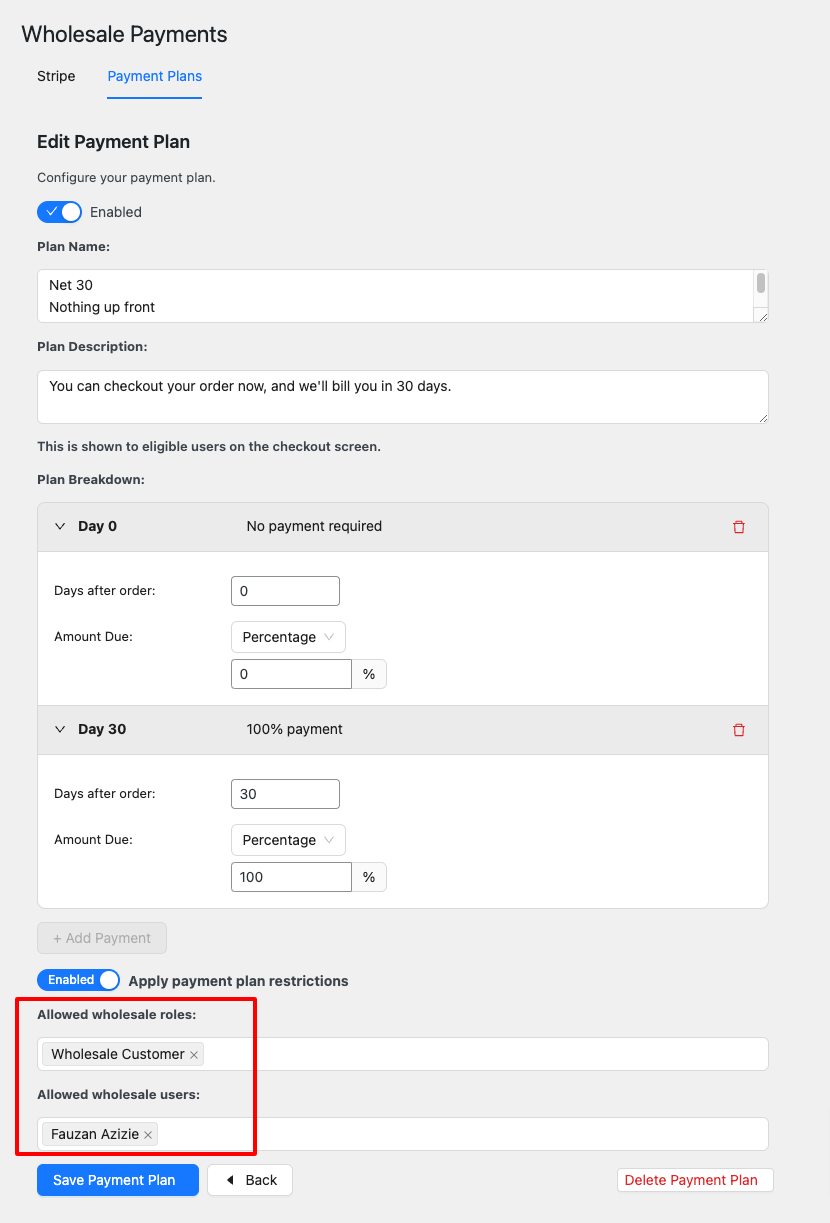
Wholesale Payments lets you offer exclusive payment plans to different customer segments by restricting payment plans based on wholesale user roles. This helps you create a more personalized experience for your customers.
Invoice management
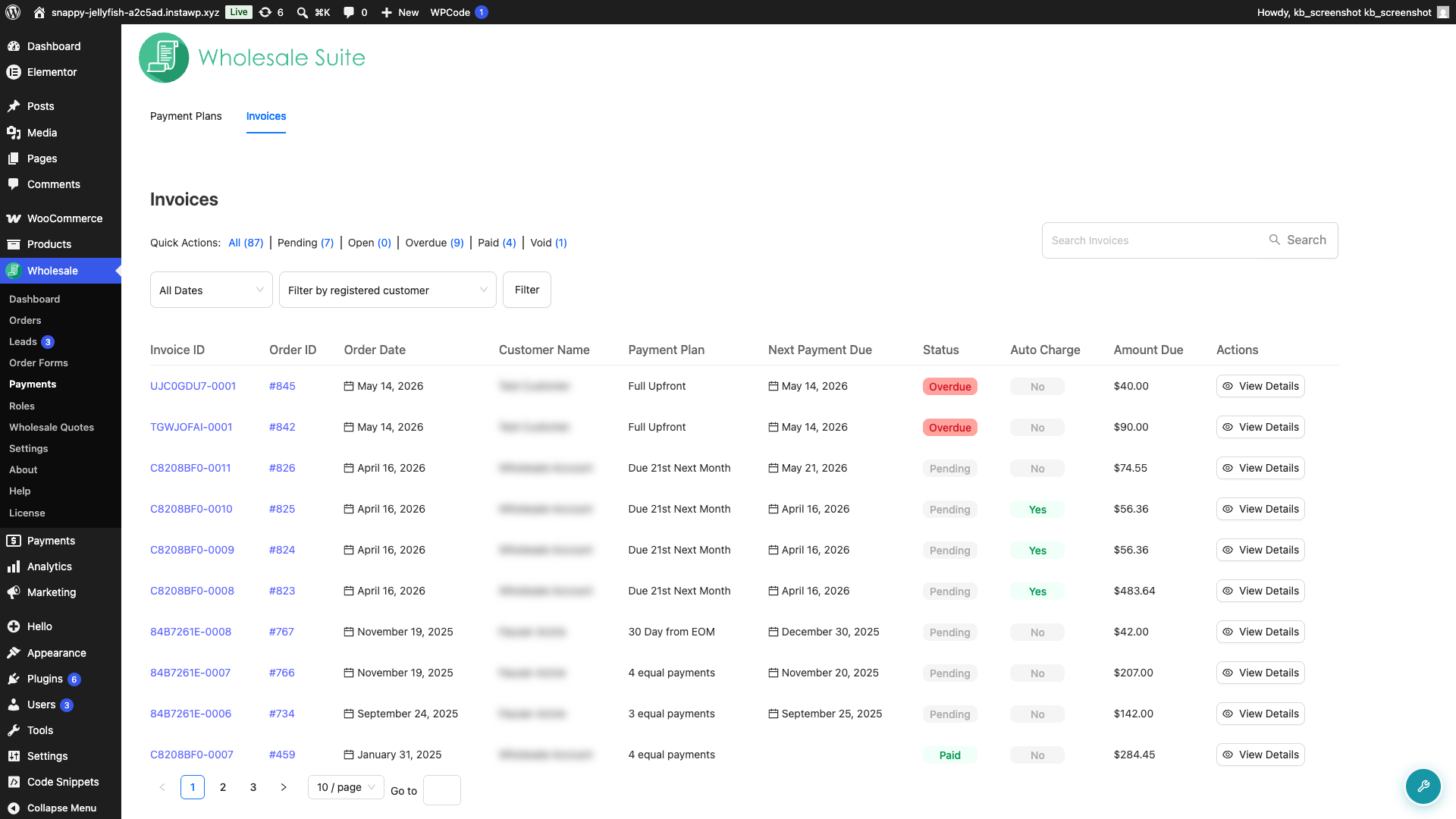
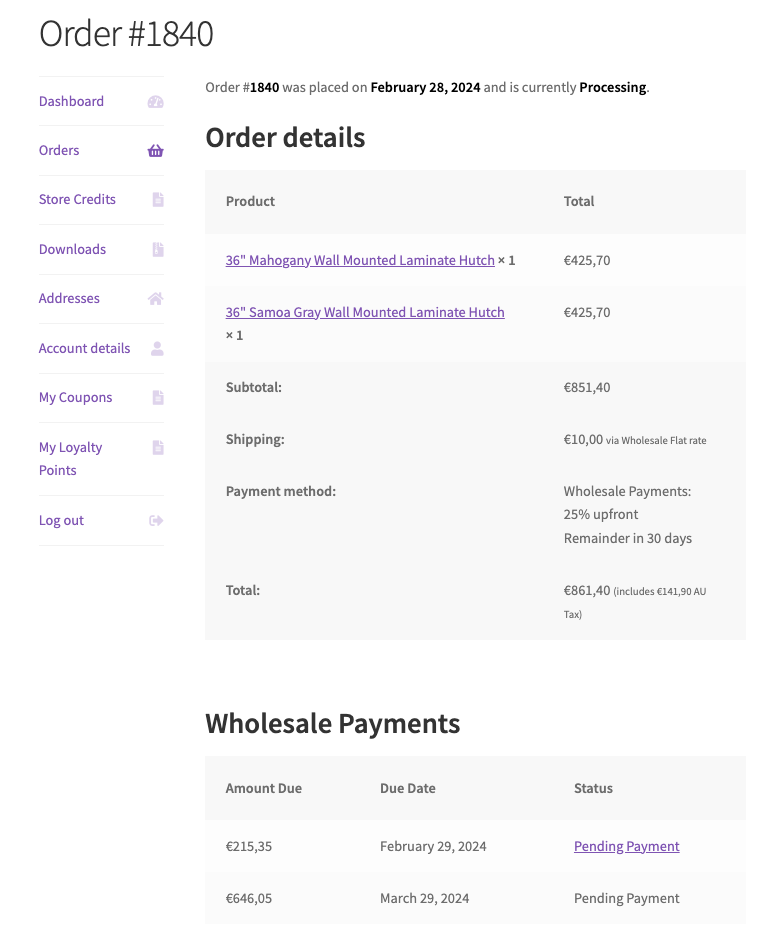
When a wholesale customer places an order with a payment plan, they will receive an automatic invoice generated by Stripe. The invoice will contain detailed information about payment schedules and timelines.
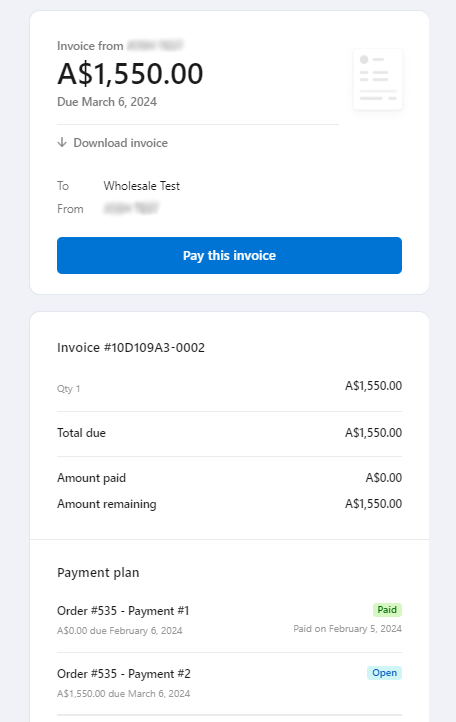
Your wholesale customer can find this information on their Account Dashboard under the Orders tab.
On the Order page, you can easily check the wholesale payment status from the admin side.
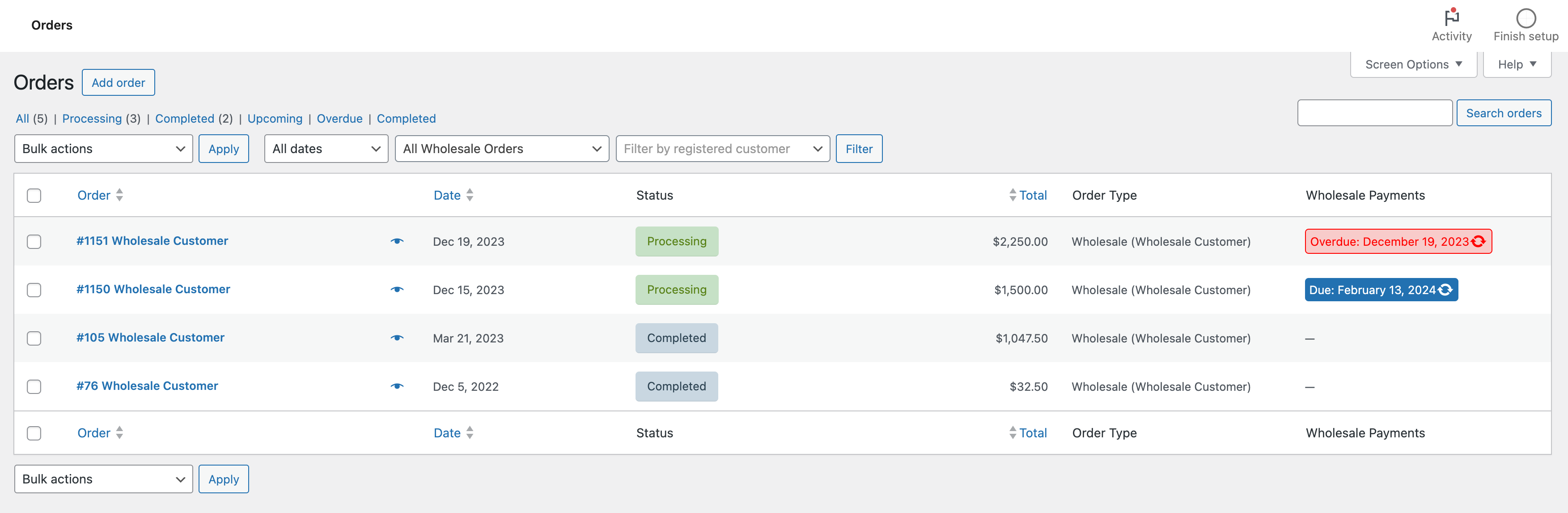
We have 3 payment statuses:
- Due indicates a pending payment with the upcoming payment date.
- Paid indicates a fully paid order.
- Overdue means the payment was not made by the supposed due date and is now late.
Where to go next
- How to set up Stripe for wholesale payments
- Troubleshooting Wholesale Payments setup and Stripe connection
- Wholesale Payment Invoice List Overview
Help & support
We have a dedicated support team for Wholesale Suite who knows our products, WooCommerce, and the industry very well. You’re welcome to make use of their expertise at any time, worldwide.
If you are an existing customer please go to the support ticket request form and send us a message.
If you are a free plugin user, please send us a support request on the forum, we actively monitor the WordPress.org support forums for the free plugin and help our users there as best as we can

