
By default, when a logged-in wholesale customer views a product that has a wholesale price applied, WooCommerce Wholesale Prices shows the regular retail price crossed out next to the wholesale price. If you’d rather your wholesale customers see only the wholesale price, you can turn this off.
This article covers the Hide Retail Price setting, where to find it, and which parts of your store it affects.
Hide Retail Price is a single, site-wide setting. Once enabled, it applies to every wholesale-priced product across your store, including simple, variable, and grouped products, on both the product page and the cart.
Requirements
- WooCommerce Wholesale Prices installed and activated. This setting is available in the free version of the plugin.
- At least one product with a wholesale price set for a wholesale role, so you can confirm the change.
Default Price Display for Wholesale Customers
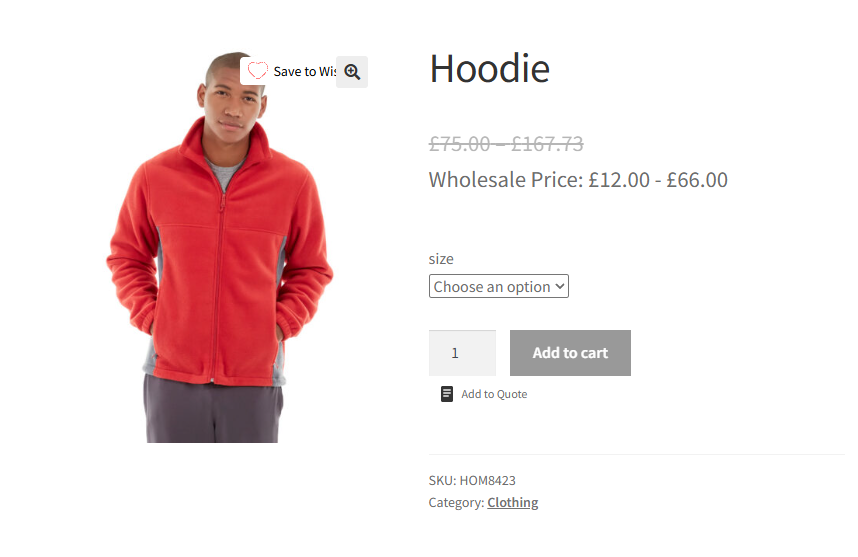
Before changing this setting, this is what a wholesale customer sees on a product that has a wholesale price: the regular price crossed out, with the wholesale price shown below it.
Turn on Hide Retail Price
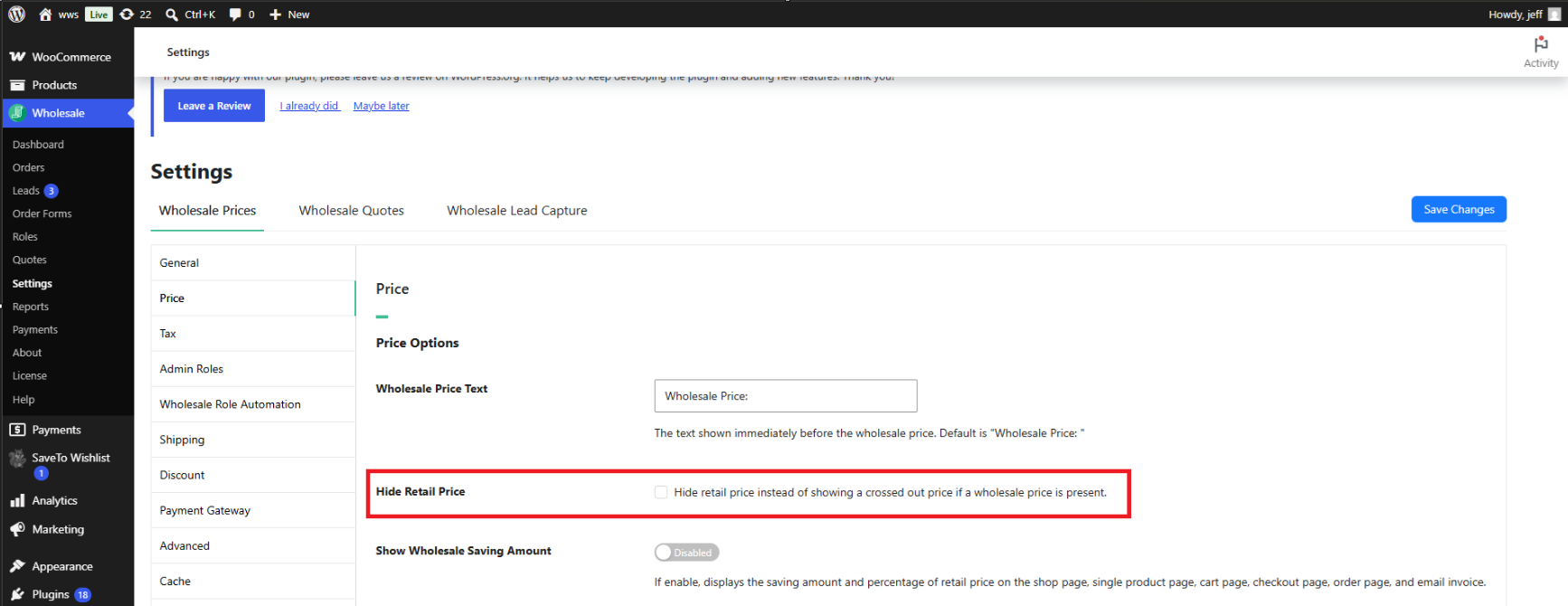
- Go to Wholesale → Settings → Wholesale Prices → Price.
- Enable the Hide Retail Price checkbox.
- Click Save changes.
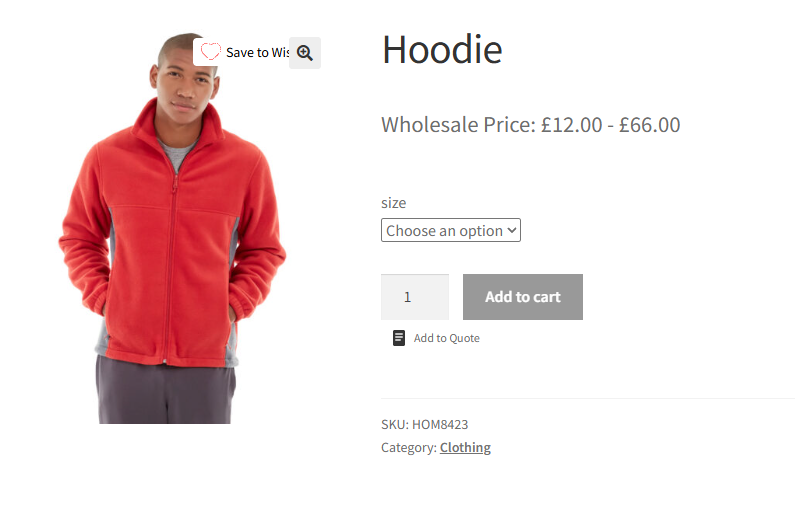
Once saved, the crossed-out regular price no longer appears for wholesale customers. Only the wholesale price is displayed, on the product page, in the cart, and on the block-based cart and checkout pages.
Troubleshooting
I enabled Hide Retail Price, but the crossed-out price is still showing on the product page. What should I check?
Confirm you clicked Save changes after enabling the checkbox, not just navigated away from the settings page. If the setting was saved, clear any page or object cache on your site, then reload the product page in a private or incognito browser window to rule out a local browser cache.
Hide Retail Price is enabled, but the cart still shows the old crossed-out price. What should I check?
Cart contents are stored in the customer’s session, so a product already in the cart before the setting was changed may need to be removed and re-added. Also, clear your site’s page cache and reload the cart or checkout page.
The setting seems to apply for some wholesale roles but not others. What could be wrong?
Hide Retail Price is a global setting and is not scoped to a specific wholesale role. If the crossed-out price still appears for a particular role, confirm that a wholesale price is actually set for that role on the product. The crossed-out price only relates to a product’s own wholesale pricing, not to the role viewing it.
Frequently Asked Questions
Is Hide Retail Price available in the free version of the plugin, or does it require Premium?
Hide Retail Price is available in the free WooCommerce Wholesale Prices plugin. You do not need WooCommerce Wholesale Prices Premium to use it.
Does this setting apply to variable and grouped products?
Yes. Hide Retail Price removes the crossed-out price from the price range shown on variable products and from the pricing shown on grouped products, in addition to simple products.
Will regular, non-wholesale customers notice any change after I enable this setting?
No. Hide Retail Price only affects the price markup generated when a wholesale price applies to the customer viewing the product. Customers browsing at regular retail prices continue to see standard WooCommerce pricing, unaffected by this setting.
Does Hide Retail Price change how the wholesale price is calculated?
No. This setting only controls whether the crossed-out regular price is displayed. The wholesale price itself, and how it’s calculated, is unaffected.
Does the setting apply to the WooCommerce block-based cart and checkout pages?
Yes. Hide Retail Price applies to both the classic cart and checkout pages and the block-based cart and checkout pages.
Can I hide the crossed-out price for some products but keep it visible for others?
No. Hide Retail Price is a single, store-wide setting. Enabling it removes the crossed-out price for every wholesale-priced product; there is no per-product option to enable or disable it individually.
Does enabling Hide Retail Price affect the “Wholesale Price:” label text shown before the price?
No. The wholesale price label text is controlled by a separate Wholesale Price Text setting and continues to display as configured, regardless of the Hide Retail Price setting.
Help & Support
We have a dedicated support team for Wholesale Suite who knows our products, WooCommerce, and the industry very well. You’re welcome to make use of their expertise at any time, worldwide.
If you are an existing customer please go to the support ticket request form and send us a message.
If you are a free plugin user, please send us a support request on the forum. We actively monitor the WordPress.org support forums for the free plugin and help our users there as best as we can.

