

Have you ever looked at your inventory and thought, “Why do we still have so many of these?” That question is usually where what is dead stock comes in. It is one of those problems that starts messing with your cash, your space, and your planning.
When products sit for too long, your money is stuck. You already paid for the stock, but you are not getting that cash back through sales. Meanwhile, you still have to buy new inventory for items that actually sell. So even if your store is getting orders, dead stock can still make things feel tight.
In this guide, I am going to break down what is dead stock in a simple way. I will show you how to tell the difference between slow movers and true dead stock. Then I will walk you through what to do with it, from quick fixes like improving listings to smarter ways of clearing it through bundles or bulk offers. Finally, we will talk about how to prevent it next time, so you don’t have to clean up the same problem again in a few months.
What Is Dead Stock?
So, what is dead stock in plain terms? It is inventory that no longer sells, or it sells so rarely that it is basically stuck. These are the items that sit in your storage for months, take up space, and tie up cash. You might still see the product page getting views. However, the orders just do not happen. (And yes, that can feel confusing, especially if the item was used to sell before.)
A simple way to spot dead stock is to ask yourself this. When was the last time this product sold at full price? If the answer is “I cannot remember,” that is a red flag. Dead stock usually shows up as high stock levels with no real movement. It can also show up as products that only sell when you slash the price heavily. If an item only moves when you do a big discount, it might already be in dead stock territory.
Now, here is the part people mix up…
Dead stock is not always the same as slow-moving stock. Slow-moving stock still sells, just not fast. Maybe it sells a few units a month. Maybe it sells during a certain season. Dead stock is different. It is the kind of item that sits and sits, even when you try to feature it. That is why the question what is dead stock matters. You do not want to treat every slow product as dead, because some items just need time or better visibility.
Here are a few common signs that something is becoming dead stock:
- Not sold in a long time, even with decent traffic
- Has many variations, but only one or two ever sell
- Gets added to cart rarely, even when people view the page
- Only sells during deep sales, then goes quiet again
- Has poor reviews or high returns, so buyers avoid it
If you notice these signs, do not panic. The goal is not to feel bad about it. The goal is to spot it early, then take action while you still have options. And later in this guide, I will show you what to do next so you can turn stuck inventory into cash again.
What To Do With Dead Stock
Alright, now that you know what is dead stock, let’s talk about what to do with it. I like to handle this step-by-step. (Because if you panic, you end up doing random discounts that hurt your store more than they help.)
Step 1: Stop the bleed
First, pause reorders. If something is not moving, do not keep buying more of it. This sounds obvious, but I have seen store owners reorder dead stock by accident because it is still listed as “active” in their catalog. So check your reorder habits and supplier auto-orders.
Also, stop spending money promoting an item that has no chance of moving. You can test visibility later, but do not throw ad budget at a product that already has a clear “no” signal from your buyers.
Step 2: Fix the product listing first
Sometimes the item is not truly dead. Sometimes the listing is the problem. So before you mark it as hopeless, do a quick cleanup:
- Update the main product photo so it looks clear and current
- Rewrite the first few lines of the description so the value is obvious
- Add size guides, specs, and FAQs if buyers need more confidence
- Check if the pricing still makes sense compared to competitors
- Improve product titles so people can find it through search
I like this step because it costs less than discounting, and sometimes it brings a product back to life. It also helps you confirm whether the item is truly dead stock or just badly presented. If you are still asking yourself what is dead stock, this step is where you find out fast.
Step 3: Move it without wrecking your pricing
If the listing is fine and it still does not sell, you need a smarter way to move it. Here are options that usually work better than “slash the price and pray.”
Bundle it with a best seller
Pair the slow item with something people already buy. This works because the best seller carries the deal, and the slow item becomes a bonus.
Create tiered deals
For example: buy 2 and get a small discount. Buy 3 and get a bigger discount. This pushes buyers to buy more, so you clear stock faster.
Turn it into a starter set
If your product can be part of a beginner kit or basic bundle, do that. People like sets because they make decisions easier. (I do too, honestly.)
Step 4: Run focused clearance
Clearance can work, but only if you do it with control. Instead of dumping everything into one big sale, pick a small set of items and run a short campaign. That way, you can track what works, and you do not train your customers to wait for discounts.
You can also run clearance by category, season, or size. For example, clear out one color variant that never sells, instead of discounting the entire product line.
Step 5: Exit options
If the inventory still refuses to move, it is okay to exit. Here are the common exit options:
- Liquidate it through a clearance partner
- Donate it if it fits, and if the tax benefit matters for your business
- Repurpose it into freebies for higher-value orders
This is the last stage, but it is sometimes the cleanest choice. Dead stock hurts most when you keep holding onto it “just in case.” Once you understand what is dead stock, you realize that keeping it forever is usually the worst option.
How To Prevent Dead Stock Next Time
Start smaller and test first
Now that you understand what is dead stock, the next goal is to avoid creating more of it. I like to think of prevention as simple habits, not complicated forecasting.
If you are trying a new product, start with a smaller buy. Treat it like a test, not a forever commitment. Then watch what happens before you go deep on inventory. This is especially helpful when you are testing new styles, new bundles, or seasonal items.
Also, if you can, test demand using low-risk signals first. Look at product page views, add-to-cart activity, and customer questions. If nobody is showing interest early, that is useful information. It is way better to learn that before you place a huge order.
Set simple reorder rules
A lot of dead stock comes from reordering too early or reordering based on gut feel. So set a few basic rules you can follow without thinking too much.
For example:
- Only reorder when a product hits a certain sell-through level
- Only reorder when the product has sold consistently for the past 30 to 60 days
- Review slow movers once a month before you reorder anything
These rules help you avoid the “we still have stock, but I ordered more” mistake. (That mistake is painful, and I have seen it happen a lot.)
Review and clean up your catalog regularly
If your store keeps growing, your catalog needs a cleanup. Old variations, colors, sizes, and product ideas can quietly turn into dead stock. So schedule a monthly review.
Look for products that have not sold recently. Also, check which variations never sell. Then decide what to do with them early. The earlier you react, the more options you have. That is why learning what is dead stock matters, because it helps you spot these warning signs before the inventory becomes a full problem.
Use buyer signals, not just sales data
Sales data is important, but buyer signals can help you react faster. Watch what gets added to the cart, and what gets saved for later. Watch what buyers ask about through email or chat.
If customers keep asking about one product, that is a good sign. If they keep viewing a product but never add it to the cart, that is a sign too. Those patterns can help you adjust pricing, reposition the product, or stop buying it altogether.
Prevention is not about getting every product decision perfect. It is about catching bad decisions early, then adjusting quickly. That is how you keep dead stock from piling up again.
Using B2B Offers To Clear Dead Stock Faster
Not everything needs a public clearance sale. Sometimes it is easier to move stuck items through bulk orders, especially if the products still make sense for retailers, resellers, or small shops.
How wholesale can help
Wholesale buyers think differently. They often buy based on margin, restocking, and whether the product fits their shelves. So even if your retail customers keep skipping an item, a retailer might still take it if the offer is packaged well. Also, bulk orders move inventory faster because you clear stock in chunks rather than one unit at a time.
B2B offers that usually work
Here are a few simple formats that are easier for wholesale buyers to say yes to:
- Case packs: Fixed quantities, clear pricing, easy to reorder
- Mixed bundles: Slow movers paired with items that sell better
- Tiered bulk pricing: A small discount at 10 units, a bigger one at 30
- Seasonal bundles: Move seasonal items before they sit too long
The key is to keep the offer simple. If a buyer has to ask too many questions, they will delay, and your stock will stay stuck.
How Wholesale Suite can help you
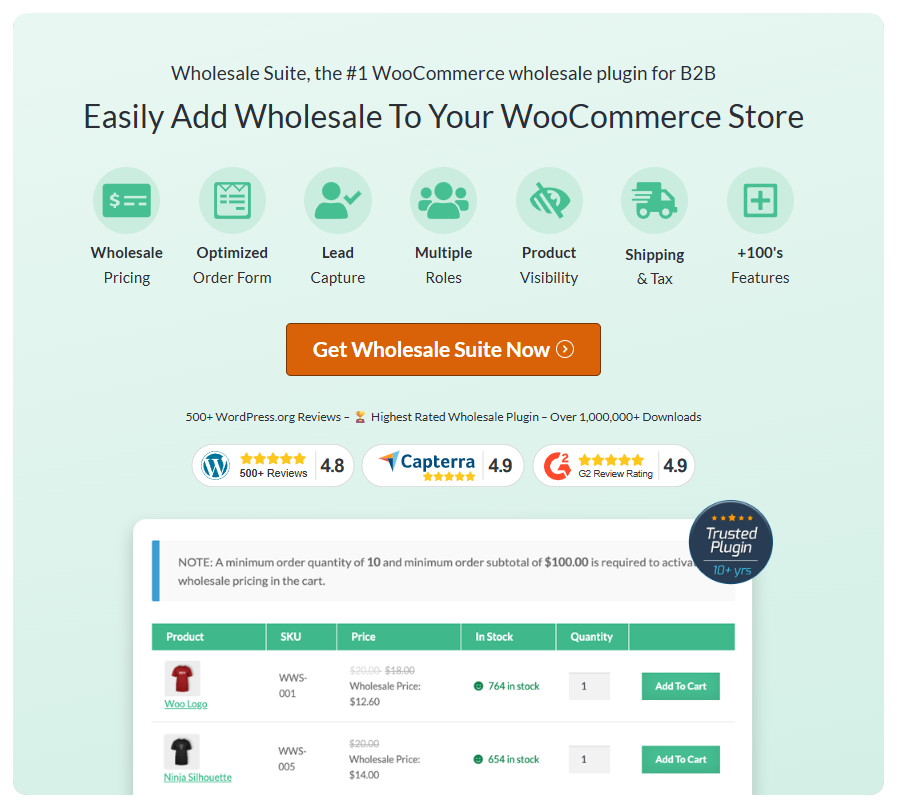
If you are already on WooCommerce, it helps to separate retail and wholesale pricing to avoid confusing regular shoppers. One way store owners do this is by using a wholesale setup that lets you show bulk pricing only to approved buyers, plus set minimum order rules so the deal still makes sense.
For example, Wholesale Suite can handle wholesale roles, wholesale-only pricing, and minimum order rules, so you can run a B2B clearance offer without changing what retail customers see. (You can keep it clean and controlled.)
A quick example
Let’s say you have 300 units of an item that is not moving at retail. Instead of running a big public discount, you create a wholesale pack:
- Retail stays the same
- Approved wholesale buyers see a bulk deal
- You set a minimum quantity so orders are worth processing
- Offer a “starter pack” option and a “restock pack” option
That way, you move stock faster and free up budget for products that sell more consistently.
Conclusion: A Simple Action Plan
If you take one thing from this guide, let it be this. Dead stock is not just “old inventory.” It is money and space that are not working for you. So once you understand what is dead stock, the goal is to act early, not when you are already frustrated. (I know it is tempting to ignore it and hope it sells someday, but that usually makes it worse.)
Here’s what we have discussed so far:
- What is dead stock
- What to do with dead stock
- How to prevent dead stock
- Using b2b offers to clear dead stock faster
Here is the simple action plan I like. First, identify what is truly stuck. Then stop the bleed by pausing reorders and removing extra spend on items that are clearly not moving. After that, try the calm fixes before you do big discounts. Update the listing, clarify the offer, and test bundles or pack deals to give the product a better chance of moving. If it still refuses to sell, pick an exit option and move on. That is better than letting it sit forever.
Finally, prevention is what saves you in the long term. Start small when testing new products. Set basic reorder rules. Review your catalog monthly so slow movers do not turn into dead stock without you noticing. And if you sell wholesale, you can also use B2B offers to move stuck items in bulk without turning your whole retail store into a clearance bin. (That alone can make the cleanup feel less stressful.)
Frequently Asked Questions
What is dead stock in inventory management?
Dead stock refers to inventory that no longer sells or sells so rarely that it becomes stuck in storage, occupying space and tying up cash without generating sales or profit.
How can I identify dead stock in my inventory?
You can identify dead stock by noticing items that haven’t sold in a long time despite traffic, have many variations but only a few sell, rarely get added to cart, only sell during deep discounts, or have poor reviews and high return rates.
What are effective strategies to manage and sell dead stock?
Strategies include stopping reorders, fixing product listings, creating bundle deals, running targeted clearance campaigns, and exploring exit options like liquidation, donation, or repurposing into freebies.
How can I prevent dead stock from accumulating in my store?
Prevention involves starting with smaller test orders for new products, setting clear reorder rules based on sales performance, regularly reviewing your catalog, and using buyer signals to gauge demand early.
How can wholesale offers help clear dead stock more efficiently?
Wholesale offers, such as case packs, mixed bundles, tiered bulk pricing, and seasonal bundles, allow you to sell stuck inventory in larger quantities to resellers or retailers, moving stock faster without damaging retail pricing.



