
The Integration of WooCommerce Wholesale Prices Premium and WC Vendors
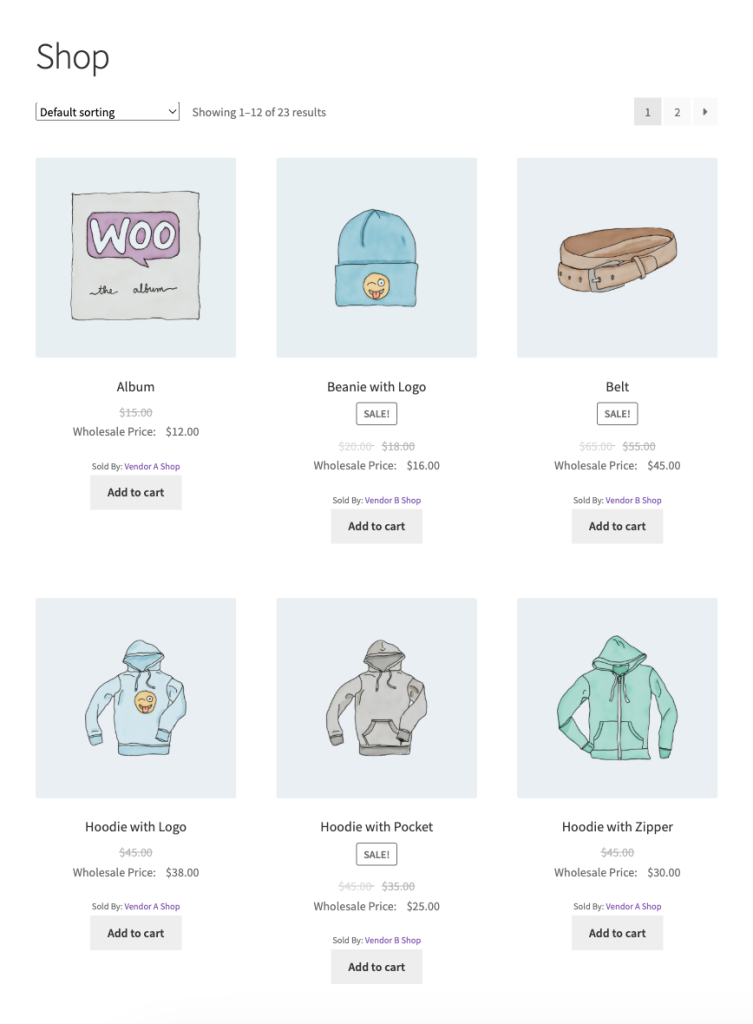
Together, these plugins provide a seamless and efficient way for store owners to manage wholesale pricing and multi-vendor marketplaces. This integration allows vendors to sell wholesale in their stores and significantly increase their revenue.
What is the WC Vendors Pro Plugin?
WC Vendors Pro plugin transforms a WooCommerce store into a dynamic multi-vendor marketplace. This plugin allows multiple vendors to sell products independently within the same online store, with each vendor managing their own products, shipping, and other store details.
Why Integrating These Two Plugins Matters
When combined, WooCommerce Wholesale Prices Premium and WC Vendors Pro Plugin offer a powerful, cohesive solution for marketplace owners who need to cater to both wholesale and retail customers across multiple vendors.
Here’s how the integration of these two plugins can benefit store owners:
1. Wholesale Pricing for Multiple Vendors
Vendors can set wholesale prices based on customer roles, offering lower prices for bulk buyers while maintaining retail pricing for others.
2. Product Visibility Restriction per Vendor
The integration allows vendors to configure the product visibility for each wholesale role in their store.
3. Streamlined Order and Pricing Management
The integration simplifies managing wholesale prices for vendors, reducing administrative overhead for both owners and vendors.
4. Increased Customer Satisfaction and Loyalty
Offering tailored pricing for wholesale and retail customers in your marketplace. fosters stronger relationships, boosting satisfaction and loyalty.
5. Comprehensive Reporting and Analytics
Both plugins provide valuable insights into sales and performance, helping store owners make data-driven decisions to optimize the platform.
What you need
- WooCommerce Wholesale Prices Premium, active and licensed
- WC Vendors (free), active
- WC Vendors Pro, active
The wholesale features below only load while WC Vendors Pro is active. The free WC Vendors plugin on its own does not enable them.
How the Integration Works
The integration is quite straightforward. After installing both plugins, store owners will need to configure each plugin:
1. Manage the Capabilities of Vendors
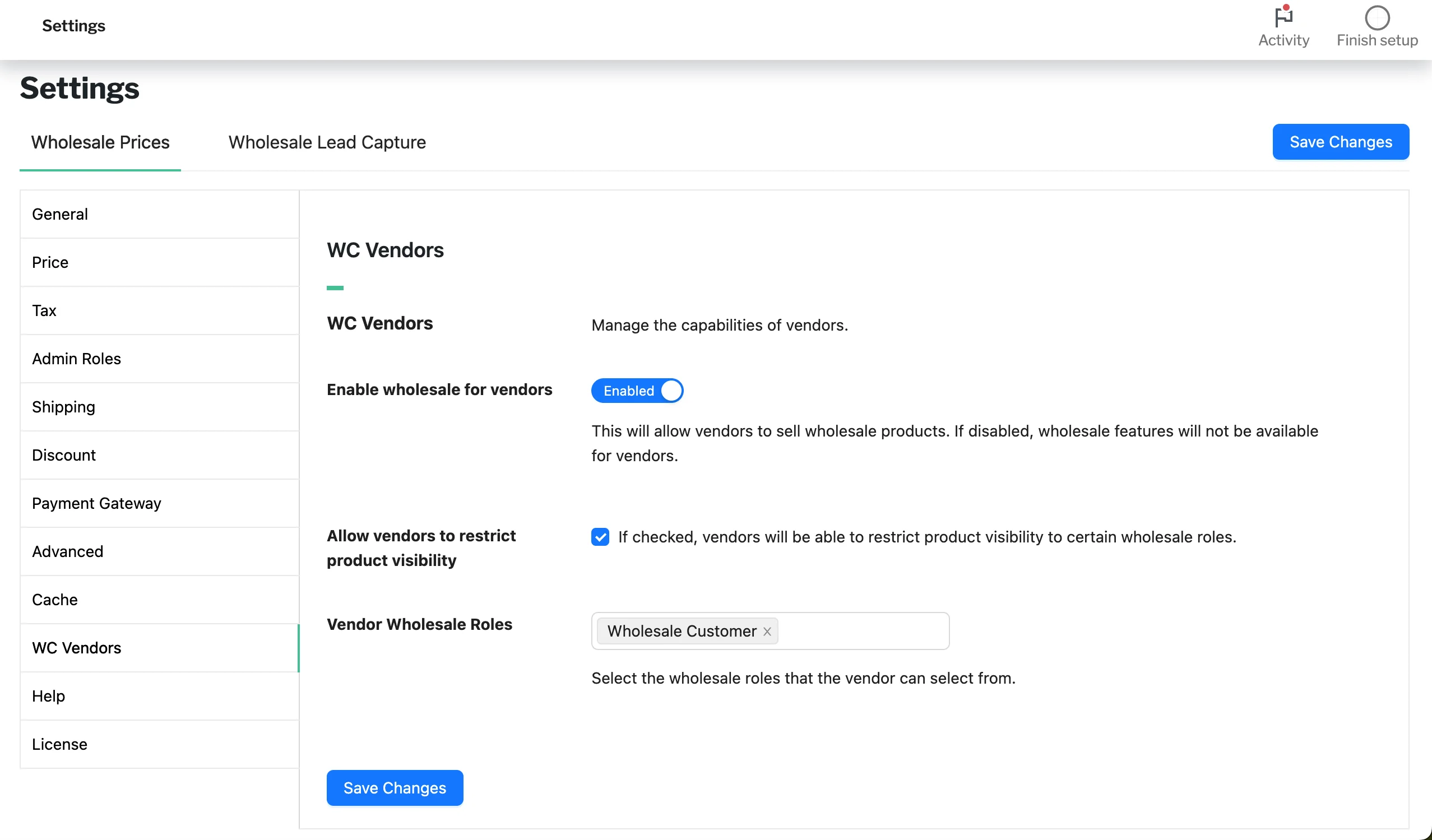
You can do this from Wholesale > Settings > WC Vendors:
- Enable wholesale for vendors: You can determine whether the vendor can use wholesale features in their store or not.
- Allow vendors to restrict product visibility: This option will enable the vendor to restrict their wholesale product visibility.
- Vendor Wholesale Roles: You can select which wholesale roles are eligible for wholesale pricing on the vendor’s products.
2. Enable Wholesale Features for Vendors
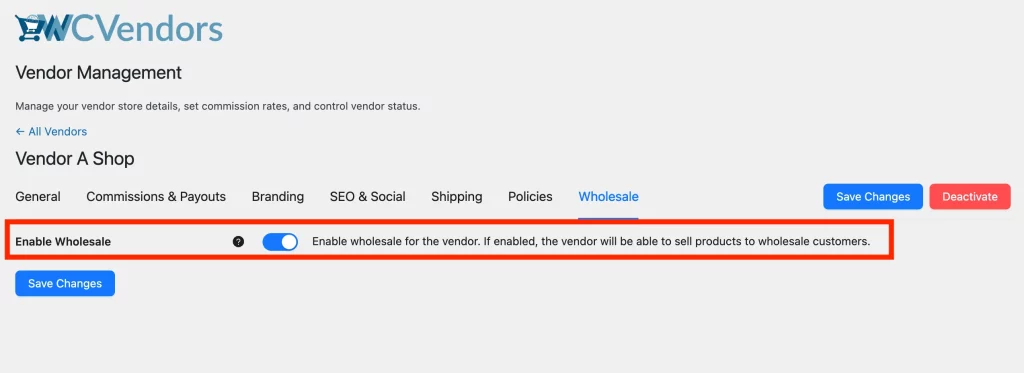
You can do this from WC Vendors > All Vendors:
- Edit the vendor’s profile and go to the Wholesale tab to allow the vendor to sell products to wholesale customers.
3. Set Up Wholesale Pricing for Vendor Products
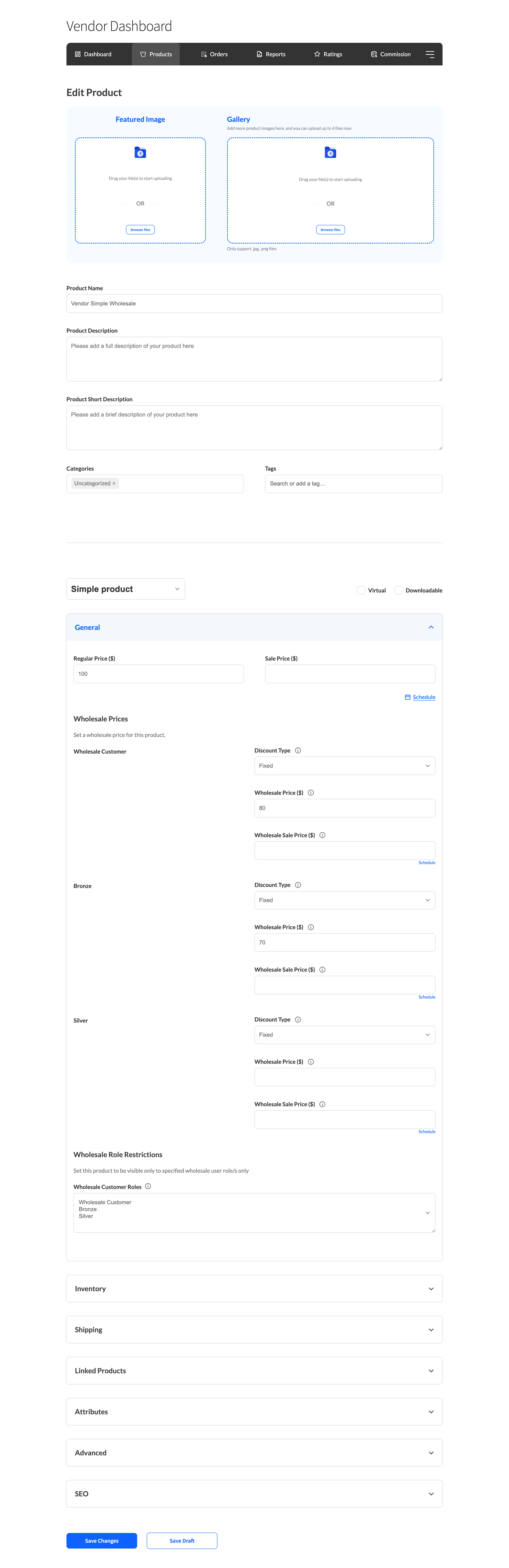
Vendors can now log in to their Vendor Dashboard and easily configure the wholesale pricing for their products. They can specify different prices for wholesale customers, ensuring they can offer discounted rates to specific buyer groups. From the dashboard, vendors have full control over setting and updating these prices, streamlining the process of managing wholesale pricing directly within their account.
4. Apply wholesale pricing to manual orders
This behaviour needs WooCommerce Wholesale Prices Premium 2.1.1 or newer. On older versions the Vendor Wholesale Roles restriction is not applied to manually created orders.
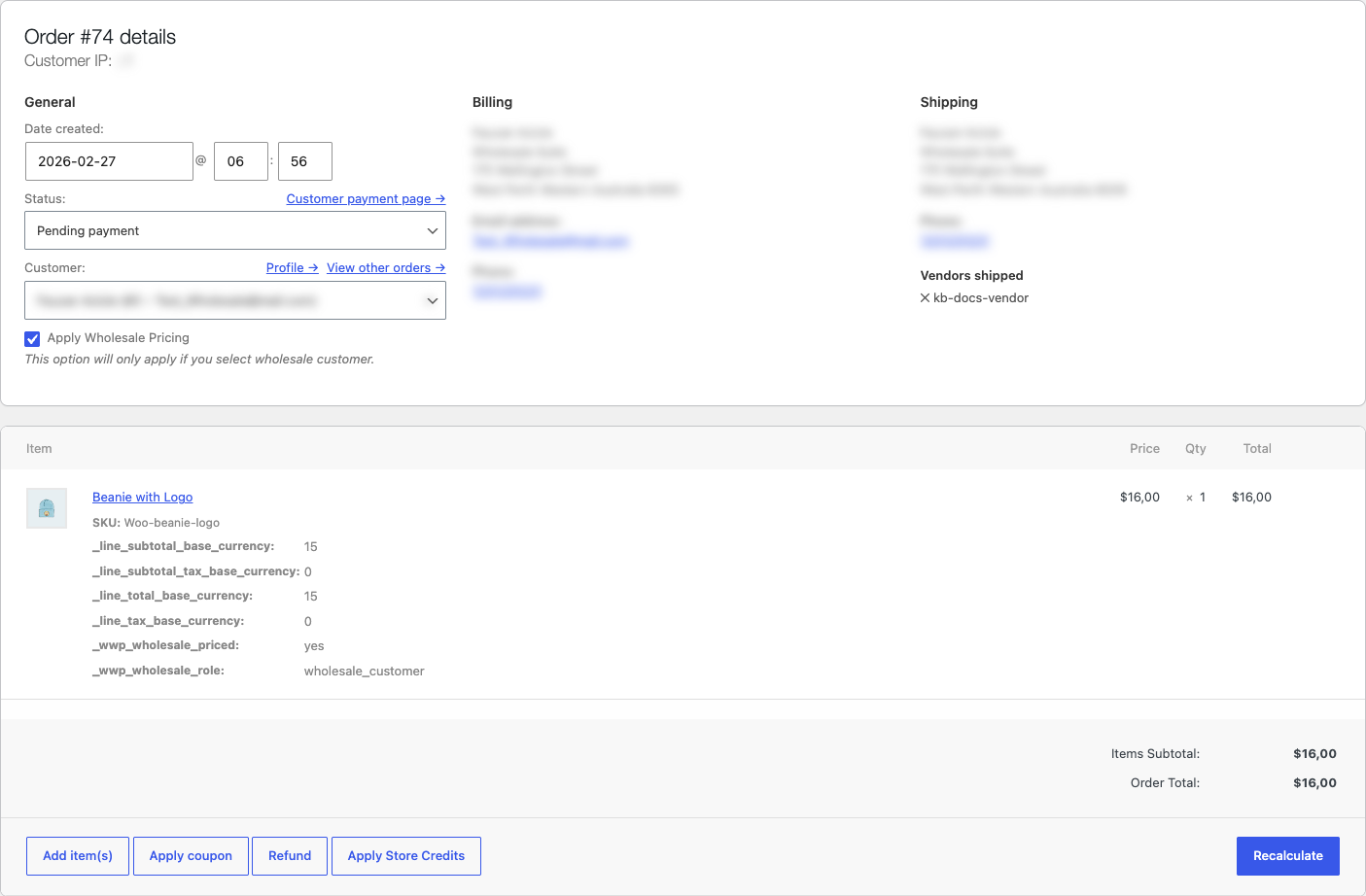
When you create or edit a manual order in WooCommerce, select the wholesale customer and enable Apply Wholesale Pricing. For a vendor product, the integration checks the customer’s wholesale role against Wholesale → Settings → WC Vendors → Vendor Wholesale Roles.
If the role is allowed and wholesale features are enabled for the vendor, the product receives its wholesale price. If the role is not allowed, you can still add the product, but the order uses its regular price. Store-owned products continue to follow the normal Wholesale Prices rules. Quantity based wholesale pricing is not supported for vendor products.
Troubleshooting manual-order pricing
If a vendor product uses its regular price after you enable Apply Wholesale Pricing, confirm that Enable wholesale for vendors is active, the vendor is enabled for wholesale, Vendor Wholesale Roles includes the order customer’s role, and the product has a wholesale price for that role. A role intentionally excluded from Vendor Wholesale Roles receives the regular product price in a manual order.
It’s important to note that both plugins are fully compatible with each other and will work in harmony to manage wholesale pricing and vendor interactions across the platform. No custom development is required for this integration, making it accessible for store owners with varying levels of technical expertise.
Need Help?
If you have a question or run into any issues, we’re here to help.
- Premium users: Open a support ticket
- Free users: Visit our community forum

