

I used to think wholesale billing was simple. You send an invoice, then you wait, right? (In theory, yes.) But once you have repeat buyers and NET terms, you realize you need a recurring payment solution; otherwise, you spend far too much time chasing updates instead of doing real work.
At the start, everything feels manageable. However, as your sales side grows, more things pile up. You also receive the classic messages such as “Can you resend the invoice?” or “What is the due date again?” (And you are there digging through email threads like it is a treasure hunt.)
Also, this is not just a “you” problem. An insight report found that 56% of small businesses had unpaid invoices, with an average outstanding balance of $17.5K per business. (So yeah, late and unpaid invoices are way more common than people think!)
In this article, I will show you how a recurring payment solution works in wholesale, what triggers it, and how you can set it up in WooCommerce. I will also explain how Wholesale Payments specifically supports recurring billing workflows for wholesale orders. My goal is to help you get paid on time without turning billing into a daily stress point.
Let’s get to it!
How A Recurring Payments Solution Works
1. What triggers billing (orders, schedules, NET terms)
In wholesale, billing can start in a few common ways.
First, it can be triggered by an order. A buyer places an order, and your store issues an invoice based on that order. This is common when buyers reorder frequently, and you want the paperwork to follow the sale immediately.
Second, billing can be triggered by a schedule. Some wholesale accounts buy on a cycle, like weekly restocks or monthly replenishment. In that case, the “recurring” part matters because this follows a cycle.
Third, it can be triggered by NET terms. If a buyer is on NET 15 or NET 30, you are not collecting payment right away. Instead, the due date becomes the key. A recurring payment solution helps you track those terms so you are not manually counting days and hoping nothing slips.
Automatic invoice creation and sending
Once billing is triggered, the next step is to create the invoice. A good recurring payment solution generates invoices with accurate totals, taxes, shipping, and discounts based on the order and the buyer’s terms. Then it sends the invoice to the buyer using a consistent process.
2. Payment collection and status tracking
Once the invoice is issued, the payment status is what you monitor. Paid, unpaid, overdue, or partially paid. A recurring payment solution helps you track status without needing spreadsheets or a manually maintained list.
What happens when payments are late
Late payments happen in wholesale. However, they become a real problem when there is no clear routine or solution.
A recurring payment solution helps by keeping the process consistent. You have the invoice date, the due date, and the current status. You can also match the payment record to the original wholesale order, reducing confusion for both you and the buyer. (It is awkward when a buyer says they paid, and you are not sure which invoice they mean.)
How To Set Up A Recurring Payments Solution
Step 1: Map your billing terms and customer groups
Start by listing your wholesale buyer types. Do you have small retailers that pay immediately, or larger accounts that require net terms? Do you have buyers who reorder weekly?
Then match each group to a billing pattern. This makes it easier to maintain consistency in your recurring payments solution. For example, you might have:
- A: pay on order
- B: NET 15
- C: NET 30 with repeat monthly orders
Step 2: Decide what’s recurring (invoices, payment terms, products)
Next, decide what “recurring” means for your store. For some stores, invoices are issued every time an order is placed. For others, it means billing follows the schedule because orders do.
It also helps to list which products are recurring. Consumables and replenishment items are the easiest example. If buyers often reorder the same SKUs, your recurring payment solution should support a smoother repeat process.
Step 3: Configure due dates and invoice rules
Now set the actual rules. This is where you define:
- When invoices are created
- When invoices are sent
- What due date gets applied for each buyer group
- What happens if a buyer is overdue
Keep it simple. Clear due date rules reduce follow-up questions.
Step 4: Test the customer flow
Before you roll it out to everyone, test it. Use a test account or a small buyer group.
Place a wholesale order, then check:
- Was the invoice created?
- Was the due date correct?
- Did the email go out?
- Can you see the payment status clearly?
One bad invoice can trigger a lengthy email thread, and no one wants that.
Step 5: Communicate the billing process to buyers
This is the step people forget. Even the best recurring payment solution will still feel confusing if buyers do not know what to expect.
Send a simple onboarding note to wholesale buyers. Tell them:
- Your payment terms
- How invoices are sent
- When payment is due
- Who to contact if they need help
Keep it short and clear. Buyers will not read a long essay, so do not write one.
Step 6: Monitor and adjust
After setup, watch what happens for the first few weeks. Check which buyers pay on time and which do not. Look for patterns such as late payments after weekends, during busy months, or among buyers who consistently require invoice resends.
Then adjust your process. A recurring payment solution works best when it aligns with actual buyer behavior, not just your ideal workflow.
How Wholesale Payments Supports Recurring Billing
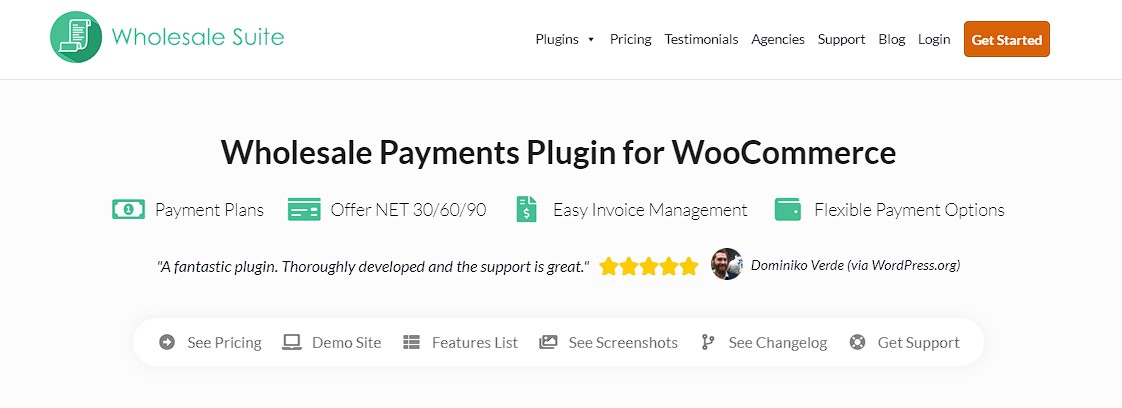
Okay, here is where Wholesale Payments comes in: it is built for B2B billing within WooCommerce. (Which is nice, because not every tool thinks about NET terms the way wholesale stores do!)
If your main goal is a recurring payment solution that is consistent for wholesale buyers, Wholesale Payments is designed to support that workflow. It helps you manage invoices, due dates, and payment tracking in a way that aligns with how wholesale buyers typically pay.
Automatic invoices for wholesale orders
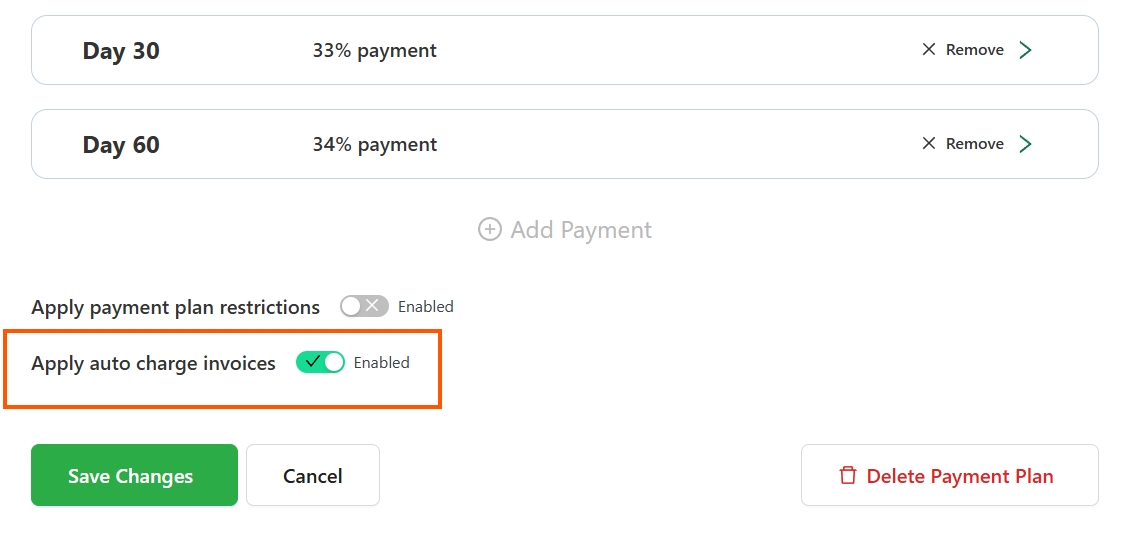
One helpful part is automatic invoice handling for wholesale orders. When an order comes in, your billing flow can follow the rules you set, instead of relying on manual invoice creation every time. That is one of the biggest pain points in wholesale, because manual invoicing does not scale well. A recurring payment solution should reduce repeat admin work, not add more steps.
You can read more about automatic invoicing here: Send Automatic Invoices To Wholesale Customers.
NET terms and due date handling
Wholesale buyers often request NET 15 or NET 30, and due dates matter significantly in that setup. Wholesale Payments supports that kind of structure by letting you align invoices with payment terms, so your invoices stay consistent. Also, when due dates are clear, buyers ask fewer questions.
You may also read about “WooCommerce Pay Later Plans: How To Let Customers Pay NET 30/60/90“
Payment tracking tied to orders
Another practical part is payment tracking that ties back to orders. In wholesale, you do not just want to know “paid or not paid.” You also want to know which order the payment relates to, especially when buyers reorder often. Wholesale Payments keeps that connection clearer, reducing confusion when you check open invoices.
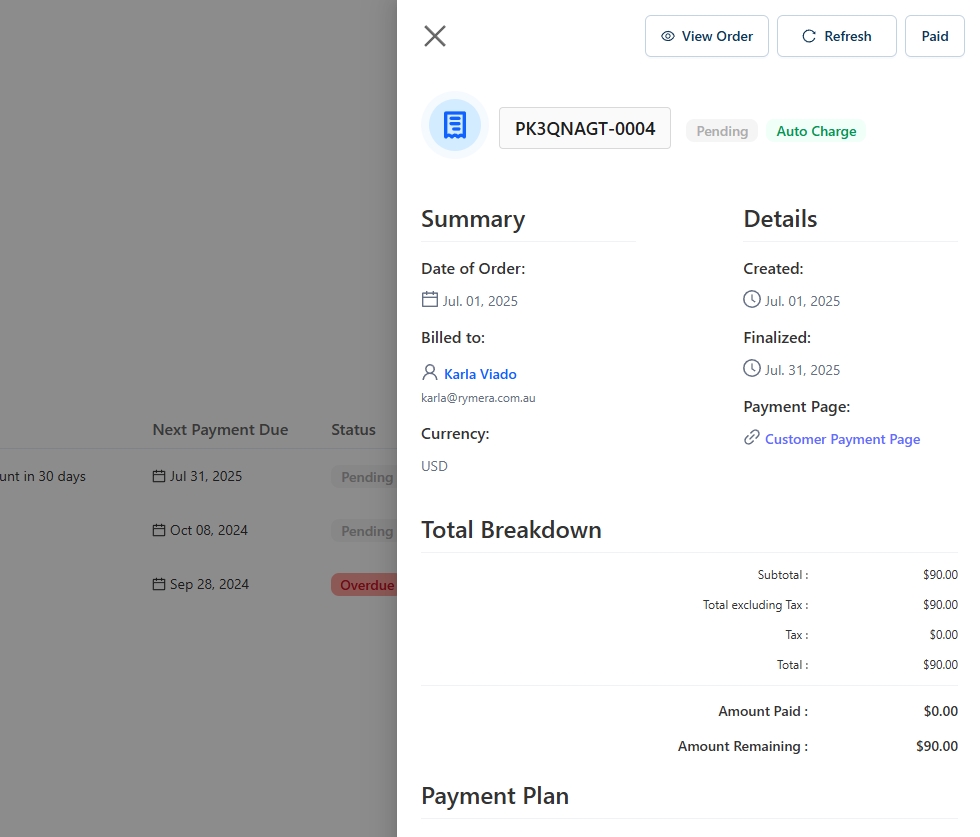
This is also why a recurring payment solution matters. You want billing to repeat consistently, and you want tracking to scale without breaking down as your account count grows.
Less manual work and fewer tools to juggle
Finally, Wholesale Payments helps reduce the feeling that billing lives in ten different places. If you are using WooCommerce for wholesale, it is easier when invoicing and payment tracking use a single system rather than jumping between plugins, spreadsheets, and email threads. (Because that is where mistakes happen, and you already have enough on your plate.)
If you want a recurring payment solution that fits a wholesale setup, this option aligns well with WooCommerce wholesale orders and B2B payment terms.
Conclusion
Managing wholesale billing in WooCommerce is one of those things that looks easy at first, then suddenly you are juggling invoices, due dates, and follow-ups. That is why having a recurring payment solution matters. It provides a repeatable billing workflow, so you don’t have to rebuild the process every time a buyer places another order.
Let’s take a look on what we’ve tackled in this article so far:
- How a recurring payments solution works
- How to set up a recurring payments solution
- Wholesale Payments: recurring billing to wholesale customers
Also, you do not need to change everything in one day. Start small so it feels doable. Select one buyer group or billing cycle, then set clear terms and due dates. After that, test your flow, observe the results, and adjust. As you go, keep your rules simple and consistent, because that is what makes a recurring payment solution actually help you long term. (I always remind myself that clarity beats chaos!)
Finally, if you want a WooCommerce-friendly option that supports wholesale billing, Wholesale Suite offers Wholesale Payments, which support invoicing, NET terms, and payment tracking for wholesale orders. It is a practical way to keep billing organized without relying on constant manual follow-ups. And once you have a recurring payment solution in place, you can spend less time chasing payments and more time growing your wholesale business.
Do you have any questions? Don’t hesitate to let me know in the comments!
Frequently Asked Questions
Is a recurring payment solution the same as subscriptions?
Subscriptions are one type of recurring billing. In wholesale, a recurring payment solution can also mean repeat invoicing, NET terms billing cycles, and consistent payment tracking for reorders.
How do NET terms fit into a recurring payment solution?
NET terms set the due date based on a number of days, like NET 15 or NET 30. A recurring payment solution helps apply those due dates consistently and makes it easier to track what is overdue.
What should I set up first before I turn on automation?
Start by mapping your customer groups and payment terms. Then decide what is recurring in your workflow, like invoices triggered by orders or billing schedules. After that, set clear due date rules and test.
Will a recurring payment solution stop late payments completely?
No, but it makes late payments easier to manage. You have clearer due dates, consistent invoices, and better tracking, so follow-ups are less stressful and less confusing.
What is the simplest next step if I want to start today?
Pick one buyer group or one billing cycle, set clear terms and due dates, test the invoice flow, then adjust based on what happens. Starting small helps you build a process you can repeat.



