

Running a small business takes a lot of work. You deal with orders, talk to customers, and check your stock. On top of all that, you need a clear way to send invoices and collect payments. This is why finding the best way to invoice for small business operations is very helpful. A good invoicing system helps you understand your cash flow in a simple, steady way.
In this guide, I will explain how small steps create big changes in your invoicing routine. You can choose the method that best fits your store, schedule, and customers. With the right setup, invoicing can feel less stressful and much easier to handle.
Ready? Let’s begin!
Why Invoicing Matters For Small Businesses
If you run a small business, you already know how busy each day can get. You talk to customers, pack orders, and fix problems as they come. With so much going on, the last thing you want is confusion about money.
Something as simple as a clear invoice can help prevent this. When your invoice has the right prices, the right items, and a clear due date, your customer can send payment without any guesswork. This is one reason many owners look for the best way to invoice for small business setups.
Manual invoicing (traditional method)
Some small business owners still write invoices by hand or make simple ones using a basic document. If you only have a few orders each week, this can work. It feels simple because you control every part of the invoice. You write the items, prices, and due dates. You also send it in a way that feels natural to you.
The problem starts when the business grows. Manual invoicing takes more time and is prone to minor errors because you enter everything yourself. A wrong number or a missing detail can cause delays. Manual invoicing is still useful for very small shops, but it can feel heavy as orders increase.
Here at Wholesale Suite, we love bringing awesome small business tools like this free wholesale price calculator to wholesale stores to help ensure those manual calculations stay accurate.
You may also read: How To Make A WooCommerce Invoice Gateway (In 30 Seconds).
5 Key Tips To Invoice For Small Business
1. Use a professional invoice template
A good invoice template helps you stay clear and organized. It also helps your customer understand everything they need to pay for. If you want the best way to invoice for small business owners who handle many tasks each day, a clear template is a great place to start.
Your invoice should show your business name so the customer knows right away who sent it. It should also show your business address, email, and phone number. The customer needs this information in case they have questions. Next, list the customer’s name and contact details. This makes it clear who the invoice is for. The main part of the invoice is the item list. You should write each item with a short description. Do not forget taxes and the total amount.
2. Set clear payment terms
One of the best ways to invoice as a small business is to offer clear payment terms to avoid delays. There are simple terms you can use. Some people use NET 15. This means the customer has 15 days to pay after receiving the invoice. Others use NET 30, which gives the customer thirty days.
Some owners also add late fees. A late fee encourages customers to pay on time. You do not have to make the fee large. What matters is that the rule is written clearly. When customers know what will happen if they pay late, they will try harder to pay on time.
You can also offer an early payment discount. Some customers pay faster when they see a small discount. This helps your cash flow stay steady and builds a good relationship, as the customer feels rewarded for paying upfront.
You may also read: What Are Payment Terms On An Invoice? (Simple Guide For B2B).

3. Offer multiple payment options
One way to help customers pay faster is to give them more than one way to send their payment. Every customer has a different comfort level. Some like to pay online. Some like to use their card. Others still prefer bank transfers.
Customers like using trusted online services because they can pay in just a few clicks. Services like Stripe, PayPal, or direct bank transfers are easy to use. They help customers send money without leaving their screens.
You may also read: How To Choose The Right WooCommerce Payment Options.

4. Automation
Automated tools save time. This makes your daily routine feel lighter. Even if your business is small, automation helps you handle busy days with less pressure. Likewise, automation helps because the system fills out many parts for you and keeps your invoicing habits steady.
Some tools can connect your orders with your invoices. This is very helpful for online stores and WooCommerce shops. When an order comes in, the tool can generate the invoice immediately. You do not need to copy items from one page to another. You do not need to worry about missing something. The invoice lists the same items the customer bought, creating clear records for both parties.
If you are eventually planning to scale your store into a multi-vendor platform, automating your finances becomes even more crucial. Understanding the complete Cost Of Running WooCommerce Marketplace will help you budget effectively for these automated invoicing tools and other essential extensions.
📝 Wholesale Payments gives WooCommerce store owners a way to handle invoicing without having to do every step by hand. The plugin also links the invoice to the order inside WooCommerce, which makes it easier to track payments because the system updates the order status once the customer pays. Read more about it here: Send Automatic Invoices To Wholesale Customers.
Once you have automated your invoicing, you can further streamline your workflow by connecting your store to professional bookkeeping software. Check out this guide on the best WooCommerce accounting plugins to learn how to sync your invoices directly with platforms like QuickBooks or Xero.
5. Give customers a contact point
Sometimes customers have small questions before they pay. If they can’t reach you, the payment might get delayed. You can place your email or phone number near the top or bottom of the invoice. What matters is that the customer sees it right away. This gives them a place to reach out if they need help with the payment.
💡 When a customer asks a question, a quick reply helps the process move forward. In this case, we use StoreAgent AI Chat, an AI chatbot for WordPress, when we want to reply faster but cannot stay at our computer all day checking inquiries. StoreAgent AI Chat can read customer questions and give answers right away. This helps our customers understand the invoice without waiting.
Wholesale Payments: The Best Way To Invoice For Small Business Owners Using WooCommerce
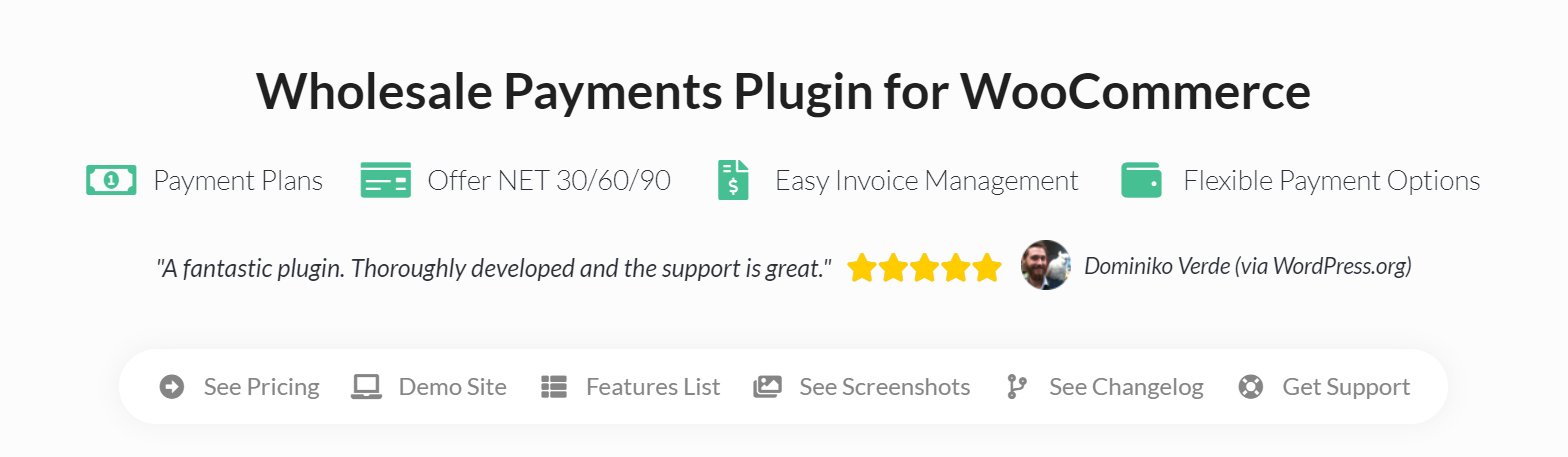
If your business runs on WooCommerce, you already deal with online orders, carts, and customer accounts. In this setup, I recommend the best way to invoice for small business is to use an invoicing tool that matches your store: Wholesale Payments reads the order data inside WooCommerce and creates the invoice using the same information. The system extracts the order details and places them on the invoice in a clear layout. This keeps your records consistent, preventing mistakes that can come from typing everything by hand.
Here are other features of Wholesale Payments that you can utilize:
- Payment Installments & Custom Payment Plans: Create plans like NET 30/60/90, or require an initial deposit followed by later payments.
- Role-Based Payment Plans: Assign different payment options based on wholesale user roles, so certain customers see certain terms.
- Invoice Management Dashboard: View and manage invoices, outstanding balances, and payment statuses (due, paid, overdue) in one place.
- Flexible Payment Methods: Accept ACH direct debit, credit cards, digital wallets (via Stripe integration) to meet wholesale customer needs.
- Automatic Invoice Generation: Automatically generate invoices for orders placed through WooCommerce.
Final Thoughts
Running a small business takes patience. Using clear templates, setting payment terms, and choosing tools that fit your store help you stay calm during busy days. These habits guide you toward the best way to invoice for small business operations that feel steady and easy to follow.
Let’s do a quick recap on the things we tackled in this article:
- Why invoicing matters for small businesses
- 5 key tips to invoice small business
- The best way to invoice for small business owners
In my own experience working with WooCommerce store owners, the biggest change happens when they start automating their processes. Tools like Wholesale Payments can help store owners who want a simple way to create invoices and connect them to orders without extra steps.
At the end of the day, the goal is to keep things clear for both you and your customers. When invoices are easy to read, when payments are simple to send, and when questions are answered quickly, the whole process feels smooth for everyone. If you follow the tips in this guide and use tools that match your daily work, you build a steady invoicing system that supports your small business as it grows.
Do you have any questions? Let me know in the comments below!



