Wholesale buyers don’t impulse-buy. They’re business owners making purchasing decisions based on margins, minimum order quantities, and how a new product fits their existing inventory. In its 2022 B2B Pulse Survey, McKinsey found that 35% of B2B decision-makers now rate e-commerce as their most effective sales channel, so your wholesale customers expect a polished, information-rich experience when you introduce something new. This guide walks you through the complete wholesale product launch WooCommerce workflow. Each step maps to specific tools, so you can put a successful wholesale product launch WooCommerce plan into action right away.
Planning Your Wholesale Product Launch WooCommerce Workflow
Every successful wholesale product launch WooCommerce checklist starts weeks before you make the product visible. Your buyers need pricing clarity, order minimums, and product details before they’ll commit to stocking a new item.
Set wholesale pricing before launch day
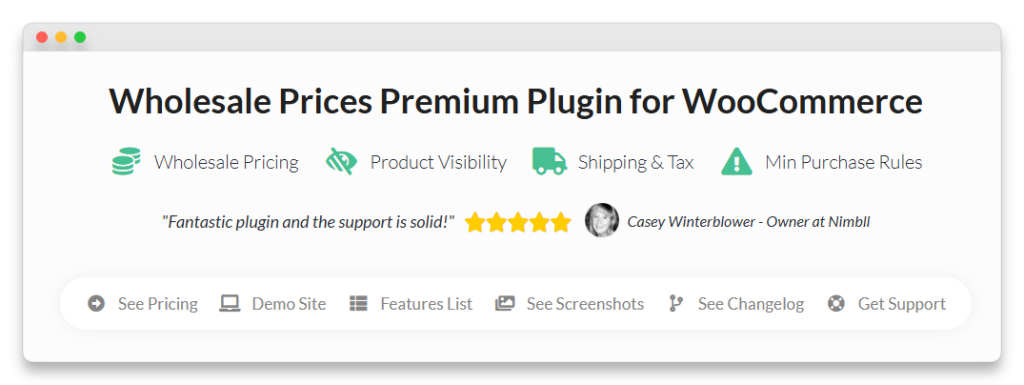
Before anything else, configure your wholesale pricing at the product level. With Wholesale Prices Premium, you can set specific wholesale prices for each wholesale role directly on the product edit screen. This means your “Gold Wholesale” customers can see one price while your “Silver Wholesale” customers see another.
Get this done before you turn on product visibility. If a wholesale buyer clicks through and sees retail pricing, or no wholesale price at all, they’ll assume the product isn’t available to them.
Define MOQ and tiered pricing for volume orders
Minimum order quantities protect your margins on new products. Set a per-product MOQ in Wholesale Prices Premium so buyers can’t place orders below your profitable threshold.
For a launch-period incentive, consider setting up quantity-based pricing tiers. Here is an illustrative example:
- 10 to 24 units: standard wholesale price
- 25 to 49 units: 5% additional discount
- 50 or more units: 10% additional discount
Tiered pricing encourages larger initial orders from buyers seeking the best margin, helping you gauge demand faster.
Prepare your product catalog
Your product needs to be fully ready before it becomes visible to any wholesale customer. That means:
- Complete product images: multiple angles, lifestyle shots where applicable, and high-resolution files buyers can use for their own marketing
- Detailed product descriptions: specifications, dimensions, materials, and any compliance certifications
- Correct categorization: place the product in the right WooCommerce categories so it appears in the correct sections of your wholesale catalog
Skipping this step leads to wholesale buyers seeing incomplete listings, which erodes confidence in both the product and your store.
Draft your launch announcement
Prepare your announcement email using your existing email tool. Whether you use Mailchimp, Klaviyo, or WooCommerce’s built-in transactional emails, your launch email needs four elements: the product name and description, wholesale pricing per tier, the minimum order quantity, and a direct link to order.
Keep it factual and business-focused. Your wholesale buyers don’t need a hype sequence; they need the information to make a buying decision. For more on communicating effectively with B2B customers, see our guide on wholesale email marketing.
What We’ve Seen: One thing we commonly see is store owners launching a product to wholesale before the pricing is fully configured. Buyers click through, see retail pricing or no wholesale price at all, and assume the product isn’t available to them yet. By the time the pricing is fixed, those buyers have moved on. Always verify pricing displays correctly for every wholesale role before making the product visible.
Setting Up Pre-Launch Access For VIP Wholesale Customers
Giving your best wholesale customers early access to new products rewards loyalty and creates urgency. It also lets you test the waters with a smaller, more engaged group before a full wholesale product launch WooCommerce rollout.
Use product visibility by role for exclusive early access
Wholesale Prices Premium includes a product visibility feature that lets you control which wholesale roles can see specific products. When you’re planning a wholesale product launch WooCommerce rollout, set the visibility so only your top-tier role can see the item initially.
Your VIP wholesale customers can then browse, evaluate, and place orders on the new product while it stays invisible to everyone else, including your standard wholesale customers and retail shoppers.
Create a premium wholesale role with early access
If you don’t already have a tiered wholesale structure, a product launch is a good reason to build one. Wholesale Prices Premium supports custom wholesale roles, so you can create a “VIP Wholesale” or “Platinum Wholesale” role that receives benefits like early product access.
This role distinction becomes valuable well beyond launches. VIP customers can receive better pricing, lower MOQs, and priority support, which gives your best buyers a reason to increase their order volume to qualify for (or stay in) the top tier. For tips on structuring this experience from day one, check out our wholesale customer onboarding guide.
According to Salesforce’s State of the Connected Customer report, 73% of customers expect companies to understand their unique needs and expectations. Tiered early access is one straightforward way to deliver that kind of personalization during a wholesale product launch WooCommerce campaign.
Open access to all wholesale roles after the exclusive window
After your early access period, typically one to two weeks depending on your product cycle, update the product visibility settings to include all wholesale roles. This is a quick change in Wholesale Prices Premium: just adjust the visibility rules for the product.
Communicate the timeline upfront. Let your VIP customers know they have exclusive access for a specific window, and tell your standard wholesale customers when the product will be available to them. Transparency builds trust across all tiers.
Announcing The Wholesale Product Launch To Your Customers
With pricing set, MOQs configured, and early access in place, it’s time to announce your wholesale product launch WooCommerce rollout.
Email announcement strategy
Segment your launch emails by wholesale tier:
- VIP/early access tier: send the announcement before the product goes live to all roles, and emphasize the exclusive pricing and early access window
- Standard wholesale tier: send on launch day, when visibility opens to all roles, with pricing, MOQ, and a direct ordering link
- New prospects: if you’re actively onboarding new wholesale customers, include the new product in your welcome materials
Keep every email concise. Wholesale buyers receive dozens of product announcements, so lead with the value proposition (margin opportunity, fills a gap in their inventory, complements products they already carry) and make the ordering path clear.
Direct link to the product on your wholesale order form
Wholesale Order Form automatically displays products you’ve added to WooCommerce, including your newly launched item. Include a direct link to the order form in every announcement email.
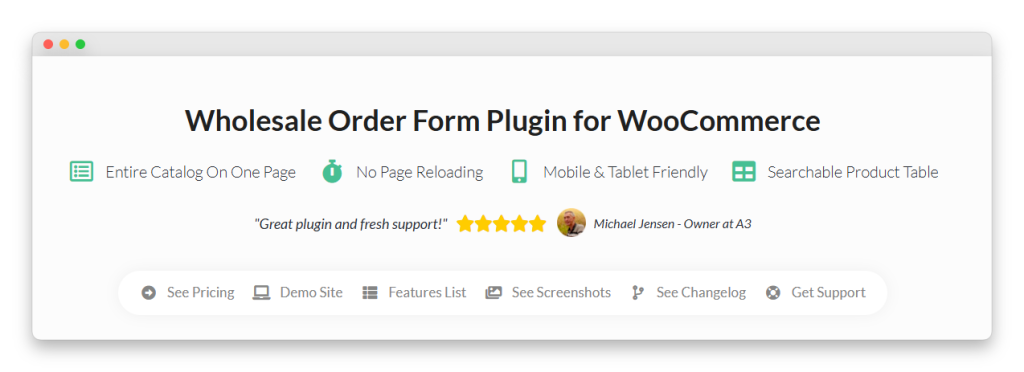
The order form’s AJAX-powered search and category filtering make it easy for buyers to find and add the new product alongside their regular orders. This matters because wholesale buyers rarely purchase a single new item in isolation. They’ll add it to an existing order, which increases your average order value. For more strategies here, see how to increase average order value for wholesale.
Update your wholesale line sheet or catalog
If you maintain a downloadable line sheet, PDF catalog, or a dedicated wholesale catalog page, update it immediately. Wholesale buyers often refer to these documents when planning their purchases.
Include the product name, SKU, wholesale pricing by tier, MOQ, and available variations. Keeping this current signals that your catalog is actively maintained and trustworthy.
Making It Easy To Order
The gap between “interested” and “ordered” is where most wholesale product launches lose momentum. Your job is to eliminate every unnecessary step between awareness and purchase.
Verify the product in your Wholesale Order Form
Before you send a single announcement email, confirm the product appears correctly in the Wholesale Order Form. Check that:
- Pricing displays correctly for each wholesale role
- The product sits in the right category so buyers using category filters can find it
- Variations are set up properly if the product has size, color, or other options
- MOQ is enforced at the order form level
A quick test order from a wholesale test account catches issues before your real customers find them.
Set up launch-specific promotions
Consider offering a time-limited introductory incentive for early orders. Options include:
- Reduced MOQ: lower the minimum order quantity for the first two weeks so buyers can test the product with less commitment
- Introductory pricing: a small additional discount for orders placed within the launch window
- Free shipping threshold: waive shipping for initial orders above a certain value
Bain & Company research on B2B loyalty shows that promoters, the most loyal buyers, have an average lifetime value three to eight times that of detractors, and they buy more and stay longer. A strong first-order experience during your wholesale product launch WooCommerce campaign sets the tone for every reorder that follows.
Use quotes for large initial orders
Some wholesale customers will want to place a large first order, especially if they’re stocking multiple locations. For these situations, Wholesale Quotes provides a request workflow where buyers can submit their desired quantities and negotiate terms.
This is particularly useful for launch-period orders where a buyer wants to commit to a volume that falls outside your standard pricing tiers. Instead of losing the sale because checkout can’t accommodate the request, the quote workflow lets you handle it professionally.
What We’ve Seen: A mistake we’ve seen repeatedly is making buyers navigate the entire catalog to find a new product. Don’t assume they’ll search for it. Send them a direct link to the product page or to the order form filtered to the relevant category. The easier you make the first purchase, the faster adoption happens.
Tracking Wholesale Product Launch Performance
Launching the product is only half the job. The data you collect in the first few weeks tells you whether your wholesale product launch WooCommerce campaign succeeded and what to adjust next time.
Monitor first-week wholesale orders
Track order volume for the new product in your WooCommerce reports. Key metrics to watch:
- Total units ordered in the first 7 and 14 days
- Number of unique wholesale customers who placed an order
- Average order quantity per customer (are they ordering near MOQ or well above it?)
- Revenue from the new product compared with similar past launches
Set a benchmark before launch. Even a simple goal like “15 unique wholesale customers order within two weeks” gives you something concrete to measure against.
Compare adoption by wholesale tier
If you offered tiered early access, compare the numbers. Did your VIP wholesale customers convert at a higher rate than standard wholesale customers? This data validates whether the early access strategy is worth repeating.
Look at:
- VIP tier conversion rate: what percentage of VIP customers placed an order during the early access window?
- Standard-tier conversion rate: what percentage of orders are placed within the first week of general availability?
- Order size by tier: are VIP customers placing larger orders, justifying their preferred pricing?
This analysis directly informs your next wholesale product launch WooCommerce campaign and helps you decide whether to expand or tighten your VIP program.
Follow up with customers who viewed but didn’t order
Not every wholesale customer will order immediately. Some need more information, some are waiting for current inventory to sell down, and some simply missed the announcement.
Use your email tool to send a targeted follow-up to wholesale customers who haven’t placed an order within the first two weeks. Address the most common objections:
- Pricing concerns: reiterate the margin opportunity
- MOQ too high: mention any reduced launch-period MOQ
- Need more info: include a link to the product page with full specifications
- Missed the announcement: provide a brief recap of the product and its wholesale terms
A single, well-timed follow-up can recover a significant portion of your potential first-month orders.
Launch Your Next Wholesale Product With Confidence
A wholesale product launch WooCommerce workflow isn’t a single event; it’s a workflow that begins with pricing configuration and ends with data-driven follow-up. Stores that treat it as a process consistently see stronger first-month adoption than those that simply flip a product to “visible” and hope for the best. When you set your pricing and roles carefully, reward your best buyers with early access, announce with clarity rather than hype, and then measure what actually happened, each launch teaches you something you can apply to the next. That compounding knowledge, more than any single tactic, is what turns a wholesale product launch WooCommerce workflow into a repeatable growth engine for your store.
Ready to run your next wholesale product launch on WooCommerce? Wholesale Suite bundle gives you everything in this workflow: product-level pricing, role-based visibility, the wholesale order form, and quote management, all working together in your WooCommerce store.
Here’s what we covered in this article:
- Planning your wholesale product launch WooCommerce workflow
- Setting up pre-launch access for VIP wholesale customers
- Announcing the wholesale product launch to your customers
- Making it easy to order
- Tracking wholesale product launch performance
Frequently Asked Questions
How far in advance should I tell wholesale customers about a new product?
Give wholesale customers at least two weeks of advance notice before a product launch. B2B buyers need time to evaluate whether the product fits their inventory, plan their purchasing budget, and potentially make room in their warehouse. For VIP customers getting early access, consider giving them a heads-up three to four weeks out so they can plan their order.
Can I set different launch pricing for different wholesale tiers?
Yes. Wholesale Prices Premium lets you set different wholesale prices for each wholesale role at the product level. This means your VIP wholesale customers can see a more competitive launch price than your standard wholesale tier. You can also set quantity-based pricing tiers that apply differently per role.
What if a wholesale customer wants to order more than my standard pricing covers?
For large orders that exceed your standard pricing tiers, direct the customer to your quote request workflow through Wholesale Quotes. This lets them submit the quantity they want and negotiate terms. It’s a better experience than forcing them through a checkout process that doesn’t accommodate their order size.
Should I offer samples before the full wholesale launch?
Samples can accelerate wholesale adoption, particularly for physical products where buyers want to evaluate quality firsthand. If you offer samples, create a separate sample product in WooCommerce with its own pricing (cost-of-goods or free) and make it visible only to wholesale roles. Track who requests samples and follow up with ordering information once they’ve had time to evaluate.
How do I handle wholesale customers in different time zones for a launch?
Set your product visibility to go live at a specific time that works for your primary market, and communicate the exact date and time (with time zone) in your announcement emails. Since wholesale buyers aren’t competing for limited stock, unlike retail flash sales, the exact launch minute matters less than the information being available. Send your announcement email early in the morning for your primary market so buyers see it at the start of their business day.