It’s 9 p.m., and a café owner two time zones away wants to confirm your case-pack price before placing a restock order. Another buyer wants to reorder last month’s shipment but can’t remember if it was the 12-unit or 24-unit carton. Meanwhile, your sales rep is answering delivery questions in one inbox while your warehouse manager replies to the same customer from another.
That’s wholesale customer communication when buyers have more questions than a product page can answer. Using WhatsApp for wholesale business conversations gives those buyers a direct, familiar way to reach the right person on your team, without replacing the pricing rules, order forms, and approval workflows that already run your store.
Below, we’ll cover practical ways to use WhatsApp in a WooCommerce wholesale store, how to set it up, and the mistakes worth avoiding.
Why Customer Communication Is More Complicated In Wholesale Than In Retail
A retail shopper usually asks one question: when will my order arrive? Wholesale buyers ask about the terms of a relationship. Do they meet your minimum order quantity (MOQ)? Which price tier applies at 200 units versus 500? Will you quote a custom run of a product you don’t list?
Many of those questions come before the buyer has an account, starting with what your approval process requires. After approval, the questions shift to reorders, partial shipments, invoice due dates, and a loading dock that only accepts deliveries before noon. Add buyers in other time zones, and questions often arrive before your team starts work.
Retail support assumes short, one-off tickets. Wholesale conversations are longer and tied to an ongoing account. A contact form answered two days later works poorly when a buyer is deciding today on a large restock order.
Why WhatsApp For B2B Works For Wholesale Buyers
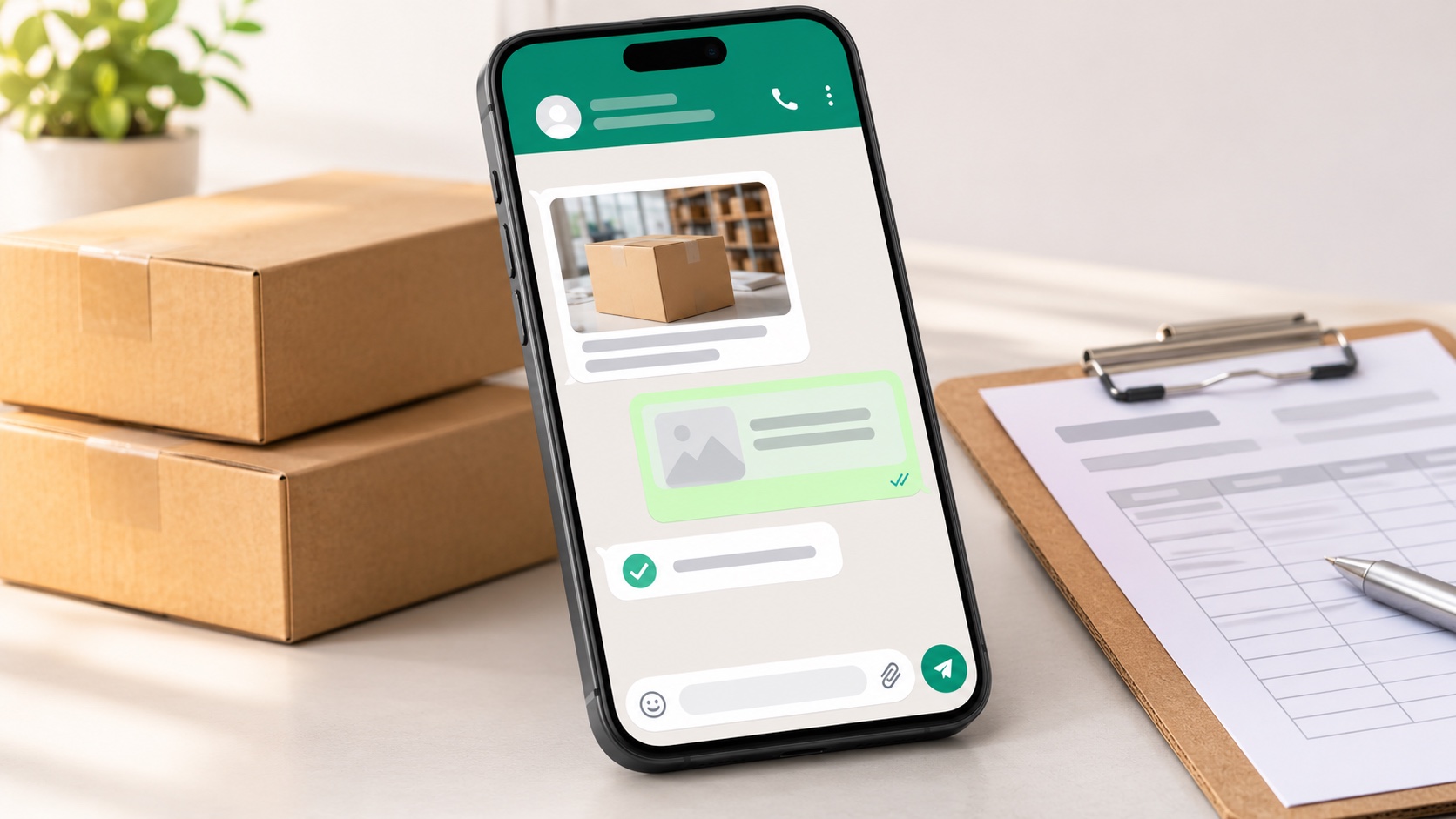
The main advantage of WhatsApp for B2B communication is familiarity. Many of your buyers likely already use it with their own suppliers and staff, so they don’t need a new tool or another login just to ask a question.
The format also suits wholesale conversations. A buyer can send a photo of a damaged carton or a voice note about a custom order, and your rep can reply with a spec sheet. That’s harder to follow in an email thread with five people copied.
Messaging is also asynchronous. A buyer can ask when it suits them, your team replies when they’re back online, and the context stays in one thread.
That said, WhatsApp for wholesale business support is a channel, not a strategy. It won’t make your team faster on its own or convert buyers who aren’t ready to order. It removes friction from conversations you’re already having.
Practical Ways To Use WhatsApp For Wholesale Business Communication
The most useful setups give WhatsApp specific jobs. Here are seven that fit a WooCommerce wholesale store.
Answer pre-sale questions and discuss wholesale quotes
Picture a boutique owner who wants 60 tea towels across three colors, but your listing shows a case pack of 24. Instead of leaving the page, they tap a chat button and ask if you can split cases.
Your rep confirms that mixed cases are possible for a small handling fee, and a vague inquiry becomes a qualified order. For larger or custom jobs, treat chat as the start of the quote conversation, then move the formal quote into your store so pricing, terms, and expiry dates are recorded.
Clarify MOQ and tiered pricing
Tiered pricing is a common source of wholesale confusion. A buyer sees one price and assumes it applies at every quantity, or doesn’t realize they’re 20 units short of the next tier.
A quick message lets your rep explain the rule plainly: “The next tier starts at 100 units, and you can mix sizes to reach it.” That works best when your store already enforces the same rule. When you set up tiered pricing and minimum order quantities with Wholesale Prices Premium, the checkout price matches what your rep described in chat.
Make repeat wholesale orders easier
“Same as last time, but double the blue mugs” is a normal message from a repeat buyer, and someone has to turn it into SKUs and quantities. If the chat button sits on the product page, the opening message can include the product name and SKU automatically. Your rep then confirms the SKU, quantity, and delivery details before anything ships.
For buyers who restock dozens of items at once, suggest a wholesale order form that lets buyers search by SKU and add products in bulk. The form handles the mechanics, and WhatsApp handles “Can you double-check this?”
Provide order status and delivery updates
After an order is placed, buyers want to know when it ships, if it ships complete, and when the invoice is due. Short questions with short answers work well in chat.
WhatsApp is especially handy for delivery coordination. A receiving manager can mention that the dock closes early on Friday, or send a photo of the correct entrance. Keep shipping confirmations and invoices in your standard WooCommerce emails, though.
Onboard new wholesale accounts
Prospective buyers often hesitate at the wholesale application. Do they qualify? What documents do you need? How long does approval take? A short chat answers those questions before they abandon the form.
Then send them to the application itself. A wholesale registration form with manual or automatic approval keeps applications structured and reviews consistent. Chat suits questions like “Do you work with stores outside the US?” It isn’t the place to collect tax documents.
Route conversations to the right sales or support agent
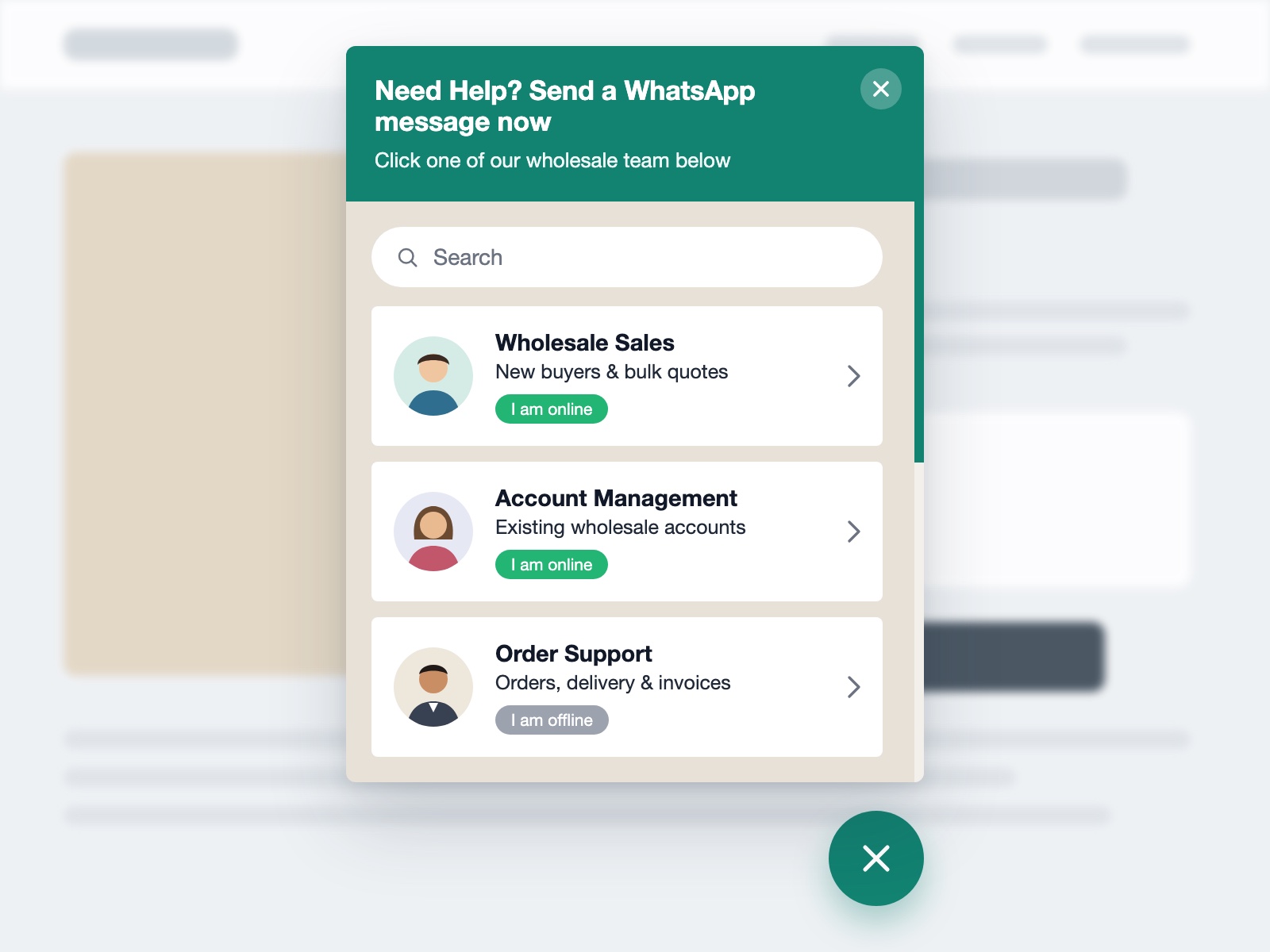
A buyer asking for a quote on 2,000 units shouldn’t land in the same queue as someone looking for a tracking number. Some WhatsApp chat tools let you display several agents so buyers can pick who to message.
For example, the premium version of ChatHelp includes multi-agent layouts showing each agent’s name, photo, and online status. You could list “Wholesale Sales,” “Account Management,” and “Order Support” as separate contacts.
Handle after-hours inquiries across time zones
A chat button doesn’t give you 24/7 support. Buyers can message at any hour, but someone still has to read it, so make the gap clear.
In the WhatsApp Business app, an away message can tell buyers when you’ll reply and point them to your catalog or price list. During busy periods, let buyers know your response times may be longer. On your website, chat plugins with availability settings can show an agent as offline outside working hours, so overseas buyers know to expect a reply the next business day.
How To Set Up WhatsApp For Wholesale Business In WooCommerce
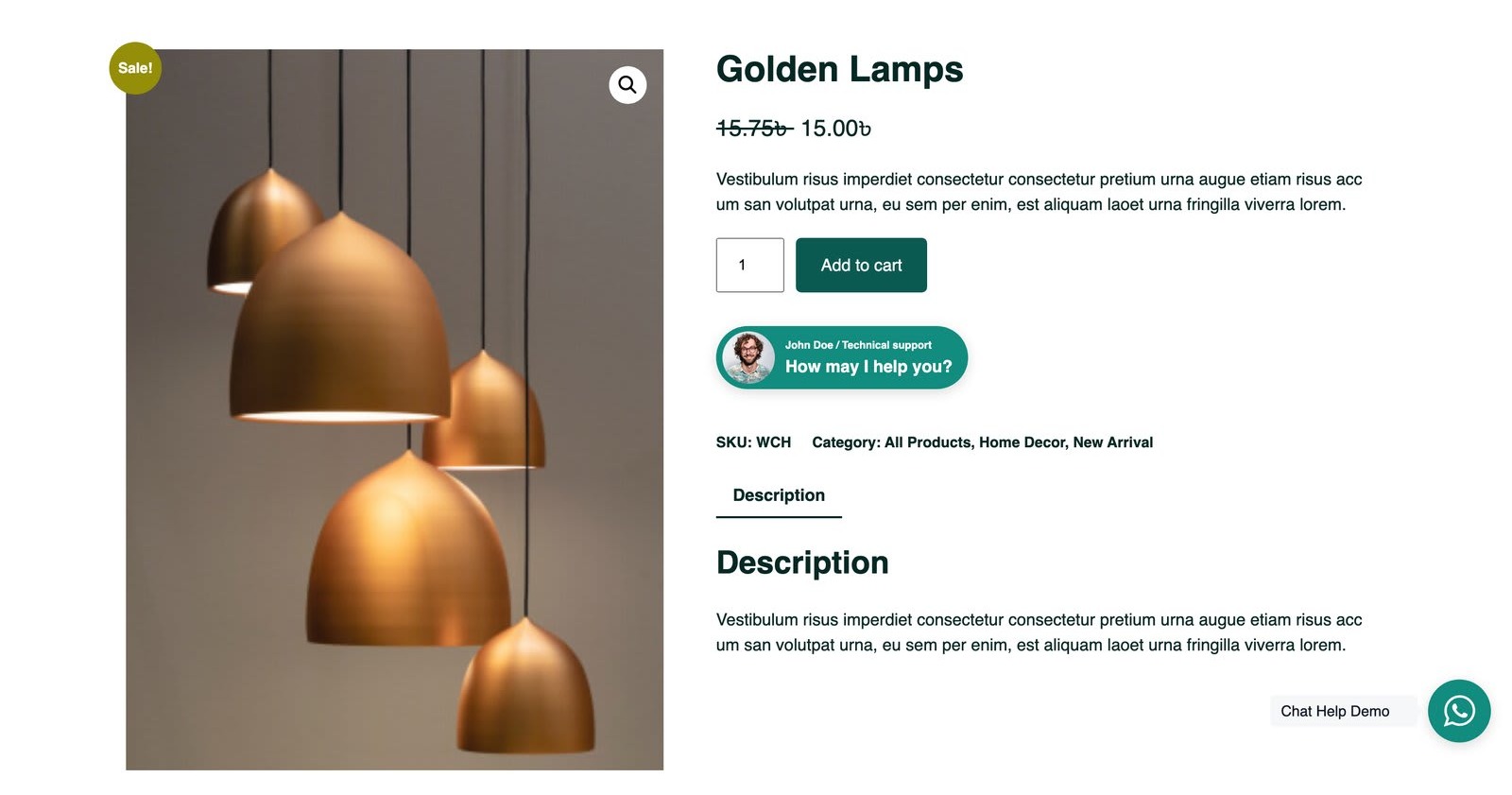
Adding a chat button takes minutes. Setting up WhatsApp for wholesale business use takes a little more planning.
- Decide where WhatsApp fits in the buyer journey. Pre-sale questions, reorder confirmations, and delivery coordination belong in chat. Applications, formal quotes, invoices, and payments stay elsewhere.
- Choose a WhatsApp chat solution. Look for WooCommerce support and control over button placement. A WhatsApp chat plugin like ChatHelp is one option. Its free version includes a floating chat bubble, WooCommerce product page buttons, and prefilled messages that can pull in the product name, SKU, and price. To compare more options, see our roundup of the best WhatsApp for WooCommerce plugins.
- Configure the button and its placement. A floating button in the bottom corner works for general questions. For wholesale, a button near Add to Cart on the single product page is often more useful, since the question is usually about that product. Include the product name and SKU in the prefilled message.
- Connect the right representatives, where supported. If your plugin supports multiple agents, label them by role rather than by name alone. “Wholesale Sales” still makes sense after a staff change.
- Configure availability settings, where supported. Match each agent’s schedule and time zone to their real working hours. In ChatHelp, an agent outside their set hours switches to offline automatically, and you can add an offline subtitle explaining when they’ll be back.
- Test the experience on desktop and mobile. Confirm the button opens WhatsApp with the right number and message on both, and that it doesn’t cover Add to Cart or order form controls on small screens.
- Tell buyers when to expect a reply. Show your support hours near the button, in your WhatsApp greeting message, and on your wholesale account page. “We reply within one business day” beats an implied promise of instant answers.
How to install ChatHelp and add a product page button
If you go with ChatHelp, the free version installs like any other WordPress plugin. Here’s how to get a WhatsApp button onto your product pages.
- Install the plugin. In your WordPress dashboard, go to Plugins > Add New, search for “ChatHelp,” then click Install Now and Activate.
- Open the WooCommerce button settings. Find the plugin’s menu in your admin sidebar, open its WooCommerce button settings, and turn on WooCommerce Button.
- Add your WhatsApp number. Set WhatsApp Type to Number and enter your sales or wholesale support number with the country code.
- Write a prefilled message. Use product variables so every chat starts with context, for example: “Hi, I’d like wholesale pricing for {productName} (SKU: {productSku}).”
- Choose the button position. Under Button Position, select Before Cart Button or After Cart Button so the button sits next to the buyer’s quantity decision.
- Save and test. Open a product page on your phone, tap the button, and check that WhatsApp opens with your number and the product details filled in.
Best Practices For Wholesale Customer Communication On WhatsApp
WhatsApp is one channel in a wider set of B2B communication strategies, so the same principles apply: be clear, be consistent, and follow through. Once the button is live, these habits keep WhatsApp for wholesale business conversations useful.
Build quick replies for common questions. MOQ, lead times, shipping cutoffs, and how to apply come up constantly. The WhatsApp Business app lets you save up to 50 quick replies and insert them by typing “/” in a chat. Have your sales lead approve the pricing language, and everyone gives the same answer.
Record decisions where they belong. If a buyer agrees to a substitution or new delivery date in chat, note it on the WooCommerce order or in your CRM the same day. Chat history is easy to lose when a rep leaves.
Get consent before sending updates. A buyer who asks a question hasn’t agreed to receive your monthly promotions. The WhatsApp Business Messaging Policy requires opt-in permission before businesses send people further messages.
Keep payment details out of chat. The same policy says businesses shouldn’t ask people to share full payment card numbers or financial account numbers. Send buyers to your secure checkout or invoice payment page instead.
Give every conversation an owner. Decide who replies to new chats, who handles existing accounts, and who covers during time off.
Match your existing support process. WhatsApp should follow the same prices, return policy, and escalation path as email and phone. If a refund needs manager approval by email, it needs it in chat too.
Common WhatsApp Communication Mistakes To Avoid
Most problems with WhatsApp for wholesale business support start when you treat it as more than a communication channel.
Taking orders entirely in chat. Keying in “send me 40 of the usual” by hand bypasses your wholesale pricing rules, stock checks, tax, and order history. Clarify the order in chat, then have the buyer place it through the store.
Making buyers repeat themselves. When a conversation moves to another rep, the new rep should read the thread first.
Quoting prices from memory. A rep who quotes last quarter’s tier price creates a dispute at checkout. Check the current price in WooCommerce, or send the product link, before confirming a number.
Letting two agents answer the same buyer. When a buyer messages two numbers, you get conflicting answers. Assign one owner per account.
Promising instant replies you can’t staff. “Chat with us now” sets an expectation. If your team checks messages twice a day, say so. Buyers can plan around a slow reply, not an unpredictable one.
Treating chat contacts as a mailing list. A buyer’s number in your chat history isn’t permission to market to them, and blasting promotions wears down the trust those conversations built.
Conclusion
WhatsApp for wholesale business communication works best when it has a clear job. Wholesale Suite handles your store’s structure, including wholesale pricing, bulk ordering, and account applications. WhatsApp gives buyers a direct line for everything those systems can’t answer on their own, from split-case questions to loading dock instructions.
Start small. Add a chat button to the product pages that generate the most questions, write quick replies for your five most common answers, and tell buyers when you’ll respond. After a month, review what buyers actually asked. Those conversations will show you where to expand chat and where your product pages need clearer information.
Frequently Asked Questions About WhatsApp For Wholesale Business
How can I add WhatsApp to my WooCommerce wholesale store?
Install a WhatsApp chat plugin that supports WooCommerce, add your business number, and choose where the button appears. For wholesale stores, product page buttons with prefilled product details are usually more useful than a single floating button. Test the button on mobile and desktop, and display your reply hours so buyers know when to expect an answer.
Is WhatsApp suitable for B2B wholesale businesses?
Yes, for the right conversations. WhatsApp for B2B works well for pre-sale questions, MOQ and pricing clarifications, reorder confirmations, and delivery coordination. It isn’t a replacement for your order system, formal quotes, or invoices. Use it alongside those tools, and record important decisions in your store or CRM so nothing depends on chat history.
Can wholesale customers place bulk orders through WhatsApp?
Buyers can request an order in WhatsApp, but it’s better to complete it in your store. Placing the order in WooCommerce applies the correct wholesale pricing, checks stock, calculates tax, and creates a proper record. Use chat to confirm SKUs and quantities, then direct the buyer to checkout or a bulk order form.
How can I manage multiple wholesale customer conversations?
Assign conversations by role, such as sales, account management, and order support. A chat plugin with multi-agent support lets buyers choose the right contact from the start. In the WhatsApp Business app, labels let you group chats by stage, such as new lead or pending order, and quick replies keep answers consistent across your team.
Should I use WhatsApp instead of live chat for wholesale support?
Not necessarily. Website live chat keeps conversations on your site and suits quick questions during business hours. WhatsApp lets buyers continue the conversation from their phone after they leave your site, which helps with reorders and delivery follow-ups. You can offer both and let wholesale buyers choose the channel they prefer.