

Choosing the right WooCommerce plugin for a wholesale store is a key priority when you are running a B2B business. Two names often come up: Wholesale Suite vs B2BKing. Both have features that make them stand out, but they take different paths to solving common problems for online store owners.
In this article, I will give a clear review of Wholesale Suite vs B2BKing. We will highlight the strengths of each plugin. This way, you can determine which plugin best suits your store’s needs.
Let’s start!
What Is Wholesale Suite?
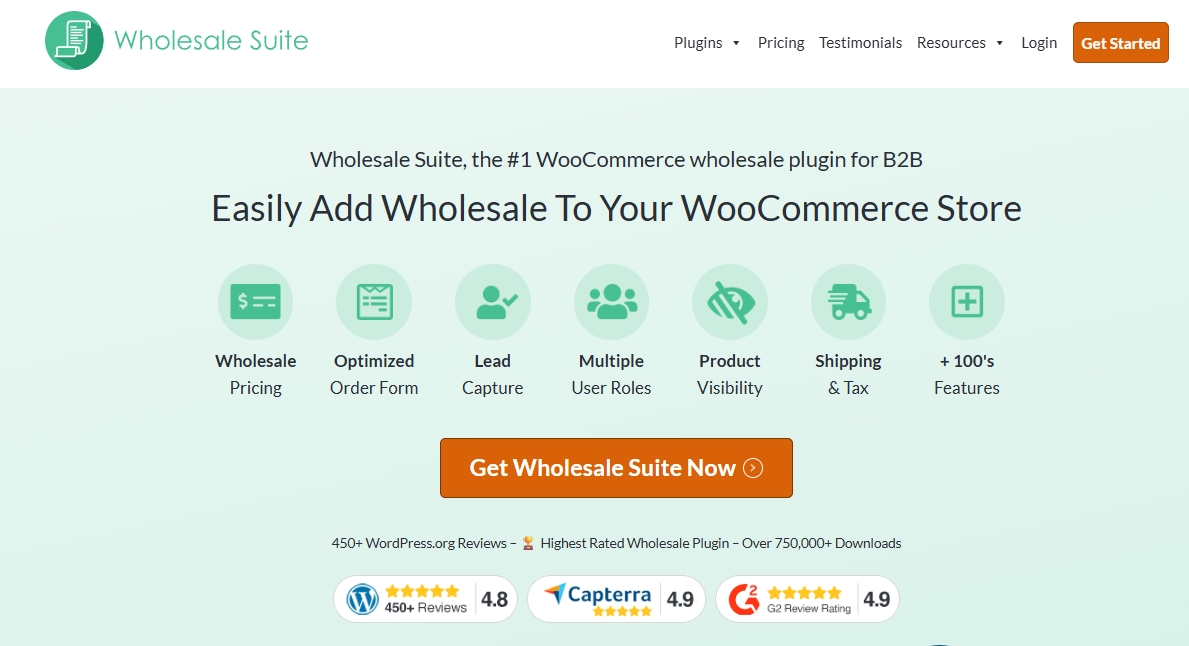
Wholesale Suite is a plugin bundle made for WooCommerce stores that sell to wholesale buyers. It is like having a complete toolbox with everything needed to run a successful online wholesale shop. Instead of juggling multiple separate plugins, Wholesale Suite consolidates the most important wholesale features.
From my point of view, the best way to understand Wholesale Suite is to look at the four main plugins inside the bundle:
- Wholesale Prices – This is the heart of Wholesale Suite. It lets store owners set wholesale prices for wholesale buyers. You can create different price levels, give discounts by product or category, and assign them to customer roles.
- Order Form – This tool gives wholesale buyers a faster way to shop. Instead of opening many product pages, they can use a single order sheet. They add items in bulk and can check out quickly.
- Lead Capture Form – This plugin helps you collect signups from new wholesale customers. Buyers can apply through a form, and once approved, they get access to wholesale pricing. This makes it easy to keep retail and wholesale customers separate.
- Wholesale Payments – This plugin makes it easier to handle invoices. Some wholesale buyers prefer to pay later rather than immediately. With this tool, store owners can track orders and unpaid balances without having to chase payments.
Together, these four plugins form the complete Wholesale Suite. For a WooCommerce store, that means you can manage wholesale operations without needing to buy extra tools from different developers.
What Is B2BKing?

B2BKing is another plugin built for WooCommerce stores that want to sell to wholesale or business buyers. Just like Wholesale Suite, it gives store owners tools to set special pricing and manage wholesale customers.
In the free version, B2BKing offers a few useful features. You can set up basic group pricing, allowing buyers in one group to see different prices than those in another group. It also features a simple bulk order form that enables customers to add products quickly. Another feature is the registration form for new buyers, but this form is limited because it does not allow advanced business details unless you upgrade to the paid plan.
The paid version of B2BKing adds many more features, such as VAT number fields, hidden prices for guests, tiered pricing rules, and quote requests. However, if you want to manage tax settings or give more detailed pricing control, you will need to buy the premium plan.
Wholesale Suite Vs B2BKing: Feature Comparison
When comparing Wholesale Suite vs B2BKing, the main difference lies in how complete the features are. Wholesale Suite gives you four dedicated plugins that cover pricing, order forms, lead capture, and payments. On the other hand, B2BKing offers a free version with only a few basic tools, while its advanced features require an upgrade to the Pro plan. Wholesale Suite also offers a free version called Wholesale Prices, but it is limited in comparison to the full bundle.
| Feature | Wholesale Suite (Full Bundle) | Wholesale Prices (Free) | B2BKing (Free) | B2BKing (Pro) |
|---|---|---|---|---|
| Pricing Rules | Yes, full control with multiple tiers | Only one wholesale role and limited pricing options | Simple group pricing only | Yes, advanced rules |
| Bulk Order Form | Included in bundle | For upgrade | Basic form available | Gets you a more flexible form |
| Customer Registration | With approval and custom roles | Available on Wholesale Lead Capture | Basic form only | More advanced fields |
| Wholesale Payments | Invoice and balance tracking | Available on Wholesale Payments | Not available | Not available |
| Integration With WooCommerce | Full and tested with popular extensions | Works with core WooCommerce | Basic | Full with Pro |
| License Type | Annual only | Free version | Free version | Annual or lifetime |
Pricing rules and discounts
Both tools let you give business buyers special prices. In Wholesale Suite’s bundle, you can set prices and discounts by role, product, or category. You can add tiered pricing so bigger orders get better rates.
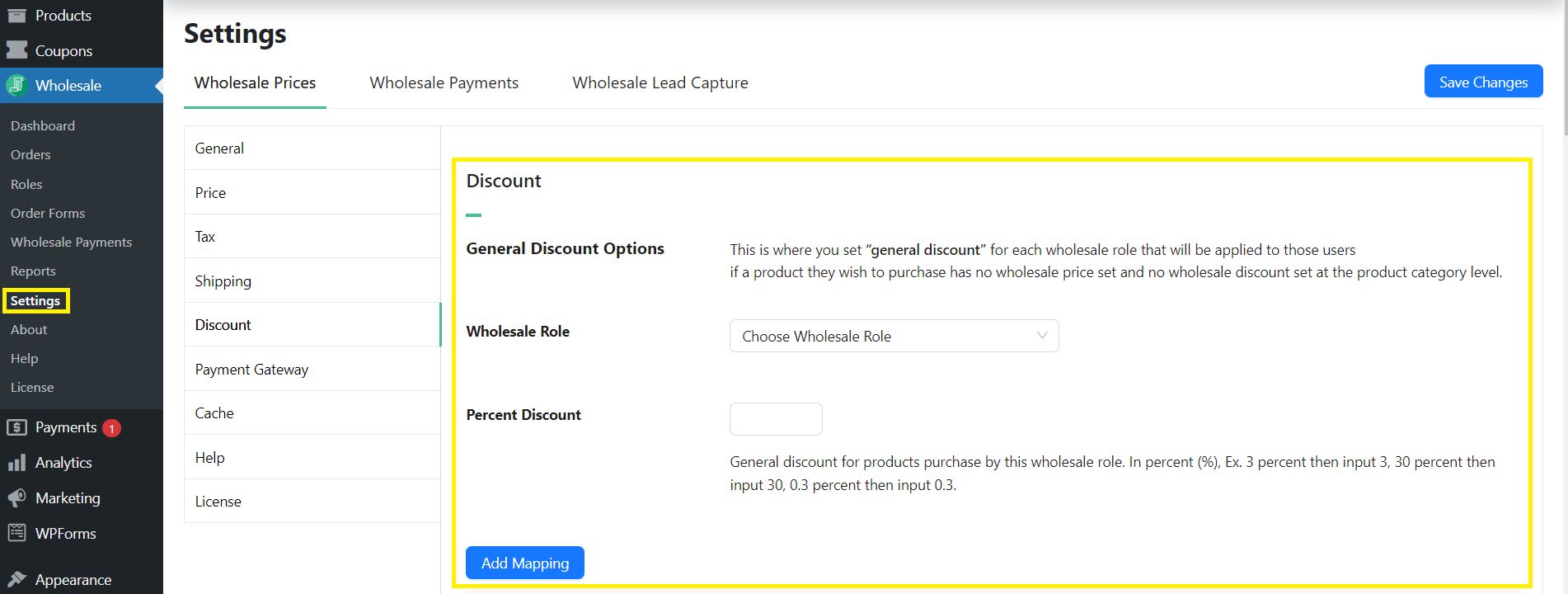
Wholesale Prices (the free plugin in the suite) gives you one wholesale role with basic control. It is fine for a small catalog or a test. The upside is that you can start at no cost. The trade-off is that you will hit limits fast once you need more roles or layered rules.
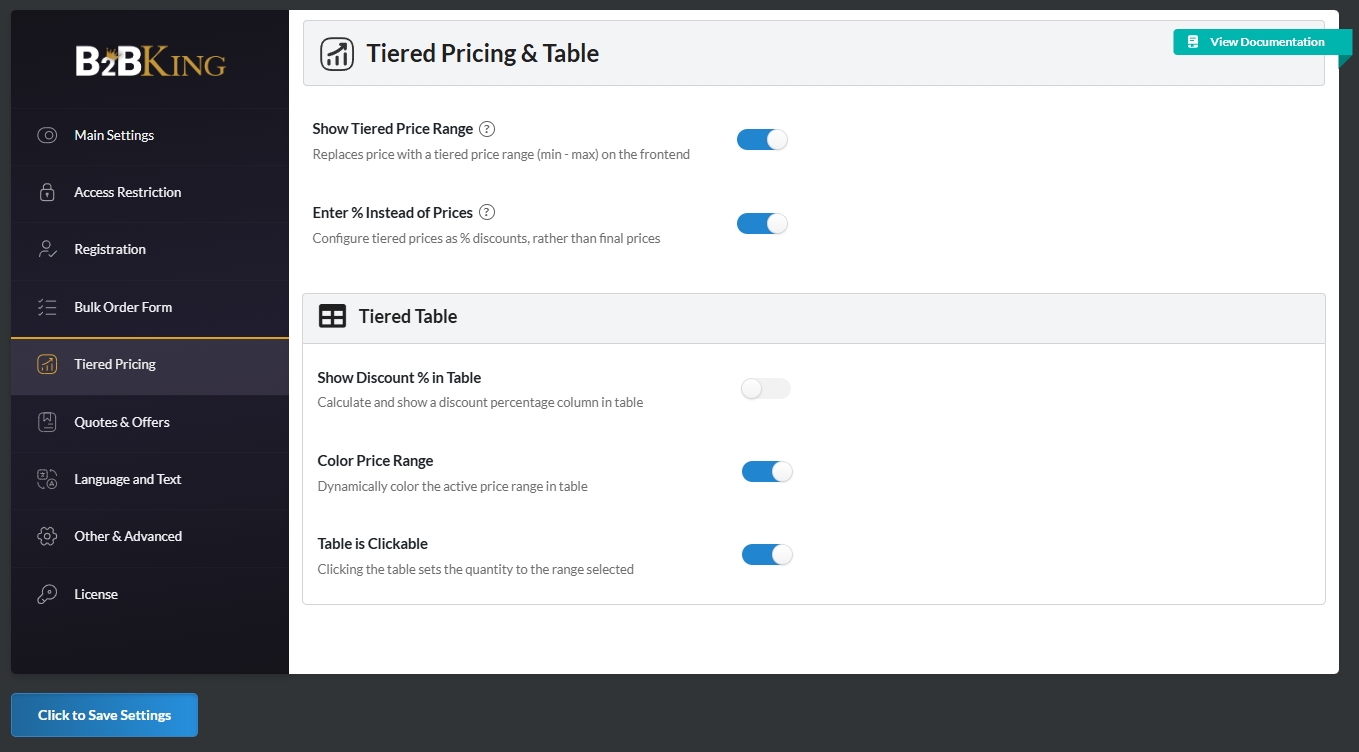
B2BKing’s free version supports group pricing. It works for simple setups where one group gets one price. The upside is quick testing. The trade-off is that complex tiers require the Pro plan. B2BKing Pro adds tiered pricing and wider rule types, which brings it closer to the bundle.
Customer registration and approval
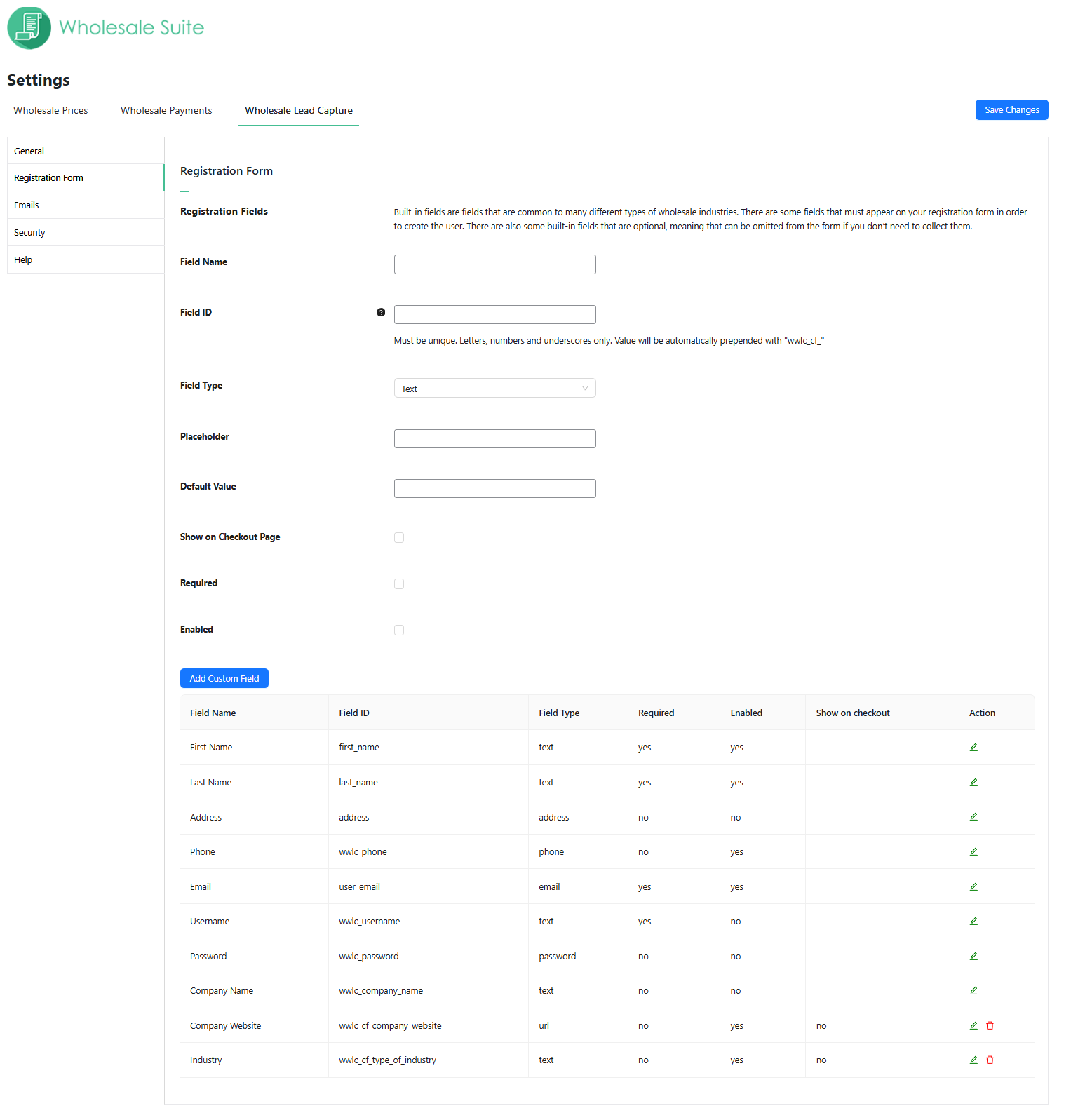
Wholesale buyers often need to be screened. With Wholesale Suite’s Lead Capture, you can collect applications, review details, approve users, and drop them into the right role. You can also customize your form according to the information you need to collect from your wholesale customers upon registration.
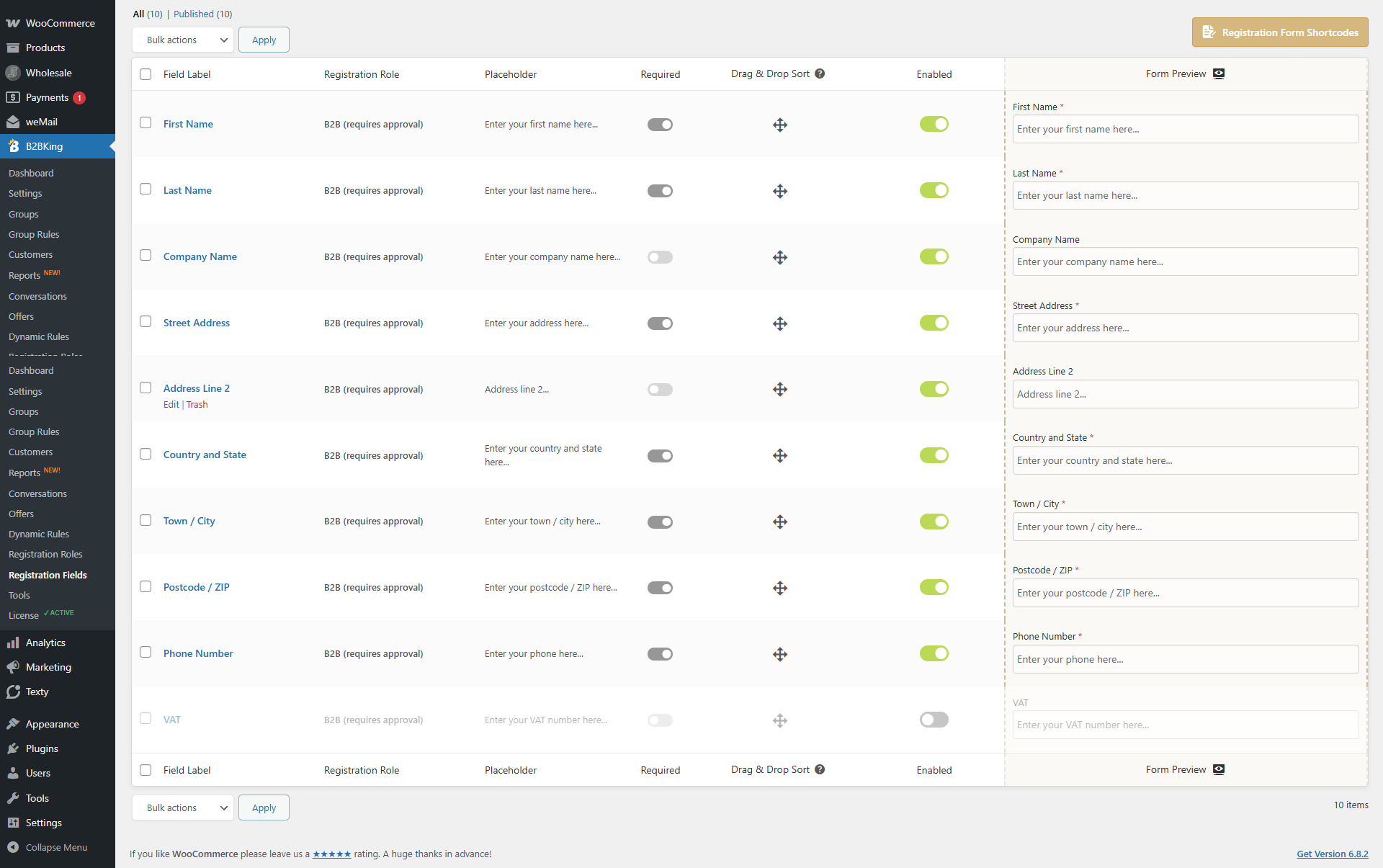
B2BKing Free includes a basic registration form. It gathers simple info so you can start quickly. The trade-off is limited fields. B2BKing Pro unlocks more fields like tax numbers and company data. That helps stores that need stronger checks, but it does require the upgrade.
Order speed and buyer workflow
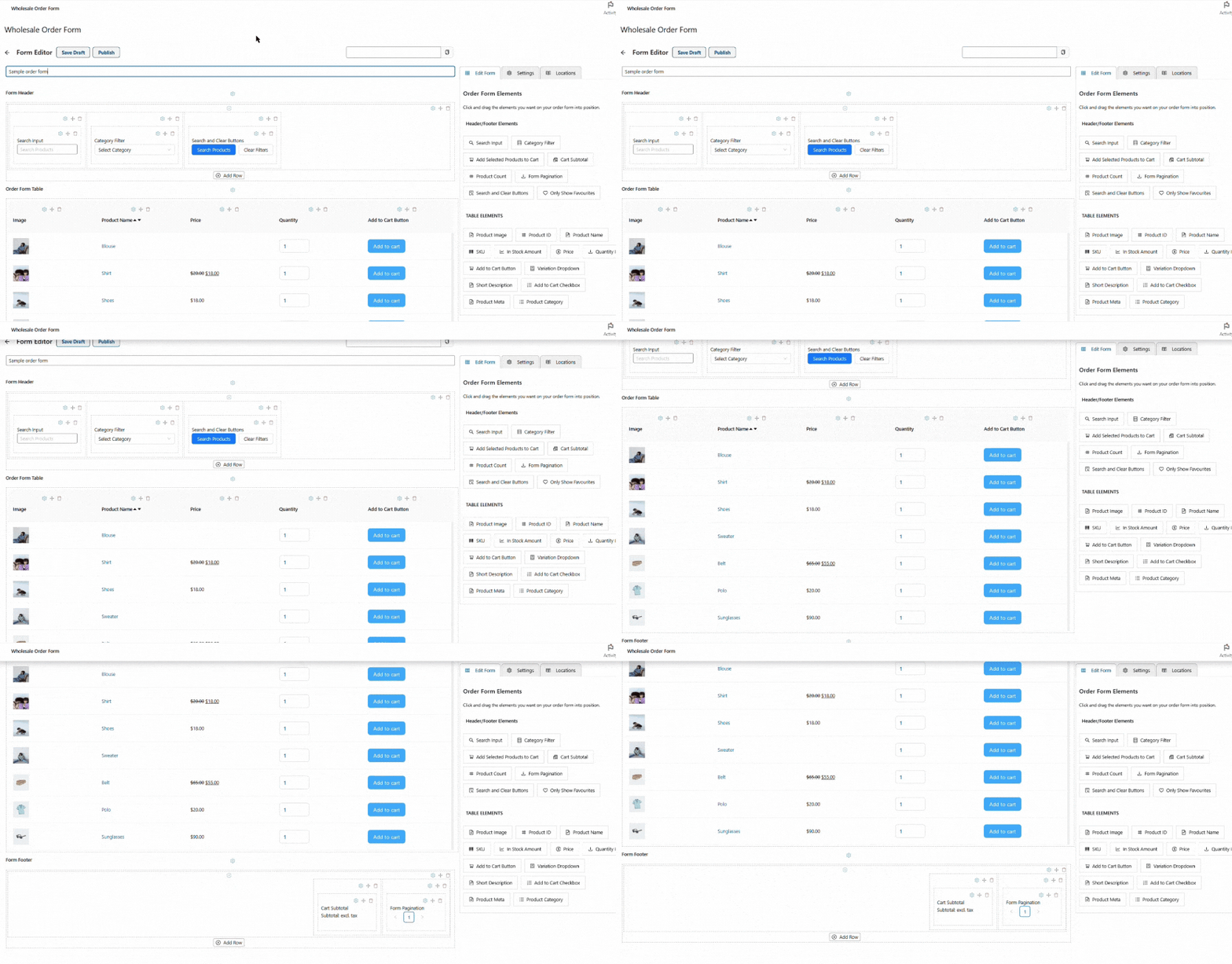
Wholesale buyers restock often. The Order Form in Wholesale Suite puts search, variations, and multi-add functionality on one page. In my experience, this truly cuts a lot of clicks because of its drag-and-drop customization.
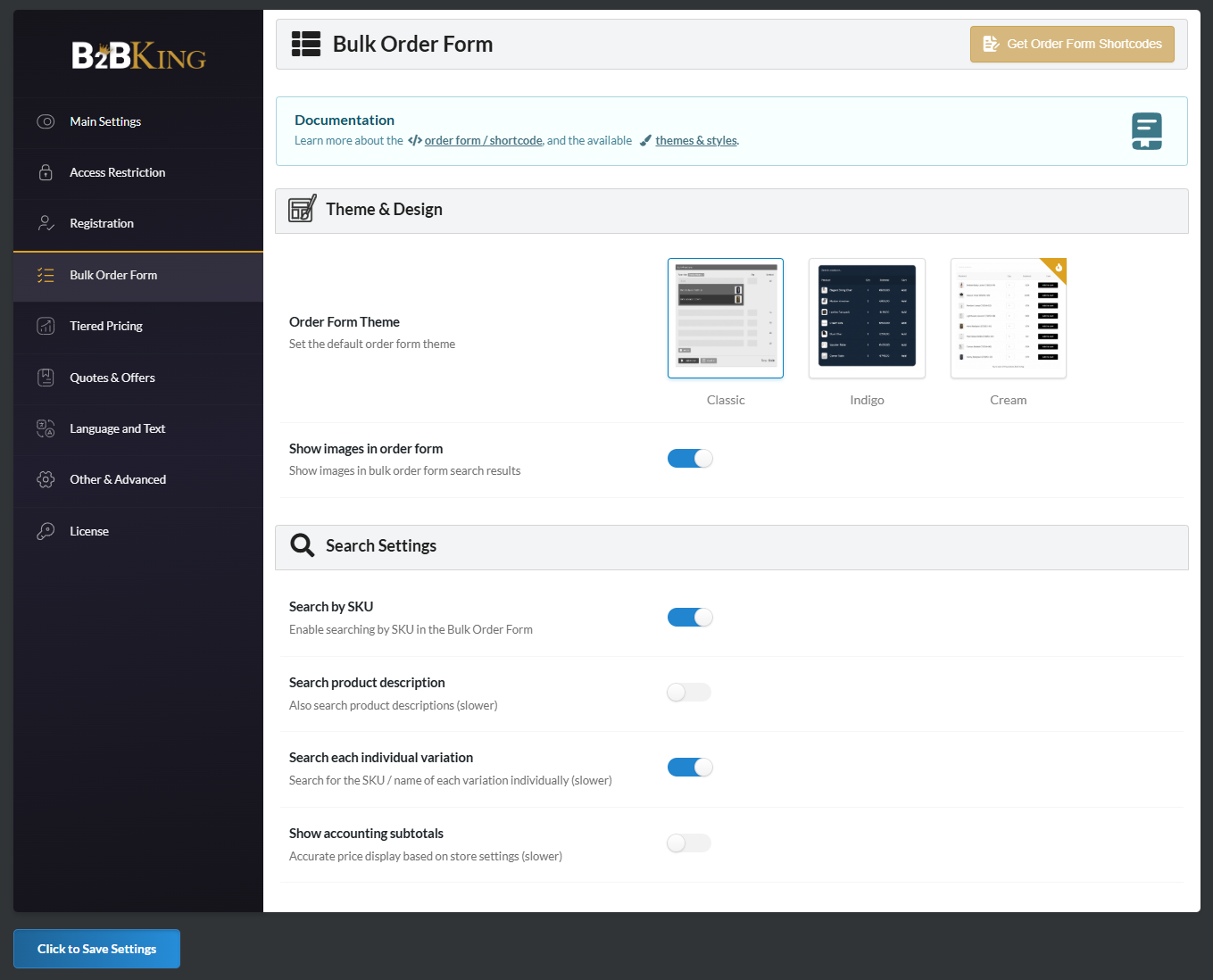
The Pro version of B2BKing improves the form by adding more filters, better search tools, and layout options for larger catalogs. It makes bulk ordering smoother for stores with hundreds of products or buyers who want to restock fast. But again, these features only unlock if you pay for the upgrade, so the free version is really best suited for small shops that only need the basics at first.
Payments and invoices
Some stores offer terms to trusted buyers. Wholesale Suite includes Wholesale Payments, which tracks invoices and balances in your own dashboard. You can see pending payments and invoices, and tailor custom plans for your wholesale customers.
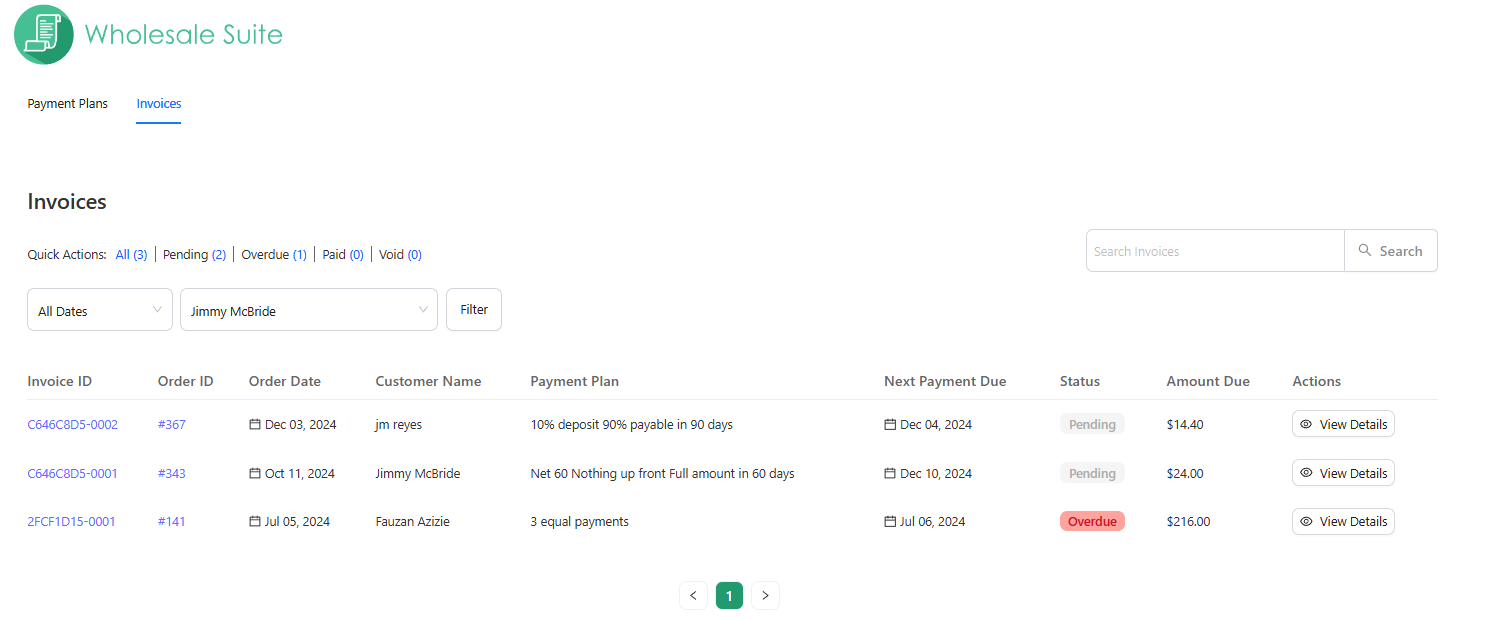
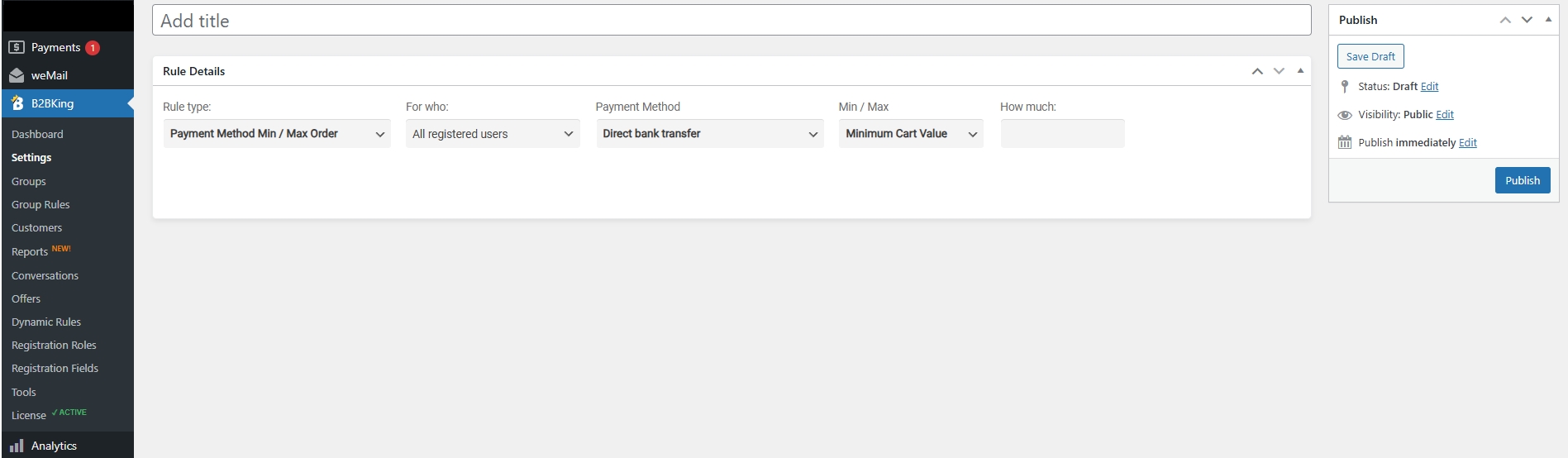
B2BKing, whether free or Pro, does not have a built-in plugin or invoice tracker. That means you will look for another plugin or use an external process.
Support, docs, and updates
With Wholesale Suite, every paid license comes with email support, documentation, and regular updates. The updates for Wholesale Suite are also reliable. They keep the plugins working with the latest version of WooCommerce and WordPress to stay current with security patches and compatibility fixes.
B2BKing provides a similar setup, but with different tiers. Free users get access to basic documentation and community guides. These resources cover simple setups and common questions. However, if you need direct help from the developer, you must upgrade to the Pro version. Paid users receive priority support and more detailed documentation, which makes sense since advanced features often need more guidance.
Who Benefits The Most?
When comparing Wholesale Suite vs B2BKing, it’s helpful to consider the type of store and its stage of growth. Not all businesses have the same needs. Some only want to test wholesale sales, while others already have hundreds of buyers ordering every week. Here is a more complete look at who benefits from each plugin:
1. New stores on a small budget
If you are starting out and you want to see how wholesale works, the free versions are a good choice. Wholesale Prices allows you to create a single wholesale role and assign special pricing. B2BKing Free also offers group pricing and a straightforward bulk order form. Both of these free tools help you understand how wholesale orders will flow through WooCommerce. However, you will outgrow them once you require more advanced features, such as lead capture or payment tracking.
2. Small stores that sell to a few trusted buyers
Some stores do not need a huge setup. For example, if you sell handmade crafts to a few local shops, you may not need advanced pricing rules right away. Wholesale Prices can cover you at this level, since the features are simple and easy to set up. However, once you need to manage multiple buyers with varying prices, you will need to upgrade to the bundle.
3. Growing stores with weekly or monthly restocks
If your store has progressed beyond the testing stage and buyers frequently return for restocks, the Wholesale Suite bundle is a strong choice. It includes a complete set of tools that handle order form, pricing rules, lead capture, and payments. You do not need to buy more add-ons to cover missing parts. This is helpful if you want less stress when managing orders every week.
4. Stores that want to capture and approve new buyers
If you’re going to collect wholesale applications, approve them, and assign roles, then Wholesale Suite has a complete tool for that. The lead capture plugin helps you manage signups in one place. With B2BKing Free, you can use a basic registration form to handle applications. However, you would need B2BKing Pro to get the same level of control.
5. Stores that offer payment terms
Some wholesale stores allow trusted buyers to pay later. If this is part of your business, Wholesale Suite is the better match. It includes Wholesale Payments plugin that tracks invoices and balances. With our latest update, you can now automatically charge invoices upon their due date. This provides your store with a hassle-free experience when processing payments to your wholesale customers.
Pricing Plans (Wholesale Suite Vs B2BKing)
Price is always a significant factor when choosing between plugins. To make the choice clear, let’s break down the costs for each option.
Wholesale Suite pricing
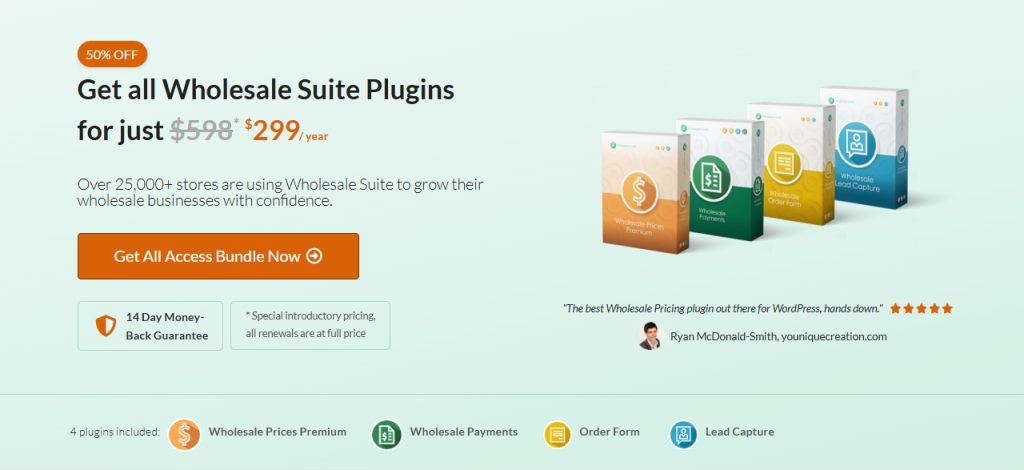
Wholesale Suite allows you to purchase the whole bundle or individual plugins.
- Single/Unlimited Plugin License: If you only need one feature, like the registration form or the order form, you can buy it on its own. This comes with a single-site license or an unlimited-site license, depending on the number of websites you manage. The single-site license and unlimited-site license are priced at $99 and $199, respectively, with 50% off on the first year.
- All Access Bundle: This is sold as an annual plan that includes all four plugins in the Suite. This costs $299 with 50% off on the first year of purchase.
B2BKing pricing
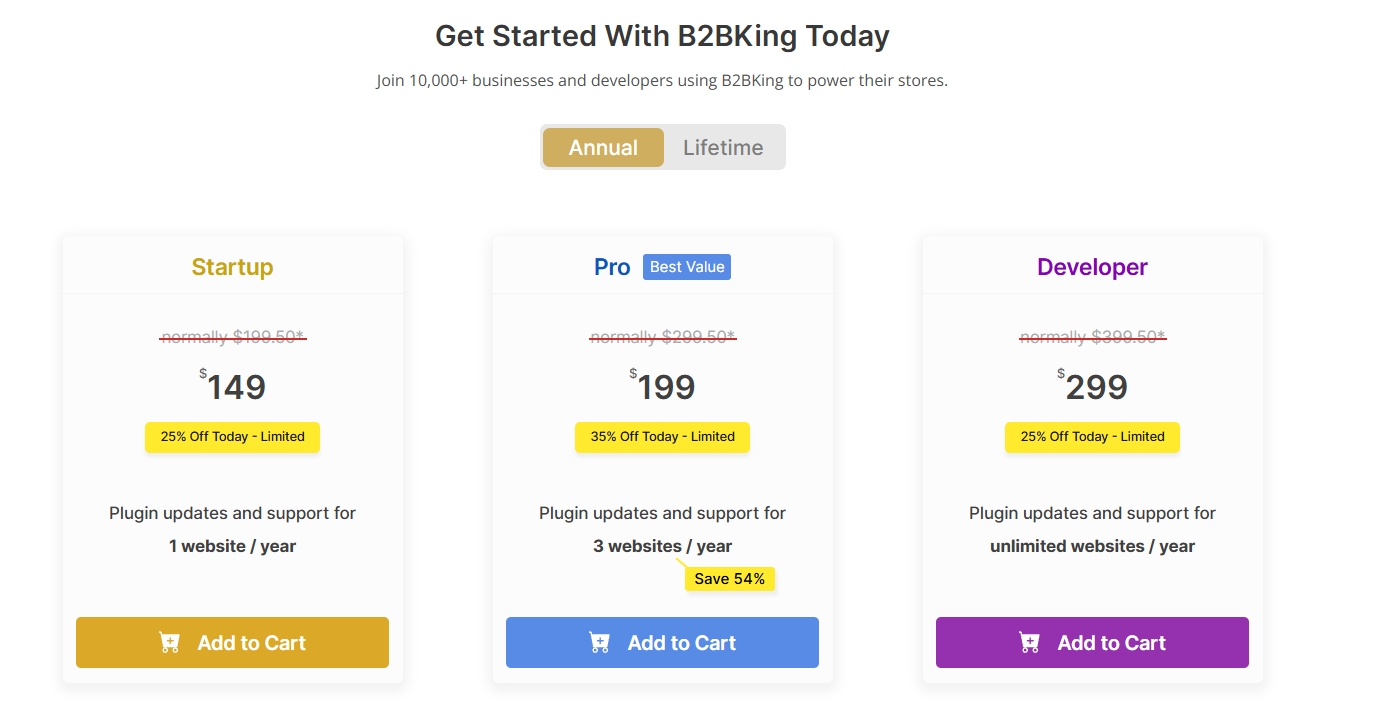
B2BKing also offers flexible plans, but their structure is slightly different. It has both annual and lifetime licenses, each with three tiers.
Annual Plans
- Startup – $149/year: Covers 1 website
- Pro – $199/year: Covers 3 websites
- Developer – $299/year: Covers unlimited websites
Lifetime Plans
- Startup – $499 one-time: Covers 1 website
- Pro – $779 one-time: Covers 3 websites
- Developer – $979 one-time: Covers unlimited websites
Which offers better value?
When comparing Wholesale Suite vs B2BKing, the value depends on your needs. If you only want one feature, Wholesale Suite allows you to purchase just that plugin. If you need the full wholesale system with pricing, order forms, lead capture, and payments, the bundle is clear and ready to go.
On the other hand, B2BKing is suitable for testing with its free version. But the free plan is too limited for bigger stores. To unlock the real power, you need to go Pro. The lifetime license is appealing if you prefer not to opt for yearly renewals, but even with Pro, you will not receive built-in payments or as many bundled tools as Wholesale Suite.
Bottom Line: Which Plugin Should You Choose?
If you want a wholesale system that is ready to use and built for long-term growth, Wholesale Suite is the best choice. It covers the main wholesale jobs in one place, so you can set wholesale pricing, control product visibility, capture leads, and streamline ordering without piecing together multiple tiers or add-ons. That usually means fewer headaches and a faster setup.
Here’s why it wins for real-world use:
- All-in-one wholesale workflow: pricing, roles, visibility, and ordering are designed to work together
- Faster to launch: less time spent stitching features together or troubleshooting conflicts
- More scalable setup: easier to manage when you add more wholesale customers, pricing rules, or product lines
Another point is flexibility. Wholesale Suite allows you to order à la carte if you prefer. Need just the registration form? Get the Wholesale Lead Capture plugin. Running multiple stores? The unlimited license has your back.
Final Thoughts
Wholesale Suite and B2BKing approach wholesale differently, but the decision gets simple once you focus on what most store owners need: a complete wholesale setup that’s easy to launch and yet grows with your store. That’s where Wholesale Suite comes out ahead.
Let’s do a quick recap on what we discussed in this article:
Hence, Wholesale Suite is the better overall choice for WooCommerce wholesale stores, especially if you want an all-in-one wholesale workflow. For many store owners, that clarity and convenience is what makes it the smarter long-term choice.
Frequently Asked Questions
What features does Wholesale Suite offer that cater specifically to wholesale business needs?
Wholesale Suite provides wholesale-specific features such as tiered pricing, quick order forms, lead management, and invoicing, designed to facilitate bulk orders and streamline wholesale workflows.
How does B2BKing differ from Wholesale Suite?
B2BKing is another WooCommerce plugin focused on wholesale and business buyer management, offering basic features in its free version and more advanced functionalities in its Pro plan, but it does not provide an integrated invoice tracking system like Wholesale Suite.
What features are included in the Wholesale Suite bundle?
The Wholesale Suite bundle includes four main plugins: Wholesale Prices for setting wholesale prices, Order Form for rapid bulk shopping, Lead Capture for managing buyer applications, and Wholesale Payments for handling invoices and payment tracking.
Which plugin is better suited for a small, startup wholesale store?
For a small startup store testing wholesale sales on a limited budget, the free versions of Wholesale Prices and B2BKing are suitable options; however, Wholesale Prices offers a more limited set of features, making it ideal for starting small.



