
If Wholesale → Roles is empty and wholesale prices disappear across your store, the saved role data may be unreadable or the roles may have been deleted. Customers can also retain stale role assignments after the role definition disappears. This guide helps you recover the role list safely without editing raw serialized data.
Before making changes, create a verified backup of your site and database. Role recovery can affect pricing and customer access, so test the result with a non-administrator wholesale account.
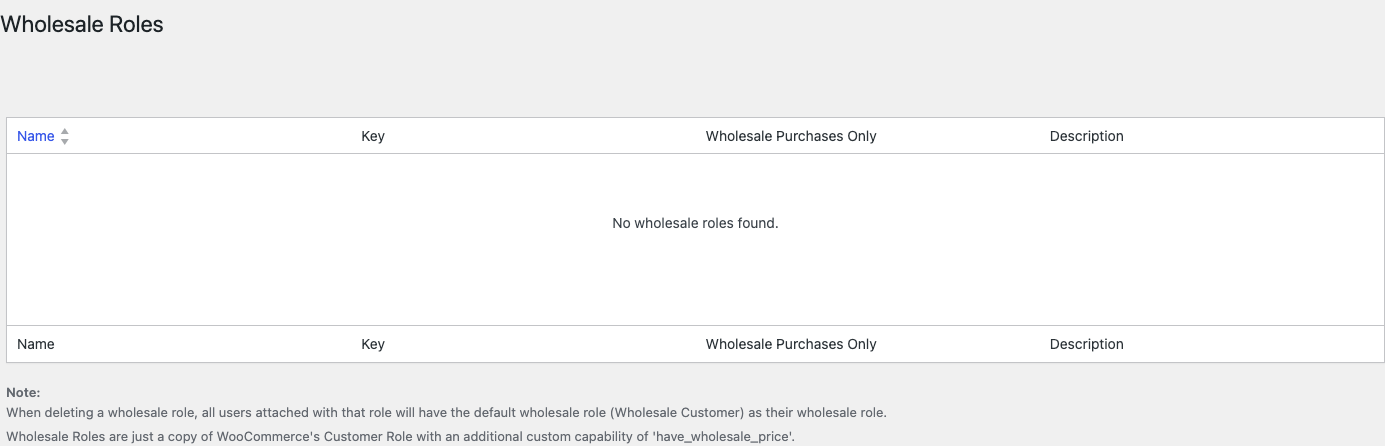
Step 1: Update WooCommerce Wholesale Prices
- Update WooCommerce Wholesale Prices to version 2.2.9 or later.
- Return to Wholesale → Roles.
- Check whether the missing roles have reappeared.
Version 2.2.9 and later can recognize and normalize role data that was saved with an extra serialization layer. If the roles return after updating, do not recreate them.
Step 2: Test recovered roles and prices
- Open Users → All Users and confirm an affected customer still has the intended wholesale role.
- Sign in with a wholesale test account rather than an administrator account.
- Check a product with a known wholesale price and complete a cart test.
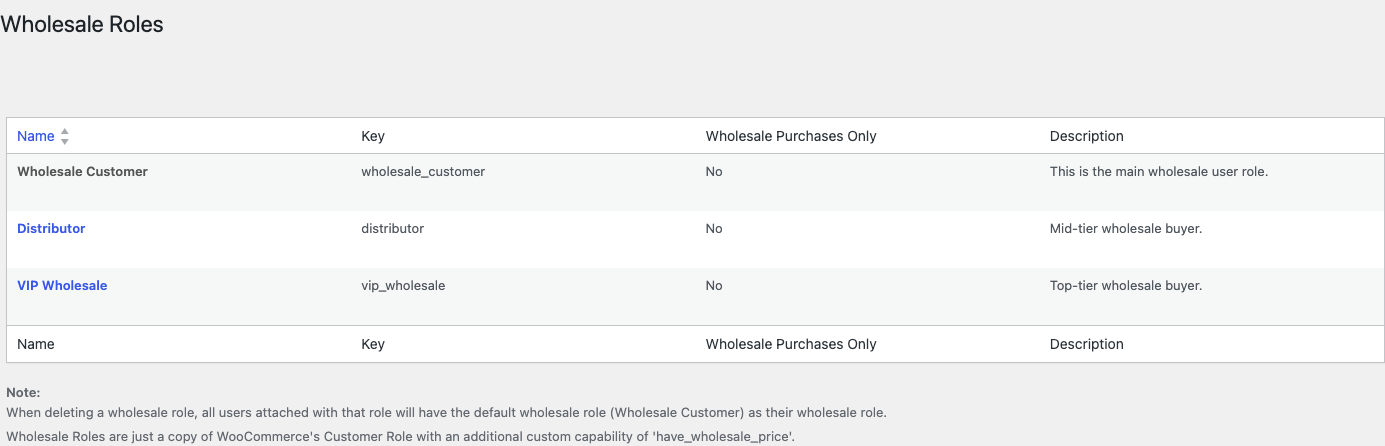
Step 3: Check for genuinely deleted roles
If updating does not restore the roles, compare the site with a known-good backup. Also review recent plugin, migration, role-editor, security, and optimization changes that may have modified WordPress role data. Do not assume a current Wholesale Suite add-on caused the deletion unless you can reproduce the conflict.
Temporarily disable only the suspected role-management tool in a staging copy, then check Wholesale → Roles again. Avoid bulk role cleanup while customers still reference missing role slugs.
Step 4: Restore or recreate roles safely
If a verified backup contains the missing roles, ask your hosting provider, developer, or Wholesale Suite support to restore the role data safely. Do not copy or paste raw serialized values through /wp-admin/options.php; a malformed value can damage other settings.
For a small store where the roles are confirmed deleted, you can temporarily assign affected customers to a safe role, recreate each role under Wholesale → Roles, and then assign the customers to the recreated role. Creating a role on that page needs WooCommerce Wholesale Prices Premium. On the free plugin you have a single Wholesale Customer role and the Roles page can only edit it, so deactivate and reactivate WooCommerce Wholesale Prices from Plugins → Installed Plugins to recreate it. Match the original role names and settings carefully, and retest wholesale pricing afterward.
Frequently Asked Questions
Why are wholesale prices missing even though customers still have a wholesale role?
The customer account may still reference a stale role assignment while the store’s wholesale role definition is unreadable or missing. Update WooCommerce Wholesale Prices first, then verify the role under Wholesale → Roles.
Should I recreate roles immediately?
No. Update to version 2.2.9 or later first. If the stored data can be normalized, the existing roles return and preserve their relationship with customer accounts.
Can I repair the serialized role value from options.php?
Do not edit raw serialized values from /wp-admin/options.php. Use a verified backup or ask support, your host, or a developer to restore the data safely.
What if the roles were genuinely deleted?
Restore them from a known-good backup when possible. On Premium you can recreate confirmed-deleted roles under Wholesale → Roles, reassign affected customers, and test pricing before reopening normal sales. On the free plugin, deactivate and reactivate WooCommerce Wholesale Prices to recreate the default Wholesale Customer role.
Need Help?
If you have a question or run into any issues, we’re here to help.
- Premium users: Open a support ticket
- Free users: Visit our community forum

