


If your variable-product catalog runs on Iconic’s WooCommerce Show Single Variations, here’s the short version. IconicWP isn’t switched off, but the standalone brand is gone. On May 12, 2026, iconicwp.com began redirecting to Liquid Web, and Iconic plugins are being absorbed into the Kadence Shop Kit. Your store keeps running, but the support and roadmap path changes, which is why so many WooCommerce operators are now hunting for an iconic show single variations alternative they can trust for the long term.
For wholesale stores, especially, that change is not trivial. Show Single Variations is often wired into how a multi-SKU catalog actually sells. If you have hundreds of variations across colors, sizes, or pack quantities, the plugin doesn’t just style your shop page; it’s also part of how customers find, compare, and add items to their cart.
A quiet roadmap shift within a bundled product can manifest months later as small bugs, slow updates, or a feature you depended on that is no longer prioritized. This guide covers what changed at IconicWP, what wholesale and variable-product stores should actually do about it, and how Wholesale Order Form serves as the best iconic show single variations alternative with more flexibility built in.
What Happened To IconicWP In May 2026
IconicWP has been folded into Liquid Web alongside the rest of the StellarWP brand family. As of May 12, 2026, anyone visiting iconicwp.com is redirected to Liquid Web’s hosting site. The same thing happened to standalone sites for Kadence, LearnDash, GiveWP, The Events Calendar, and several others. According to Liquid Web’s official announcement, the company is concentrating its WordPress software into four core products, namely Kadence, LearnDash, The Events Calendar, and Give, with IconicWP’s plugins being absorbed into the Kadence Shop Kit. PiunikaWeb covered the consolidation the same day and noted the chaotic experience users are reporting with the new portal.
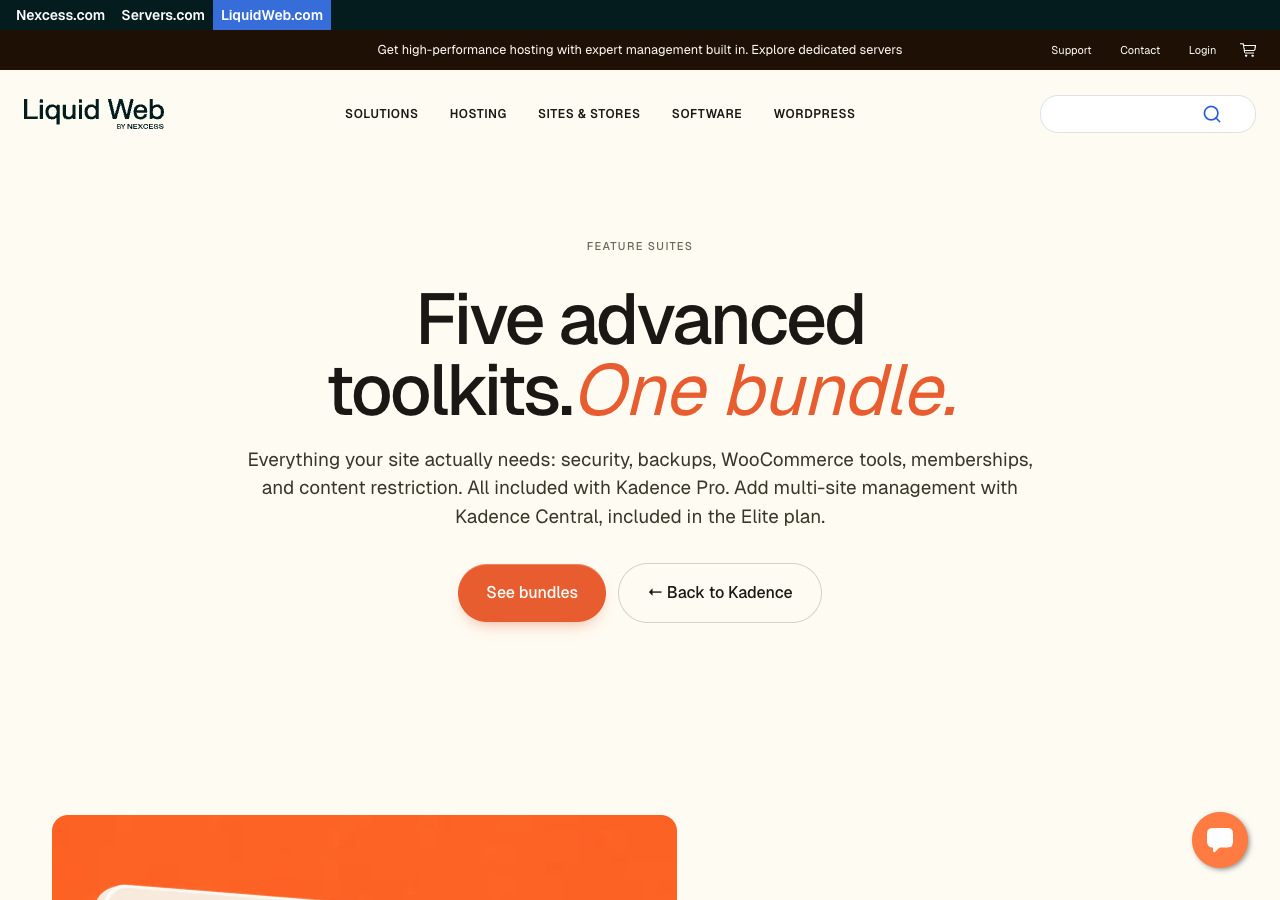
The practical takeaway for wholesale stores is straightforward. Your existing Iconic plugins are not switched off, but the iconicwp.com you used to log in to, buy from, and open support tickets through is gone. New purchases, license renewals, and support requests all route through Liquid Web’s unified portal at software.liquidweb.com. Old portal links redirect to the new portal, which has caused some friction in the first 48 hours and pushed many operators to start evaluating an iconic show single variations alternative before their next renewal.
What This Means For Show Single Variations Specifically
WooCommerce Show Single Variations sits in an awkward spot inside the new structure. It is a niche plugin (display variations as individual products on shop, category, and search pages) that wholesale and large-catalog stores rely on heavily, but that does not naturally fit inside Kadence Shop Kit’s broader bundled feature set. A few things to watch for over the next quarter:
Compatibility breakage during the merger
Whenever a plugin moves codebases or maintainers, the most common casualty is theme and third-party plugin compatibility. Wholesale-heavy themes (Storefront builds, Astra, GeneratePress, custom B2B themes) all sit downstream of how the plugin renders the shop loop.
Feature priority inside a bundle
When a standalone plugin becomes one feature among many, niche use cases tend to drift down the roadmap. The dropdown layouts, variation title rules, and compatibility hooks that wholesale operators tune carefully are exactly the kind of detail that gets deprioritized.
Update cadence
Historically, the Iconic team shipped Show Single Variations updates on a predictable schedule. Whether that holds inside the Kadence Shop Kit roadmap is a real question, not a paranoid one.
How Wholesale Order Form Replaces Show Single Variations
Wholesale Order Form is the most direct WooCommerce iconic show single variations alternative on the market, and for stores with a wholesale or B2B side it does even more. Where Show Single Variations splits a variable product into separate rows on shop, category, and search pages, Wholesale Order Form gives you a dedicated table-based ordering page where each variation appears in its own row, customers can add multiple products to the cart in one action, and you control which columns appear (image, SKU, price, stock, short description, variation dropdown, and so on).
For a wholesale buyer who needs to reorder 30 SKUs across colors and sizes in five minutes, that table format is the difference between a finished order and an abandoned cart. The stakes are real here. Baymard Institute puts the average ecommerce cart abandonment rate at around 70 percent, and B2B stores routinely run higher. Anything that shortens the click path from browse to confirmed order pays for itself quickly.
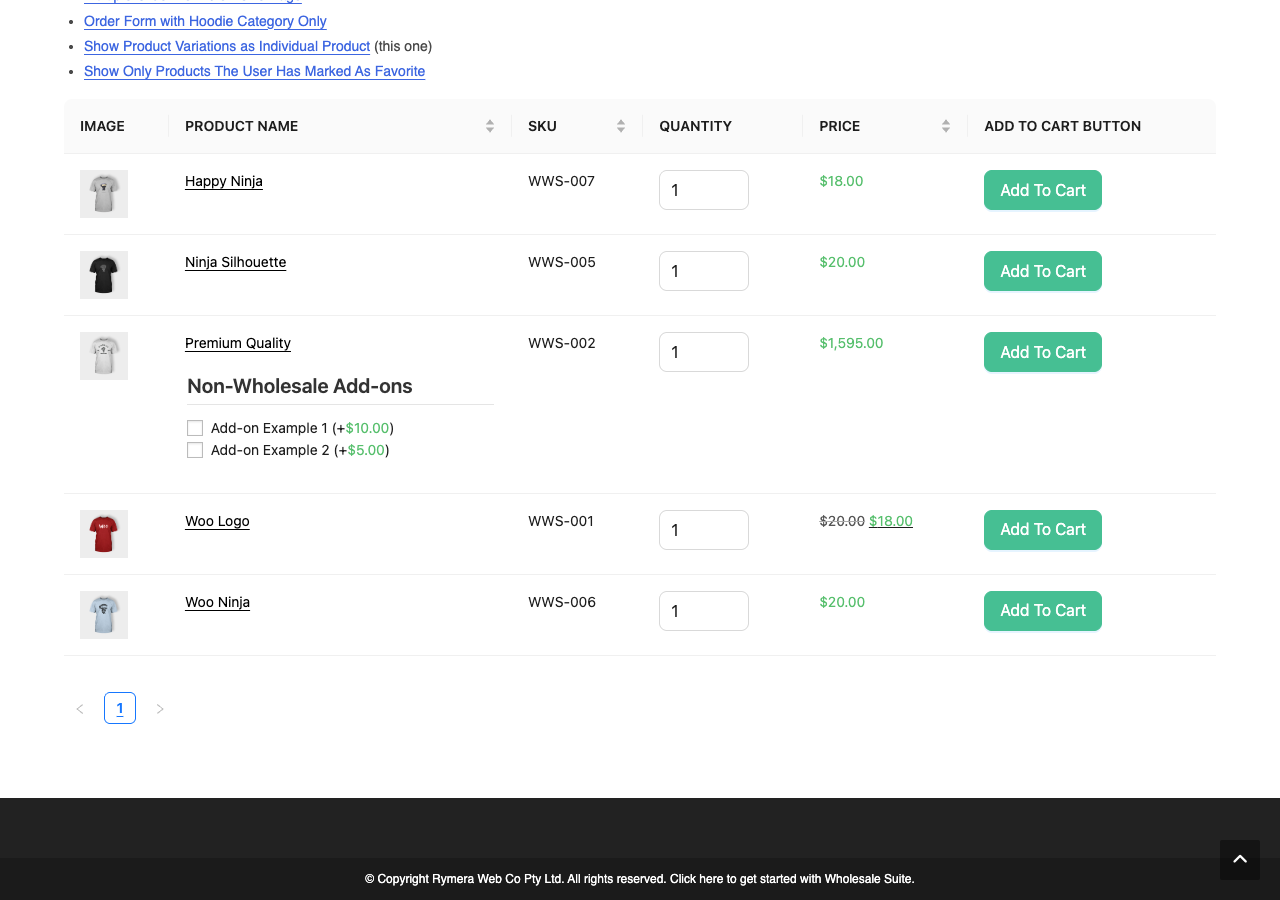
Variations as individual rows (the direct match)
Wholesale Order Form’s “Show Variations Individually” setting renders every variation of a variable product as its own row. A “Cotton T-Shirt” with three colors and four sizes appears as 12 separate rows, each with its own price, stock count, and add-to-cart input. That is the same job Iconic’s plugin did. The difference is the container, since a structured order-form table is designed for fast browsing rather than a standard shop grid. If you want to see exactly how the two display styles work, the Wholesale Suite team has a full walkthrough on displaying product variation lists.
Bulk add-to-cart for high-volume buyers
Order Form supports add-to-cart via a checkbox, a quantity input, or both. A wholesale customer ticks rows, sets quantities, and adds the whole selection in one click. That’s a structural improvement over Show Single Variations, which still relied on the standard WooCommerce product-page flow once the variation was selected. For repeat-order workflows, the click-count difference compounds across orders, which is one of the strongest arguments for choosing this particular iconic show single-variation alternative.
Multiple forms for different audiences
You can build different order forms for different customer roles. Use one form for retail browsers that includes an image, name, price, and quantity. Build another form for wholesale accounts that shows SKU, stock count, GTIN, and tiered pricing. Show Single Variations was a global on-or-off plugin. Order Form lets you scope each form to specific pages or user roles. The GTIN, UPC, EAN, and ISBN column option is one example of a B2B-specific column that doesn’t make sense to expose to retail browsers but is non-negotiable for wholesale.
Integration with the rest of the wholesale stack
The bigger argument for switching is not just like-for-like feature parity. It’s that Order Form sits inside a wholesale-purpose-built ecosystem. Request-a-quote workflows, repeat-order flows, tiered pricing, and minimum-order rules are all in the same plugin family. Show Single Variations did one job. The Wholesale Suite stack handles the entire B2B workflow, which is why so many merchants treat it as the long-term, iconic show single variations alternative rather than a stopgap.
The Rest Of Your Iconic Stack And Where Each Plugin Should Move
For wholesale operators who used more than one Iconic plugin, here’s the practical mapping. The first three swaps below are the ones we are actively onboarding existing Iconic customers to.
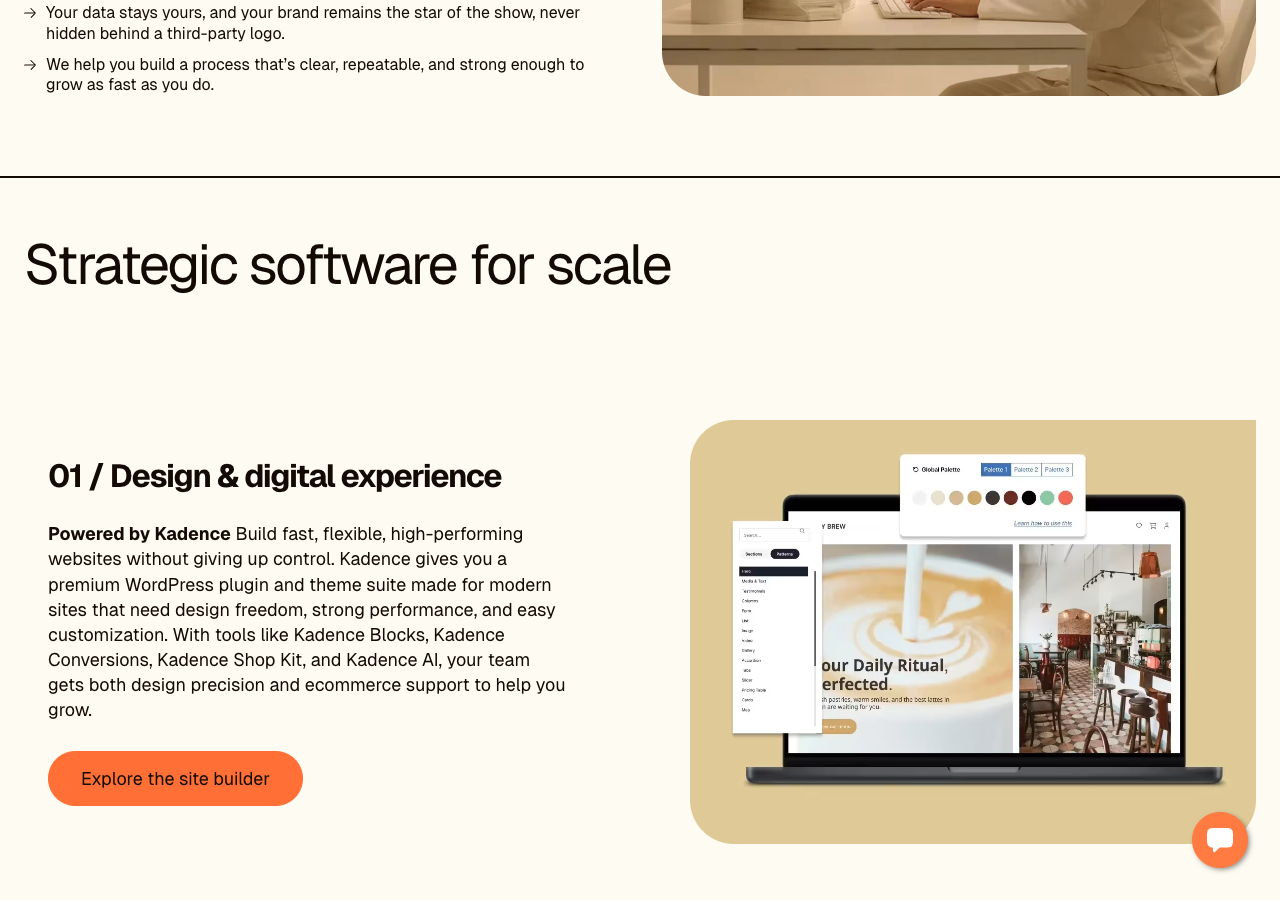
- Iconic Sales Booster: Switch to Advanced Coupons (also from Rymera). Sales Booster bundled cross-sell, FBT, and checkout order bumps. Advanced Coupons replaces those promotional levers with BOGO deals, cart conditions, URL coupons, loyalty rewards, and gift cards. Different mechanism, similar revenue impact.
- Iconic Flux Checkout: Switch to FunnelKit. We’ve worked alongside the FunnelKit team for years and their Funnel Builder is a direct replacement for Flux Checkout, with stronger upsell and order-bump tooling on top.
- Iconic Wishlists for WooCommerce: Switch to SaveTo Wishlist (also from Rymera). Same core wishlist functionality, plus guest wishlist support so shoppers can save items without creating an account (items merge into their account when they sign up later).
- Iconic WooCommerce Delivery Slots: No direct Rymera equivalent. Stores running delivery scheduling should evaluate Order Delivery Date for WooCommerce or similar plugins before their next renewal.
- Iconic WooCommerce Attribute Swatches: Native WooCommerce variation swatches blocks now cover most color and image swatch use cases.
- Iconic WooThumbs: Image gallery customization sits outside the Rymera catalog. The WooCommerce default gallery covers most stores’ needs.
A Safe Migration Sequence For Wholesale Stores
Migrating off any plugin that touches your shop loop needs a plan. For wholesale operators replacing Show Single Variations with the Wholesale Order Form, the sequence we recommend is as follows. The audit step is the one most stores skip, and it’s the one that causes the painful surprises.
Audit your current Show Single Variations setup
Document every product type using variation-display, every theme template override, and every theme or plugin that touches the shop loop. Wholesale stores often have custom child-theme code that depends on how Show Single Variations injects rows. Map it before you switch.
Install Wholesale Order Form on staging only
Mirror your real catalog, not a handful of test SKUs. Variation-heavy catalogs surface issues at the 200+ SKU mark that 10 test products won’t.
Decide your shop-loop strategy
Wholesale Order Form is a separate page by default, which is the right answer if you want a clean B2B ordering experience while keeping a styled shop page for retail. If you want the order form to replace the shop page entirely, plan the redirect accordingly.
Configure forms per customer role
Build one form for retail and one form for wholesale accounts, with the SKU, stock, and tiered pricing columns visible. Test the role logic before going live. The Wholesale Suite docs on adjusting wholesale product visibility are a good reference for getting role-based access right.
Switch traffic, then deactivate
Activate Wholesale Order Form on production, monitor a few hundred real orders, and only deactivate Show Single Variations once you’re confident the new form is handling them. Running both in parallel beyond the cutover window is asking for layout conflicts.
If you are unsure whether the swap maps to your specific catalog, the Wholesale Suite support team is onboarding Iconic refugees this week and will walk through your variation setup before you commit.
Frequently Asked Questions From Wholesale Operators
Will Show Single Variations still get updates after the IconicWP shutdown?
Short term, almost certainly. Longer term, less certain. The plugin is being folded into Kadence Shop Kit, and whether the same release cadence and niche compatibility fixes continue is exactly the kind of detail that’s hard to read this early. If your shop loop depends on a specific Show Single Variations behavior, it’s worth assuming the answer might be “less attention” and planning accordingly.
Can I use Wholesale Order Form on a non-wholesale store?
Yes. Despite the name, the plugin handles any product catalog. Many B2C stores use it as a quick-order alternative for repeat customers, especially in niches like coffee, supplements, and craft supplies where customers reorder the same SKUs frequently.
Will Wholesale Order Form replace my shop page or sit alongside it?
Your call. The default is a separate page, which is what most wholesale stores want (keep shop styled for retail, add a fast-ordering form for wholesale accounts). If you want it to replace the shop entirely, configure the form on /shop/ and let it take over.
What happens to bookmarked variation URLs from my old Show Single Variations setup?
Show Single Variations creates synthetic URLs for each variation. If customers have bookmarked them, those URLs still resolve as long as Show Single Variations is active. After switching, the synthetic URLs will 404. Plan a 301 redirect strategy if specific variation URLs have meaningful traffic or external links pointing at them.
Can I keep Show Single Variations active while testing Wholesale Order Form?
For a brief overlap, yes. Two plugins fighting over the shop loop is not a long-term setup, but a one to two week parallel-run for validation is reasonable. Just don’t leave them both active beyond the cutover.
A Calmer Path Forward For Wholesale Stores
IconicWP isn’t dead, but the standalone brand and the support model are over. For wholesale stores running Show Single Variations, the consolidation under Kadence Shop Kit creates a real reason to evaluate alternatives now rather than under deadline pressure later.
Here’s the actionable shortlist:
- Read what actually happened to IconicWP before customers or staff ask.
- Understand what the change means for Show Single Variations, specifically, so your roadmap planning is realistic.
- Look at how Wholesale Order Form covers the variation-display job before your next license renewal.
- Map your other Iconic plugins to replacements so you have one migration plan, not five.
- Follow the safe migration sequence so the swap doesn’t break your live shop loop.
If Show Single Variations is wired into how your wholesale catalog actually sells, the next step is to test Wholesale Order Form on staging with your real catalog this week, while you have time and not under pressure. See Wholesale Order Form’s full feature set and pricing, and we’ll help you plan the cutover from there.



