
If you run a WooCommerce wholesale store, custom pricing requests aren’t a question of “if” but “when.” B2B price negotiation is a normal part of doing business in wholesale. Your buyers expect it, and ignoring those requests is one of the fastest ways to lose deals.
Saying yes to every pricing request is just as dangerous, though. The solution isn’t to avoid negotiation. It’s to build a structured process for handling it. In this guide, you’ll learn how to evaluate custom pricing requests, respond professionally, and set up negotiated pricing in your WooCommerce store using Wholesale Suite. By the end, you’ll have a repeatable B2B price negotiation process that protects your margins.
Why B2B Buyers Expect Price Negotiation
B2B price negotiation is standard practice in wholesale. Unlike retail, where prices are fixed and non-negotiable, wholesale buyers expect flexibility because the relationship is fundamentally different.
Here are the main reasons B2B buyers negotiate on price:
- Volume commitments. A buyer ordering 1,000 units has more leverage than one ordering 10. Larger orders reduce your per-unit costs, and buyers know it.
- Ongoing relationships. A customer committing to monthly reorders for a year represents predictable revenue. That stability has value, and buyers expect it reflected in their pricing.
- Market competition. Your buyers are comparing your wholesale prices with those of other suppliers. When a competitor offers better terms, your buyer will bring that to the table.
- Industry norms. Pricing is rarely one-size-fits-all in wholesale, and it’s also one of the highest-leverage levers you control. McKinsey research finds that a 1% price increase translates into an 8.7% increase in operating profits when volume holds steady. With stakes like that, treating each request thoughtfully rather than reflexively protects real profit.
Ignoring pricing requests doesn’t make you look firm. It makes you look inflexible, and your buyers will move to a supplier who’s willing to have the conversation.
How To Handle Custom Pricing Requests In WooCommerce
Handling custom pricing requests well comes down to having a repeatable process. Here’s a four-step B2B price negotiation workflow that works for WooCommerce wholesale stores.
Receive the request
The first step is giving buyers a clear way to submit pricing requests. When customers have to send a vague “can I get a better price?” email, you’re starting the process at a disadvantage.
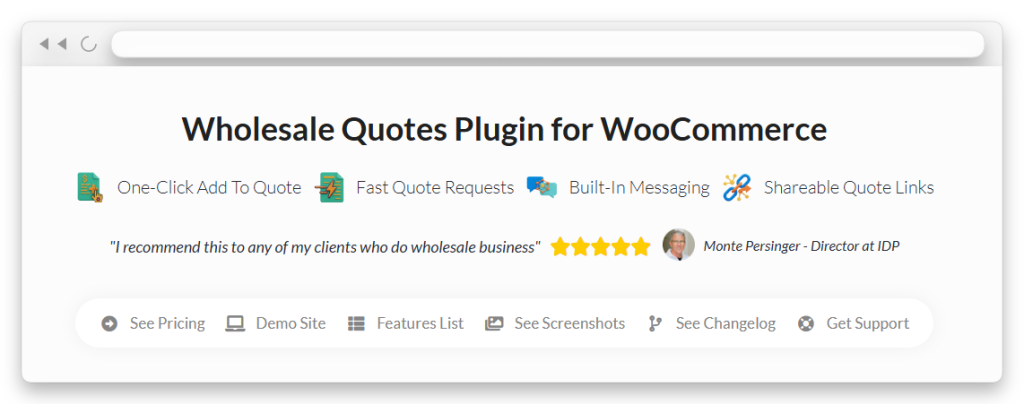
The most efficient approach is a formal quote request system. Wholesale Quotes adds a quote request form directly to your WooCommerce store. Buyers can select products, specify quantities, and submit a structured request that you review from your WordPress dashboard. This creates a paper trail and keeps everything organized.
Evaluate the request
Not every pricing request deserves the same response. Before you reply, run through a quick evaluation:
- Order volume. Is this a large enough order to justify a discount? What’s the minimum quantity that makes a custom price worthwhile for you?
- Customer history. Is this a first-time buyer or a long-standing account with consistent reorders? Loyal customers bring more value over time.
- Margin impact. What’s the margin at the requested price? Every product should have a floor price you won’t go below, regardless of volume.
- Strategic value. Does this account open a new market, provide brand exposure, or lead to referrals? Sometimes the long-term value justifies a short-term concession.
Respond with a counteroffer or acceptance
Don’t fire back an instant “yes” or “no.” Even when the request is reasonable, take the time to present your terms formally.
With Wholesale Quotes, you can respond directly inside the quote system. Adjust quantities, modify pricing, add notes explaining your terms, and send it back to the buyer. The built-in messaging keeps the conversation in one place.
For requests that arrived outside the quote system, move the conversation into a formal format as soon as possible. A written quote with clear terms protects both you and the buyer.
Implement the custom pricing
Once you’ve agreed on pricing, the next step is setting it up in your WooCommerce store so the buyer can actually order at the negotiated rate. This is where Wholesale Suite’s pricing tools come in, and the next section covers the specific setup options.
Setting Up Custom Pricing With Wholesale Suite
Wholesale Suite gives you several ways to set up negotiated pricing in WooCommerce. The right approach for your B2B price negotiation workflow depends on whether you’re dealing with a one-off deal, a recurring customer segment, or a volume-based arrangement.
Create multiple wholesale roles with different pricing tiers
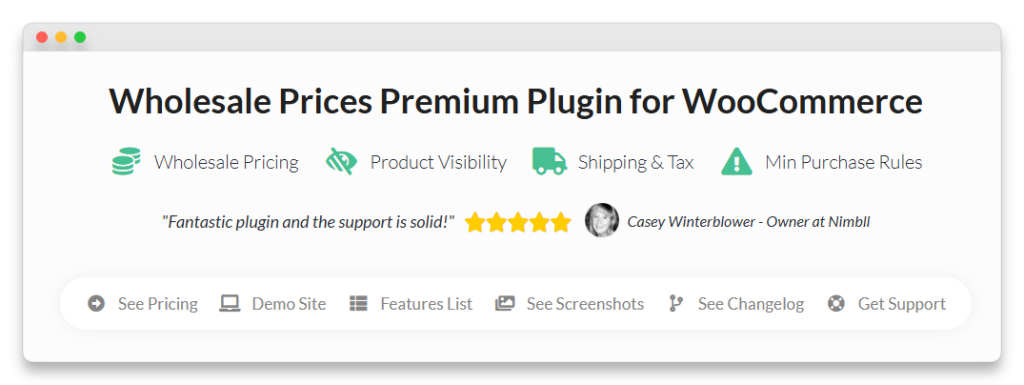
Wholesale Prices Premium lets you create unlimited custom wholesale roles. Each role gets its own pricing structure across your entire catalog.
For negotiated pricing, this means you can build specific roles for different customer segments. You might keep a “Standard Wholesale” role, a “VIP Wholesale” role for high-volume accounts, and a “Contract Pricing” role for customers with annual agreements. Each role sees its own prices on login. This approach works well when groups of customers should all get the same negotiated rates, rather than individual one-off deals.
Set product-level pricing for individual deals
When a negotiation results in a specific price for specific products, Wholesale Prices Premium supports product-level pricing per role. You can set a unique wholesale price for any product, for any role.
Say a buyer negotiated a special rate on 15 products. You assign them to the appropriate wholesale role and set the agreed prices at the product level. The buyer then sees those prices automatically when browsing your store.
Use Wholesale Quotes for the formal quote workflow
For stores that handle a high volume of pricing requests, Wholesale Quotes manages the entire negotiation lifecycle. Your wholesale quote system works like this:
- The buyer submits a quote request from your store’s frontend.
- You review the request in your WordPress dashboard.
- You adjust pricing, add notes, or send a counteroffer.
- The buyer reviews and accepts, or negotiates further.
- The accepted quote converts directly into a WooCommerce order.
This keeps the entire negotiation documented, time-stamped, and connected to the actual order. No email chains to dig through, no verbal agreements that get forgotten.
Set up tiered and volume pricing as an alternative to one-off negotiation
One way to reduce the number of custom pricing requests is to make your pricing transparent upfront. Wholesale Prices Premium’s tiered pricing feature lets you set automatic quantity-based discounts. The more a buyer orders, the lower the per-unit price.
For example, you might set orders of 50+ units to get 10% off, 100+ units to get 15% off, and 500+ units to get 20% off. This gives buyers an incentive to order more without negotiating individually.
For more on structuring your wholesale margins effectively, see our guide on how to boost your wholesale margins.
When To Negotiate And When To Hold Your Price
Not every pricing request deserves a discount. Knowing when to negotiate and when to hold firm is what separates profitable wholesale stores from those that slowly give away their margins. That judgment call sits at the heart of healthy B2B price negotiation.
When to negotiate
Some requests are worth engaging with:
- Large volume commitments. When a buyer commits to quantities that meaningfully reduce your per-unit fulfillment costs, a better price makes sense for both parties.
- Long-term contracts. A buyer who signs a quarterly or annual purchasing agreement gives you revenue predictability. That has real value.
- Strategic accounts. Some buyers offer non-price value, like brand exposure in a new market, access to a larger customer base, or referral potential. Factor that into your evaluation.
- Repeat customers with strong history. Buyers who’ve ordered consistently for months or years have already proven their reliability. Rewarding loyalty with better pricing strengthens the relationship.
When to hold firm
Other requests don’t justify flexibility:
- One-time buyers with no commitment. When someone wants a discount on a single order with no promise of future business, there’s little reason to budge.
- Small orders. A discount on a 10-unit order rarely makes financial sense, even when the buyer asks nicely.
- Below-cost requests. Some buyers push for pricing that would drop you below your cost of goods. Always know your floor price and don’t go below it.
- Already-discounted products. When a product is already on promotional pricing or the margins are thin, stacking another discount erodes profitability.
For a framework on setting appropriate discount levels, our wholesale discount reference guide covers typical percentage ranges by industry.
Best Practices For B2B Price Negotiation
A strong wholesale pricing strategy comes down to consistency, documentation, and regular review. Here are the practices that keep B2B price negotiation profitable over time.
Document every agreement in writing
Verbal pricing agreements lead to confusion and disputes. Use Wholesale Quotes to create a written record of every negotiated price, including the terms, quantities, and expiration date. A documented trail protects you when a buyer misremembers what was agreed.
Set expiration dates on all quotes
A quote you sent three months ago shouldn’t be valid forever. Market conditions change, your costs change, and the buyer’s needs change. Set quotes to expire within 30 to 60 days and require a new request for updated pricing.
Review custom pricing agreements annually
At least once a year, audit all your negotiated pricing arrangements. Are those special rates still justified by the buyer’s actual order volume? Has your cost basis changed? Annual reviews prevent old deals from quietly draining your margins.
Tier your standard pricing to reduce one-off negotiations
The fewer custom requests you handle manually, the more efficiently your store runs. Set up tiered volume pricing as your default so buyers can self-serve for standard discounts, and reserve manual negotiation for genuinely exceptional deals.
Track margin impact
Every negotiated price should be evaluated against your actual margins, not just the discount percentage. A 10% discount on a high-margin product is very different from 10% on a product where your margin is already thin.
Ready to manage your wholesale pricing workflow from one place? Wholesale Suite bundle gives you the pricing flexibility, quote management, and role-based access control to handle B2B price negotiation professionally.
Build A B2B Price Negotiation Process That Protects Your Margins
B2B price negotiation doesn’t have to be stressful or unprofitable. With a structured process for receiving, evaluating, and responding to pricing requests, you can keep your wholesale buyers happy without giving away your margins. The stores that thrive aren’t the ones that refuse to negotiate, nor the ones that say yes to everything. They’re the ones that treat every request as a decision backed by data, supported by the right tools, and documented for the future.
Getting there is mostly a matter of putting the pieces in place: understand why buyers expect flexibility, follow a consistent workflow, configure your pricing tools to match the deals you actually make, and review those arrangements often enough that they keep serving you. Wholesale Suite bundle gives you everything you need to manage B2B price negotiation in WooCommerce, from custom wholesale pricing roles to formal quote workflows, so you can build a B2B price negotiation process that works for both you and your buyers.
Here’s what we covered in this article:
- Why B2B buyers expect price negotiation
- How to handle custom pricing requests in WooCommerce
- Setting up custom pricing with Wholesale Suite
- When to negotiate and when to hold your price
- Best practices for B2B price negotiation
Frequently Asked Questions
How do I set different wholesale prices for different customers in WooCommerce?
Wholesale Prices Premium lets you create multiple wholesale customer roles, each with its own pricing. You can set prices at the product level or the category level for each role. When a customer logs in, they see the prices assigned to their role. This lets you maintain different negotiated pricing tiers without separate stores or manual workarounds.
Should I always negotiate on price when a wholesale buyer asks?
No. B2B price negotiation should be reserved for situations where the deal justifies flexibility, like large volume commitments, long-term contracts, or strategically valuable accounts. For small orders or one-time buyers, it’s usually better to hold your standard pricing and offer tiered volume discounts as an alternative.
What’s the best way to receive pricing requests from wholesale customers?
A formal quote request system is the most efficient approach. Wholesale Quotes adds a quote request form to your WooCommerce store where buyers can select products, specify quantities, and submit a structured request. This creates a documented paper trail and lets you manage the entire negotiation from your WordPress dashboard.
How do I know my floor price for negotiations?
Your floor price is the lowest amount you can charge while still covering your costs and maintaining a minimum acceptable margin. Calculate it by adding your cost of goods, fulfillment costs, overhead allocation, and your minimum profit target per unit. Never negotiate below this number, regardless of volume or relationship promises.