
Picture an agency that looks after a dozen WooCommerce wholesale stores. One client wants their AI assistant to approve quotes. Another wants a weekly list of top wholesale customers without anyone logging in. Before the WordPress Abilities API, each request meant writing and maintaining a custom endpoint.
Abilities change that. Plugins can now publish a named list of actions, each with its own inputs and permission check, and AI agents can find and run them. The hard part for a developer is knowing what a real plugin suite exposes, and how to keep it under control.
This guide covers what Wholesale Suite registers as abilities, who can run each group, how calls get logged, and how to switch everything off. It’s based on the plugins’ own documentation and code.
What The WordPress Abilities API Is
The WordPress Abilities API (WordPress 6.9+) is a central registry where plugins declare named actions with defined inputs, outputs, and permission checks. AI agents and automation tools can then discover those actions and run them in a consistent, predictable way.
Per the WordPress Abilities API documentation, each ability has a few core parts:
- A unique name: It follows a
namespace/ability-namepattern, plus a human-readable label and description. - Input and output schemas: JSON Schema describes what the ability expects and what it returns, so an agent knows how to call it.
- A category: Related abilities are grouped together.
- A permission callback: This optional check decides whether the current user may run the ability.
- An execute callback: This is the PHP function that does the work.
Think of it like a restaurant menu. The kitchen still cooks the food, but customers order from a fixed list of dishes with clear descriptions. The Abilities API gives every plugin the same menu format, so any agent can read it. Registration is covered in the official docs. For an agency, the useful question is what a production plugin suite puts on that menu.
How Abilities Reach An AI Agent Or Automation
Abilities live inside WordPress, so an AI assistant needs a bridge to reach them. That bridge is MCP (Model Context Protocol). According to the WordPress MCP adapter handbook, the MCP adapter translates WordPress abilities into MCP tools, so assistants like Claude and ChatGPT can discover and invoke them.
WooCommerce uses the same layer. Per WooCommerce’s MCP developer documentation, WooCommerce registers its own product and order abilities on the Abilities API and MCP adapter. That feature is still a developer preview.
A Wholesale Suite store has two routes to an agent:
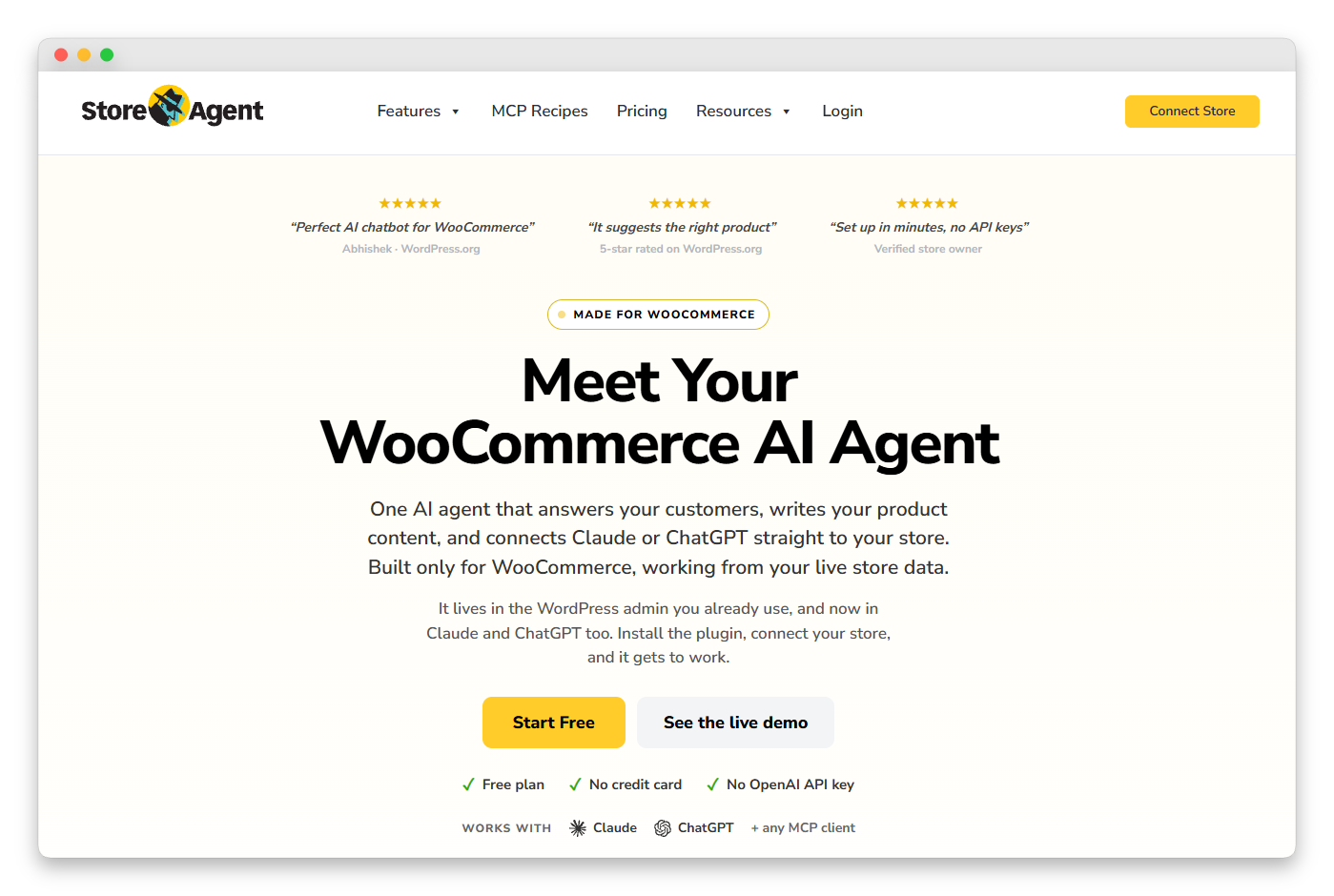
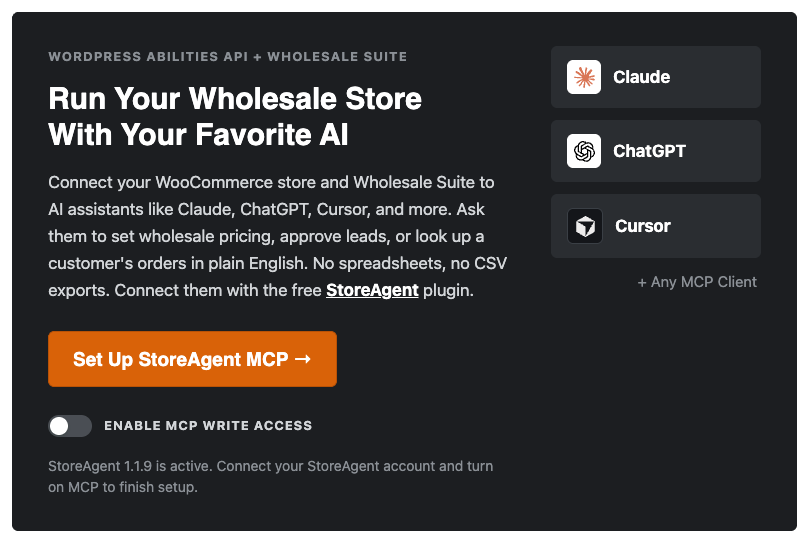
- StoreAgent: The AI / MCP tab in Wholesale Suite connects StoreAgent for you. Its Enable MCP write access switch gates write abilities, but only for StoreAgent connections.
- An MCP adapter plugin: If you use an adapter instead, the adapter decides what the assistant can do. The StoreAgent switch has no effect there.
Either way, every call runs as the authenticated WordPress user, so the agent never gets more access than that account has. For the bigger picture of where this fits, see our guide to AI system integration for Wholesale Suite.
Which Wholesale Actions Wholesale Suite Exposes
Wholesale Suite registers 47 abilities across four plugins. Of those, 17 are read-only, and 30 make changes. You need WordPress 6.9 or newer, or WooCommerce 10.9 or newer, because either one provides the Abilities API.
WooCommerce Wholesale Prices 2.3.0 is the switch that turns this on. It adds Abilities API support and enables abilities for every Wholesale Suite plugin. The four plugins break down like this:
| Plugin (minimum version) | Abilities | Read-only examples | Write examples | Who can run the writes |
|---|---|---|---|---|
| WooCommerce Wholesale Prices (2.3.0, free) | 3 | Get wholesale price, List wholesale customers | Set wholesale price | Shop Manager or Administrator |
| WooCommerce Wholesale Prices Premium (2.1.3) | 15 | List wholesale roles, Get pricing overview, Get effective price | Set minimum order rule, Set quantity discount rule, Create wholesale role | Administrator only (all 12 writes) |
| WooCommerce Wholesale Order Form (3.1.2) | 8 | List order forms, Get order form analytics | Duplicate order form, Delete order form | Shop Manager or Administrator |
| WooCommerce Wholesale Quotes (1.0.3) | 21 | List quotes, Get quote stats | Approve quote, Convert quote to order, Bulk update quote status | Shop Manager or Administrator (settings: Administrator only) |
| Total | 47 | 17 read-only | 30 make changes |
Wholesale Lead Capture and Wholesale Payments don’t register any abilities yet. For every ability with its description and permission, see the complete list of Wholesale Suite AI abilities.
WooCommerce Wholesale Prices (3)
The free plugin covers the basics. An agent can get or set a wholesale price on a product or variation, and list wholesale customers with their last order date and lifetime spend.
WooCommerce Wholesale Prices Premium (15)
Premium adds the pricing rules. Three read abilities list roles, count pricing rules by level, and work out the effective price a customer pays. Its 12 write abilities cover global, category and quantity discounts, cart subtotal discounts, minimum orders, shipping, payment and tax-exempt mapping, role creation, role assignment, product visibility and role prices.
WooCommerce Wholesale Order Form (8)
Four read abilities list forms, show a form’s setup, return combined analytics, and give you the embed shortcode. The other four create, duplicate, update, or delete order forms.
WooCommerce Wholesale Quotes (21)
Quotes has the largest set. Agents can read quotes, messages, history, public links, stats, rate limits, and settings. On the right side, they can edit items, approve, decline, cancel, convert quotes to orders, bulk update up to 50 quotes, send messages, and delete quotes.
The Permissions Model
Every ability call runs as the WordPress user who authenticated the connection. So the account you connect with decides what the agent can touch.
Wholesale Suite splits access into two tiers:
- Shop Managers and Administrators: Both can use every read ability, the free Set wholesale price ability, all Order Form abilities, and most Quotes abilities.
- Administrators only: The 12 Premium write abilities and the two Quotes settings abilities. They change store-wide rules, settings, and user roles, so a Shop Manager connection can read Premium pricing but can’t change it.
Some read abilities also work for customers. A wholesale customer can read their own role’s price. Any logged-in customer can use five Quote read abilities on their own quotes only: List quotes, Get quote, List quote messages, List quote history, and Get quote public link.
Abilities that overwrite or remove data are marked as destructive. That tells the assistant to ask before it runs them, but the assistant decides how it asks. Write abilities change live data, and some, like Delete quote and Delete order form, can’t be undone.
Our advice for client sites: connect as the least-privileged role that can do the job. A reporting agent only needs Shop Manager. If you need a refresher on how roles stack up, read how WooCommerce customer roles work for wholesale.
Audit Log And Kill Switches
Wholesale Suite gives you two governance tools: a log of every ability call, and switches that turn abilities off. Both are built for developers who manage client sites.
The abilities audit log
On WordPress 7.1 or newer, Wholesale Suite logs every ability call. You’ll find the entries under WooCommerce > Status > Logs by picking the wwp-abilities-audit source. This gives you a record to check when a client asks what an agent changed. Successful calls are written at the Info level and failed ones at the Error level, so if your WooCommerce log settings only keep warnings and errors, successful calls won’t show up.
To keep abilities running but stop the log, set the WWP_DISABLE_ABILITIES_AUDIT constant or use the wwp_disable_abilities_audit filter.
Turning abilities off
Each plugin has its own switch. Add the constant to wp-config.php, or use the matching filter in code. You only need one of the two.
// All Wholesale Suite plugins (set in wp-config.php)
define( 'WWP_DISABLE_ABILITIES', true );
// Premium abilities only
define( 'WWPP_DISABLE_ABILITIES', true );
// Order Form abilities only
define( 'WWOF_DISABLE_ABILITIES', true );
// Quotes abilities only
define( 'WWQ_DISABLE_ABILITIES', true );
// Filter version of the suite-wide switch
add_filter( 'wwp_disable_abilities', '__return_true' );
The WooCommerce Wholesale Prices switch is suite-wide. It turns off the abilities of every Wholesale Suite plugin, not only its own. The other three filters follow the same pattern: wwpp_disable_abilities, wwof_disable_abilities and wwq_disable_abilities.
What we’ve seen: the detail worth building around is Assign user to wholesale role. It replaces every role a user holds, including Shop Manager or Editor, though it won’t touch your last Administrator. Any automation that moves customers between tiers should check their current roles first. Update quote works the same way with items, since the list you send replaces the whole item list.
Automation Use Cases For Agencies
Abilities are most useful when you map a client request to a short chain of named actions. Here are four scenarios you could build:
- Weekly digest (read-only): Picture a client who wants a Monday summary. An agent can run List wholesale customers, sorted by lifetime spend, then Get quote stats for the past week. Nothing changes, so a Shop Manager connection is enough.
- Quote triage: An agent lists quotes by status, flags the ones that need a human, and then uses Bulk update quote status on up to 50 at once. Approve and Decline send the customer the usual emails. Cancel sends none.
- Pre-launch pricing audit: Before a price change goes live, run Get pricing overview and Get effective price for a few test customers. Keep in mind that Get effective price leaves out cart quantity discounts, cart subtotal discounts and scheduled sale prices.
- Order form housekeeping: Use Duplicate order form to copy a form as a draft before you edit it, so the live form stays untouched.
Not every job needs an agent. For rule-based tier changes, such as moving a customer up after they spend a set amount, wholesale role automation is built in and doesn’t need an AI connection at all.
Abilities API Vs The Wholesale Suite REST API
Use the REST API for system-to-system sync, and use abilities when an agent or automation tool needs to discover actions with permission checks built in.
The Wholesale Suite REST API uses the wholesale/v1 and wwlc/v1 namespaces. It offers batch endpoints, plus Premium discount and analytics endpoints. That makes it a good fit for an ERP sync or a bulk catalog update, where your own code knows which endpoint to call.
Abilities suit a different job. Each one describes itself, checks the caller’s permissions, and gets logged on WordPress 7.1+. An agent can work out what’s available on its own, without you writing a custom endpoint for each client.
An agency build can use both: REST for the scheduled sync, abilities for ad hoc requests through an assistant.
Build Agent-Ready Wholesale Stores With The WordPress Abilities API
The WordPress Abilities API gives agencies something they haven’t had before: a documented, permission-checked action layer that every client store shares. Instead of maintaining one-off endpoints per client, you get a known list of wholesale actions, a log of what ran, and a switch to turn it all off.
Your next steps:
- Learn what the Abilities API is so you can explain it to clients.
- Pick your wholesale abilities by plugin.
- Connect with the least-privileged role that covers each job.
- Set up the audit log and kill switches before you hand over a site.
- Choose between abilities and REST for each integration.
Ready to build agent-ready wholesale stores with the WordPress Abilities API? The Wholesale Suite bundle includes the premium plugins behind all four ability sets and covers unlimited sites, which suits agencies running several client stores.
Frequently Asked Questions About The WordPress Abilities API
What version of WordPress do I need for the Abilities API?
The Abilities API is available in WordPress 6.9 and above. For Wholesale Suite abilities, you need WordPress 6.9 or newer, or WooCommerce 10.9 or newer, since either one provides the API. You also need WooCommerce Wholesale Prices 2.3.0 or newer, which turns abilities on across the suite.
Is the Abilities API the same as MCP?
No. The Abilities API is the registry inside WordPress where plugins declare their actions. MCP is the protocol an AI assistant uses to talk to your site. The MCP adapter, or StoreAgent, sits between them and turns abilities into tools the assistant can call.
Can I turn off Wholesale Suite abilities on a client site?
Yes. Set WWP_DISABLE_ABILITIES to true in wp-config.php, or use the wwp_disable_abilities filter, to turn off abilities for every Wholesale Suite plugin. Each premium plugin also has its own constant and filter if you only want to switch off one set.
Where can I see what an AI agent changed?
On WordPress 7.1 or newer, Wholesale Suite logs every ability call. Go to WooCommerce > Status > Logs and pick the wwp-abilities-audit source. You can stop the log while keeping abilities active with the WWP_DISABLE_ABILITIES_AUDIT constant or its filter.
Can wholesale customers use abilities?
Only a few. A wholesale customer can read their own role’s wholesale price. Any logged-in customer can list and read their own quotes, along with messages, history and the public link. Every other ability needs a Shop Manager or Administrator account.